 CoreAxis School ERP
Insights & Settings · Chapter 50
School Profile
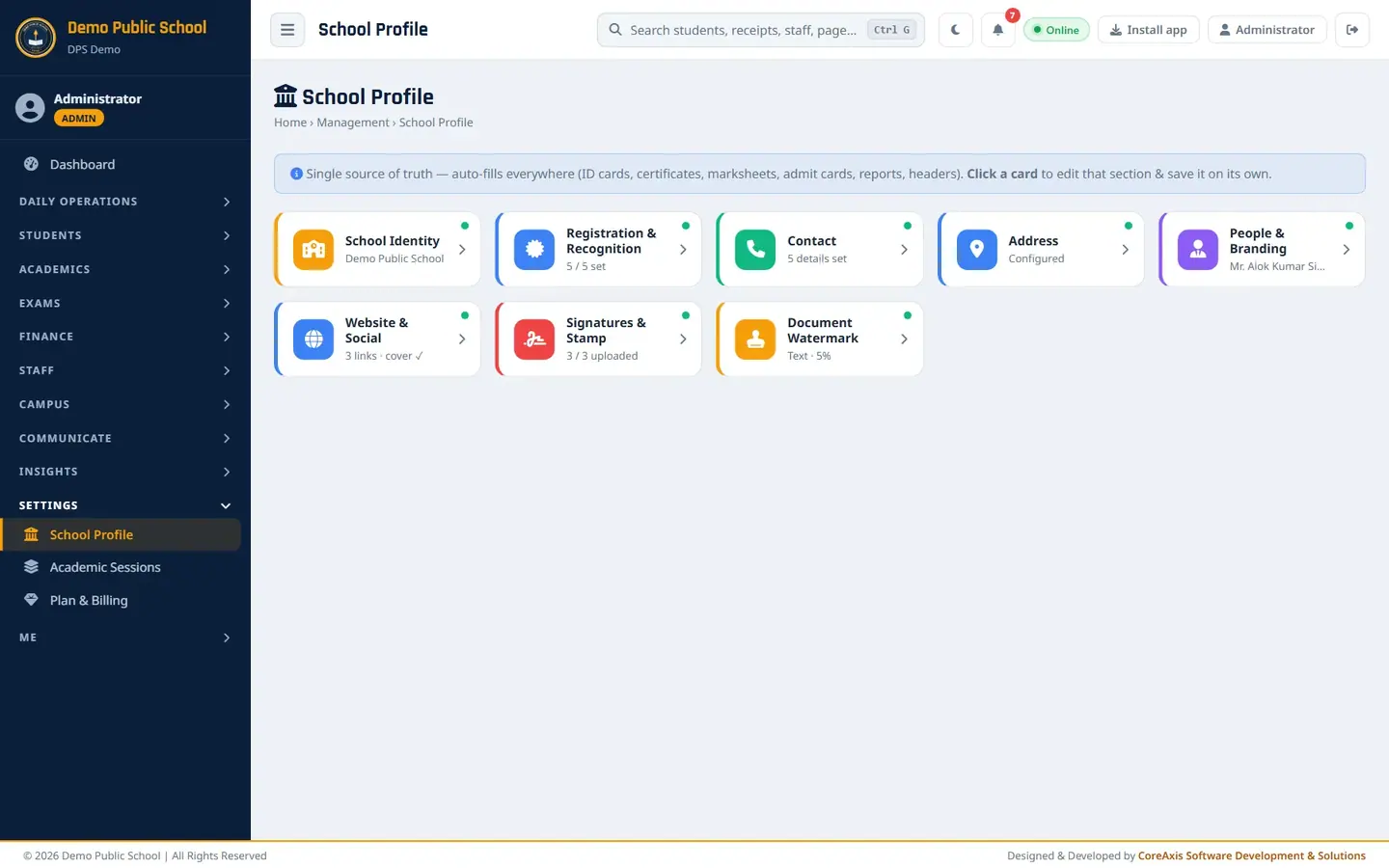
School Profile is the school's master record. Whatever you save here fills in automatically on ID cards, certificates, marksheets, admit cards, receipts, letters, reports, page headers and the school's public website. The page shows eight cards; click a card to open that section, change it, and click Save This Section. Only that section is saved. A green dot on a card means the section is filled.
Open and edit a section
Open Settings › School Profile. Each card shows a short summary (for example Registration & Recognition 5 / 5 set).
Eight section cards. Click a card. Its form opens below the cards.
Change the fields you need.
Click Save This Section and confirm. Click Close to fold the section without saving.
TipCheck spellings carefully: a wrong UDISE or affiliation number prints on every certificate and card.
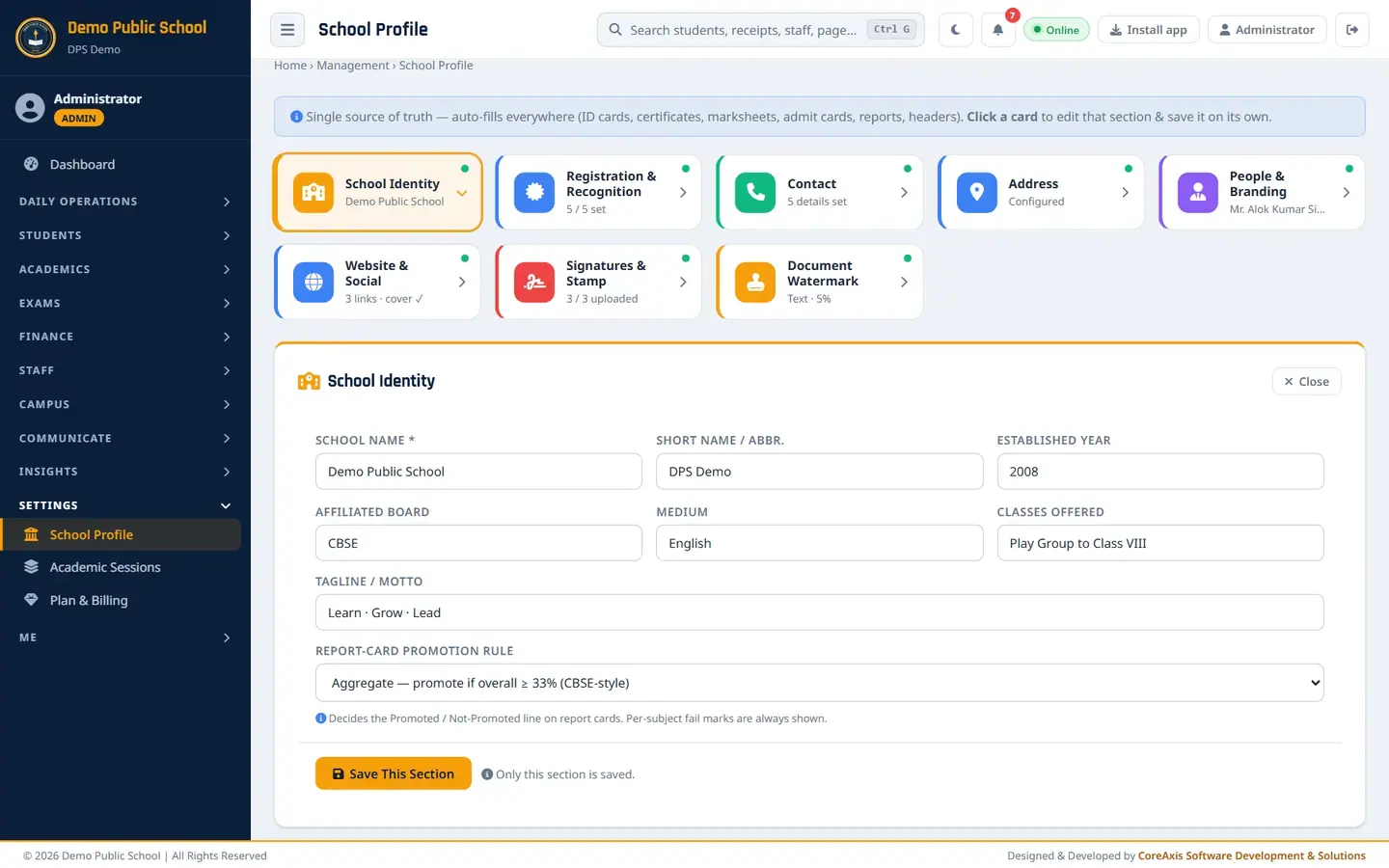
School Identity
Name and basic facts of the school.
- School Name *
- Full name as on the affiliation (Demo Public School).
- Short Name / Abbr.
- Used where space is short and in reference numbers (DPS Demo).
- Established Year / Affiliated Board / Medium / Classes Offered
- 2008, CBSE, English, Play Group to Class VIII.
- Tagline / Motto
- Printed under the name on the letterhead (Learn · Grow · Lead).
- Report-card promotion rule
- Aggregate (promote if overall is 33% or more, CBSE-style) or Subject-wise (must also pass every subject). Used on report cards and in class promotion.
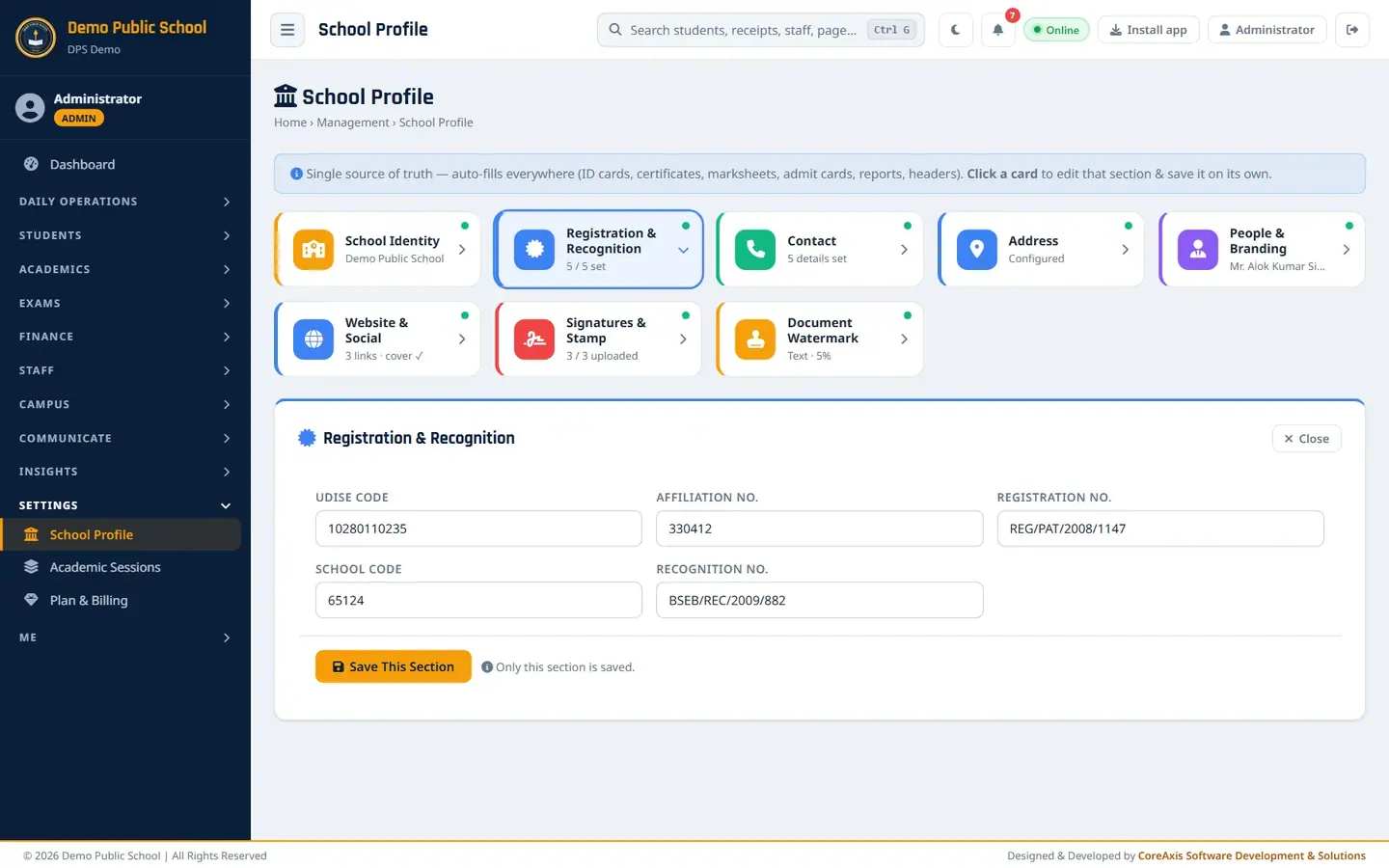
Registration & Recognition
- UDISE Code
- 11-digit UDISE+ code (10280110235).
- Affiliation No. / Registration No. / School Code / Recognition No.
- Board affiliation, society or trust registration, board school code and state recognition number. They print on ID cards, TCs, certificates and the letterhead.
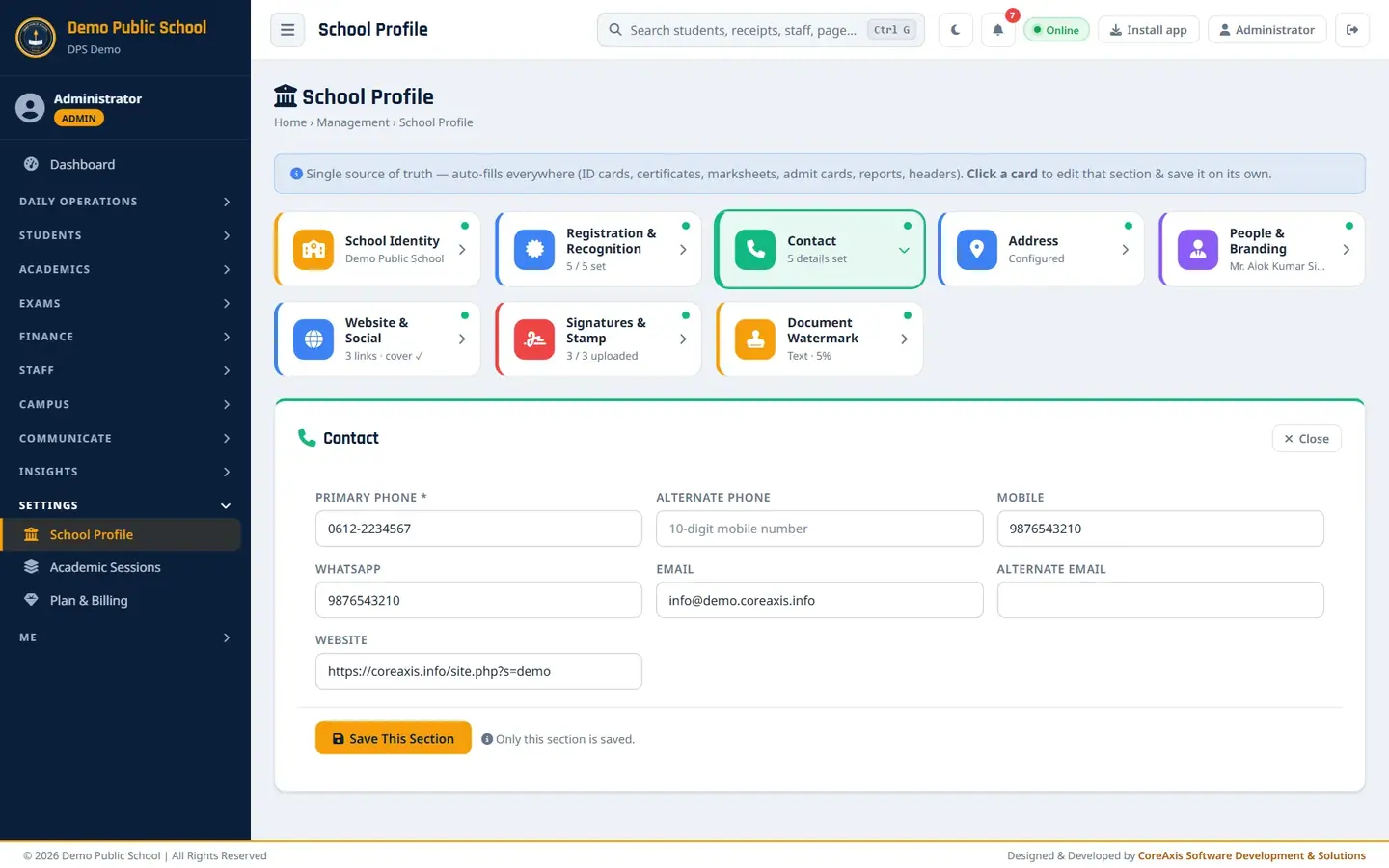
Contact
- Primary Phone *
- Main office number (0612-2234567).
- Alternate Phone / Mobile / WhatsApp
- Other numbers shown on cards, receipts and the website.
- Email / Alternate Email
- School email (info@demo.coreaxis.info).
- Website
- The school website address.
Address
- Address
- Street and area (14, Boring Road, Near Patna Women's College).
- City / District / State / PIN code
- City, district, state and 6-digit PIN code. Together with the address they print on the letterhead, receipts and certificates.
People & Branding
- Director Name / Principal Name
- Printed under the signatures on certificates, cards and letters.
- Hostel Warden Name / Phone
- Shown to hostel students in the app.
- Upload New Logo
- JPG / PNG / WEBP up to 2 MB. Used in headers, receipts, cards, certificates and the website. Leave empty to keep the current logo.
Website & Social
- Facebook / Instagram / YouTube / X (Twitter) / LinkedIn URL
- Social icons on the school's public website (top bar and footer).
- Hero Cover Image
- Wide photo (1600 px or wider) behind the school name at the top of the public website.
Signatures & Stamp
Upload transparent PNG images for the cleanest print.
- Director Signature
- Signature of the director.
- Principal Signature
- Printed on ID cards, report cards, certificates and leave sanction orders.
- School Stamp / Seal
- The round official seal, printed next to the signature.
Document Watermark
- Watermark Type
- None, Text, Picture (logo / image) or Small Tiles (repeat).
- Watermark Text / Orientation / Opacity (%)
- Text such as DPS Demo, Diagonal or Horizontal, and how light it is (5% in the demo school).
- Tiles Content / Watermark Image
- For tiles, repeat text or the logo; an uploaded image replaces the logo.
Each section, as it opens
The demo school's saved values, shown for reference.
School Identity.
School Identity. Registration & Recognition.
Registration & Recognition. Contact.
Contact. Address.

Address. People & Branding.
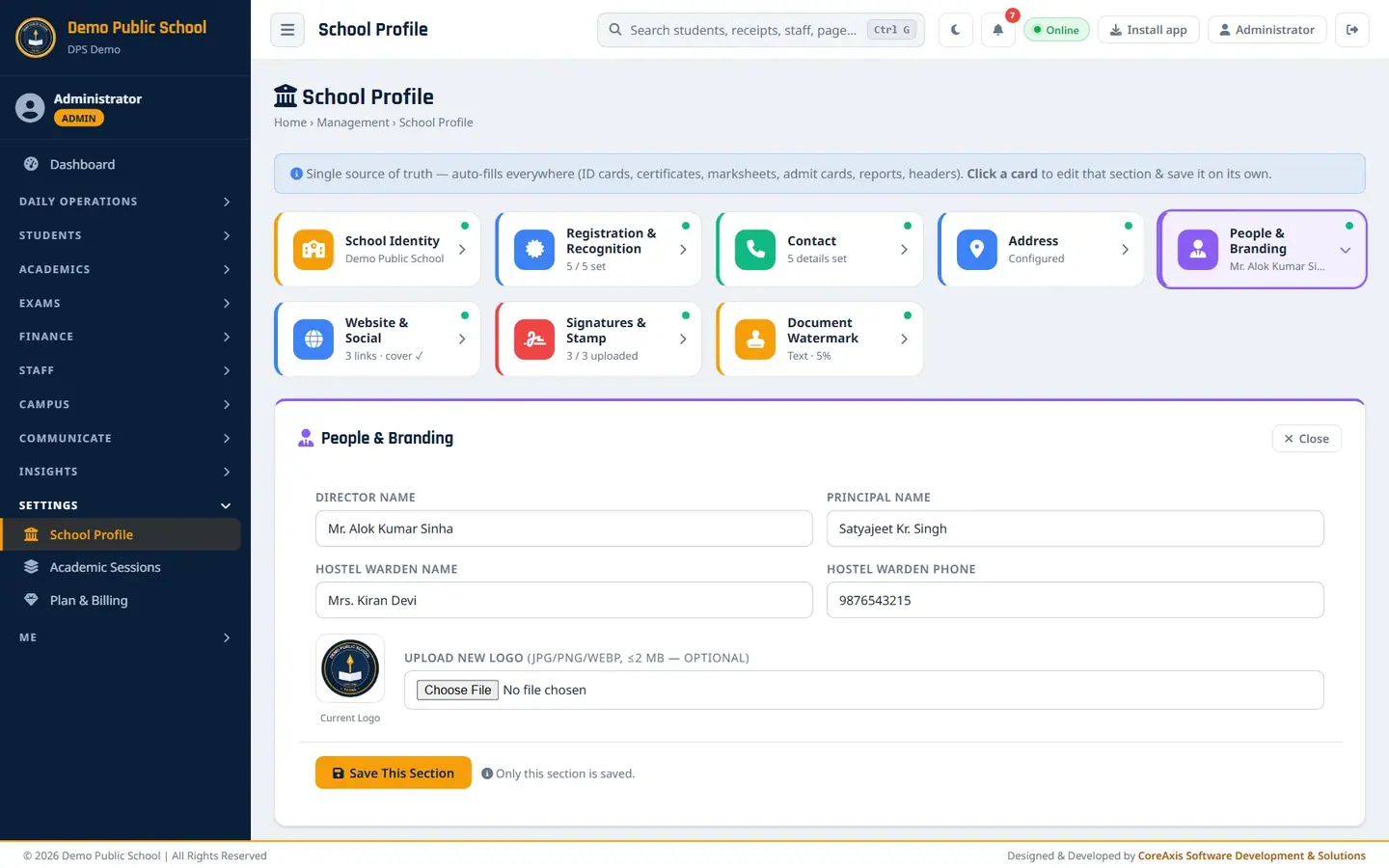
People & Branding with the current logo. Website & Social.
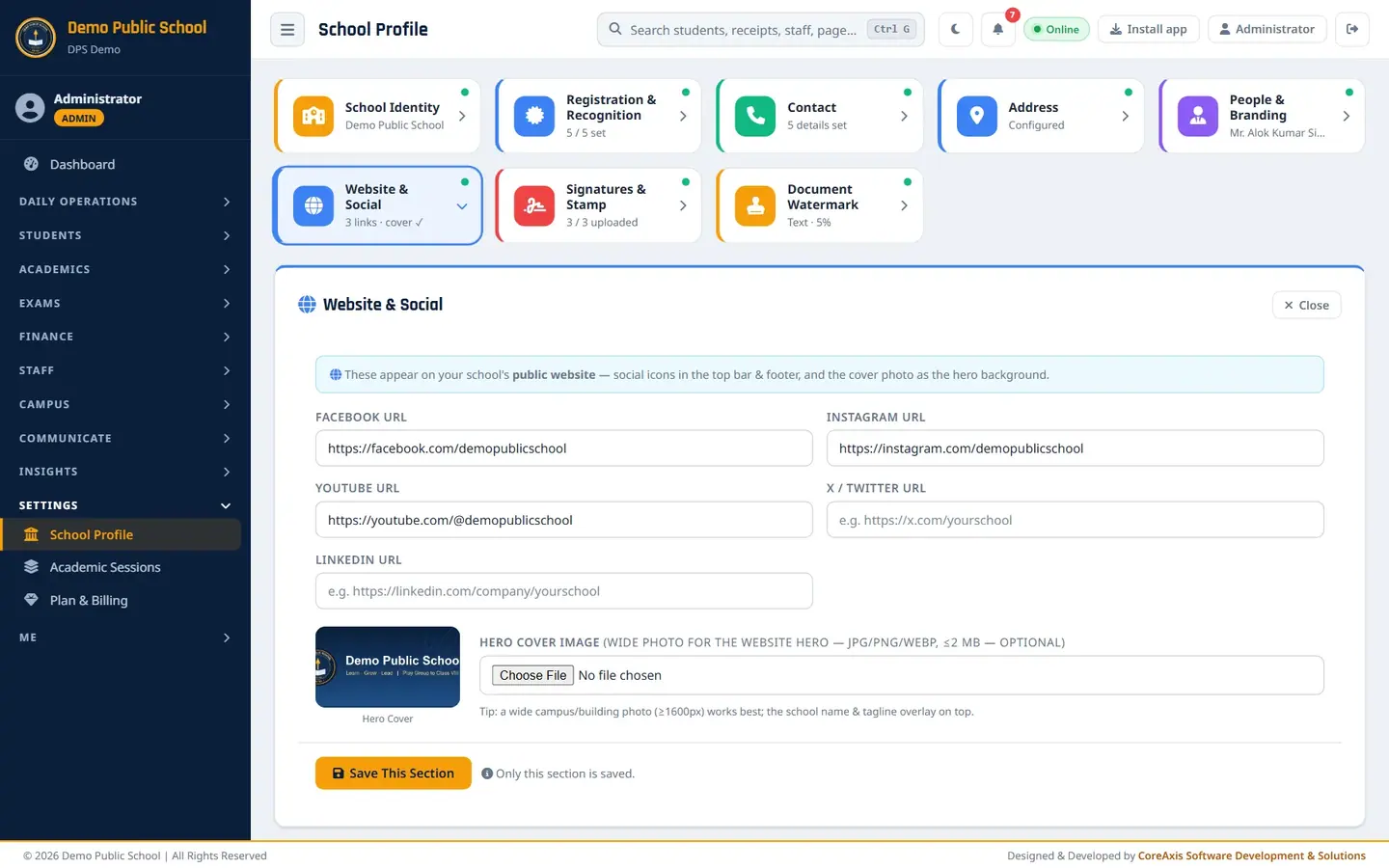
Website & Social with the hero cover. Signatures & Stamp.
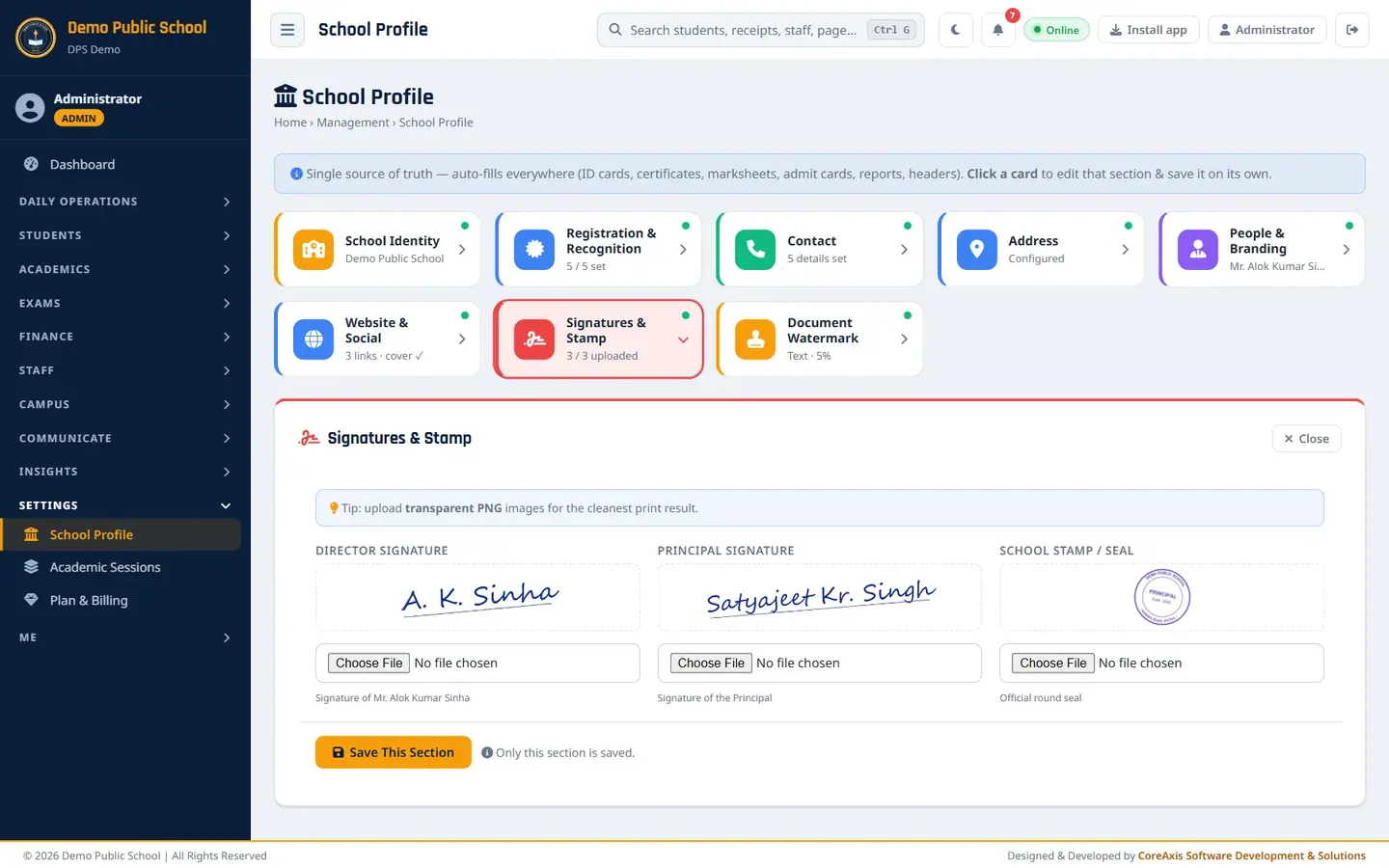
Director and principal signatures and the seal. Document Watermark.
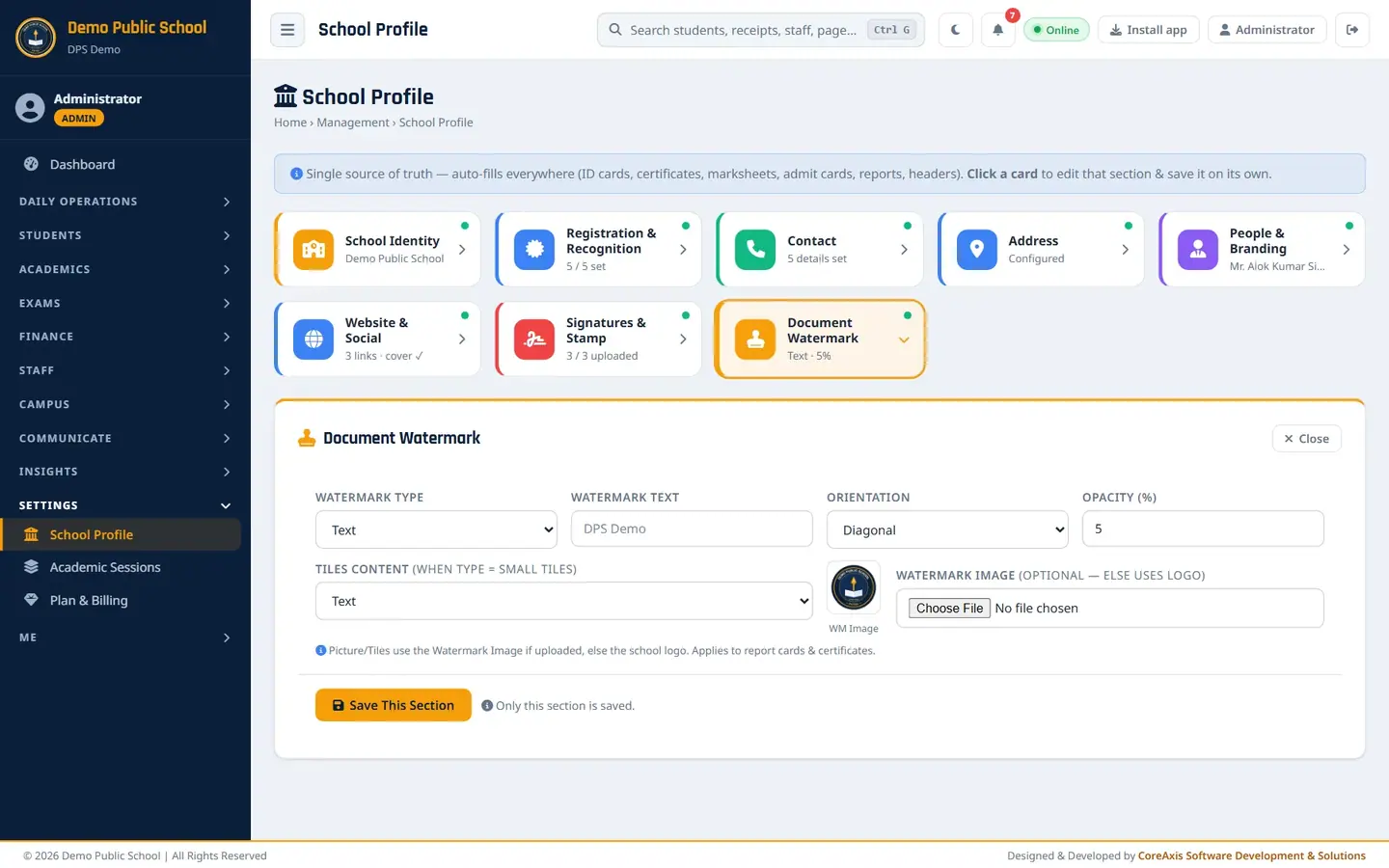
Text watermark, diagonal, 5%.
Questions
I changed the logo but an old card still shows the old one.
Printouts made before the change keep the old logo. Print the document again.
Who can change the School Profile?
Admin-level users (Administrator, Principal, Vice Principal). Teachers and accountants cannot open it.