 CoreAxis School ERP
Finance · Chapter 32
Salary / Payroll
Payroll works month by month. Each staff member has a salary structure (earnings and deductions). For the chosen month the app reads staff attendance, works out the earned salary and net pay, and the office marks it paid. The payment goes into the salary account and the Cash or Bank Book, and the staff member can download the payslip from My Payslips.
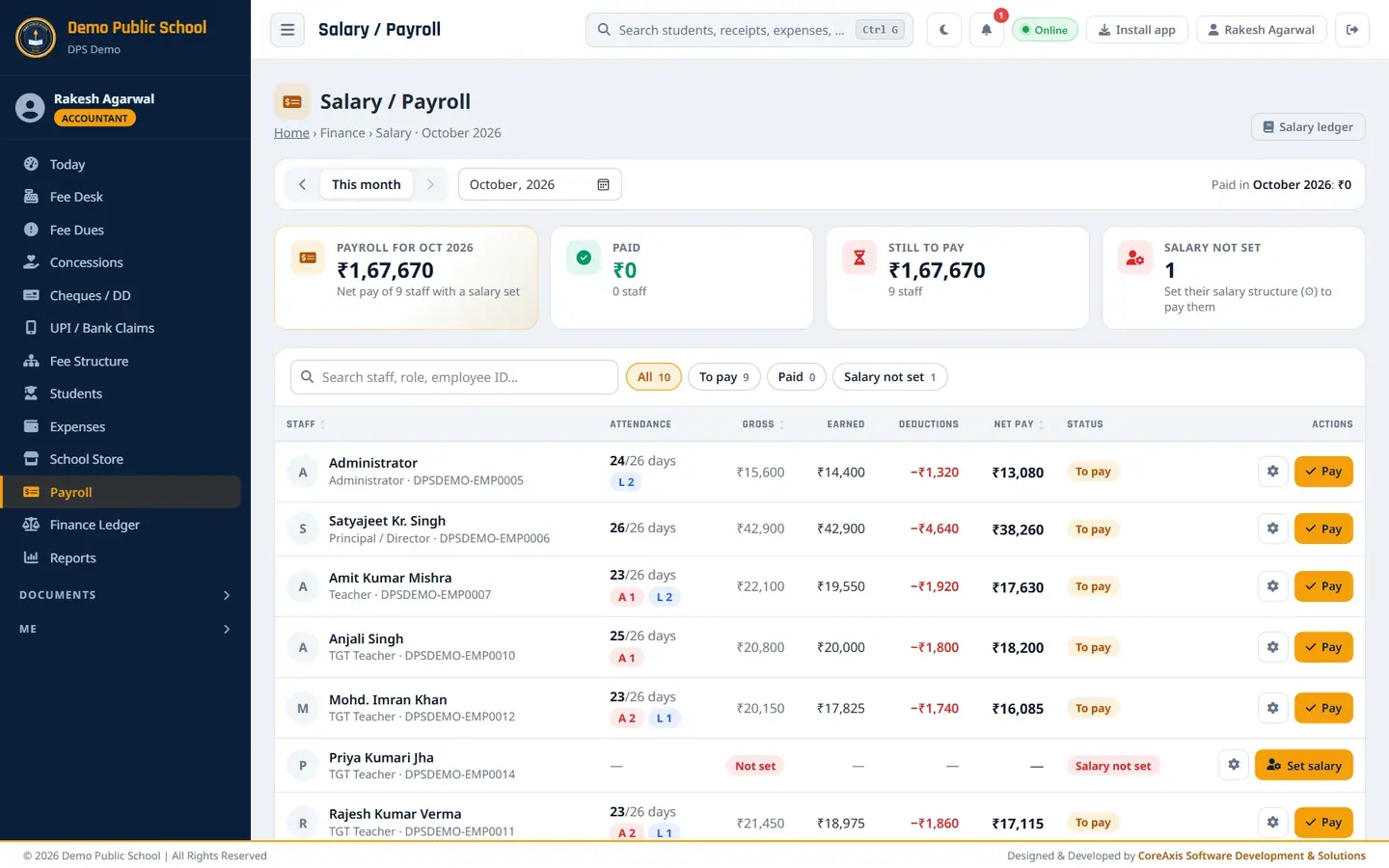
Screen at a glance
- Month
- The month being paid (October 2026). Use the month picker to open another month.
- Payroll for (month)
- Net pay of all staff with a salary set.
- Paid
- Amount paid so far and number of staff.
- Still to pay
- Amount and number of staff not yet paid.
- Salary not set
- Staff without a salary structure.
- Chips
- All, To pay, Paid.
- Columns
- Staff (designation, employee ID), Attendance (present / working days, A = absent, L = leave), Gross, Earned, Deductions, Net pay, Status, Actions.
- Gear icon
- Opens the salary structure.
- Pay / Set salary
- Pays the month, or sets the structure for a new staff member.
- Printer icon
- Payslip (after the salary is paid).
- Salary ledger
- Opens Finance Ledger › Salary account.
Set the salary of a new teacher (example: Priya Kumari Jha, TGT)
Open Payroll. A new staff member shows Salary not set.
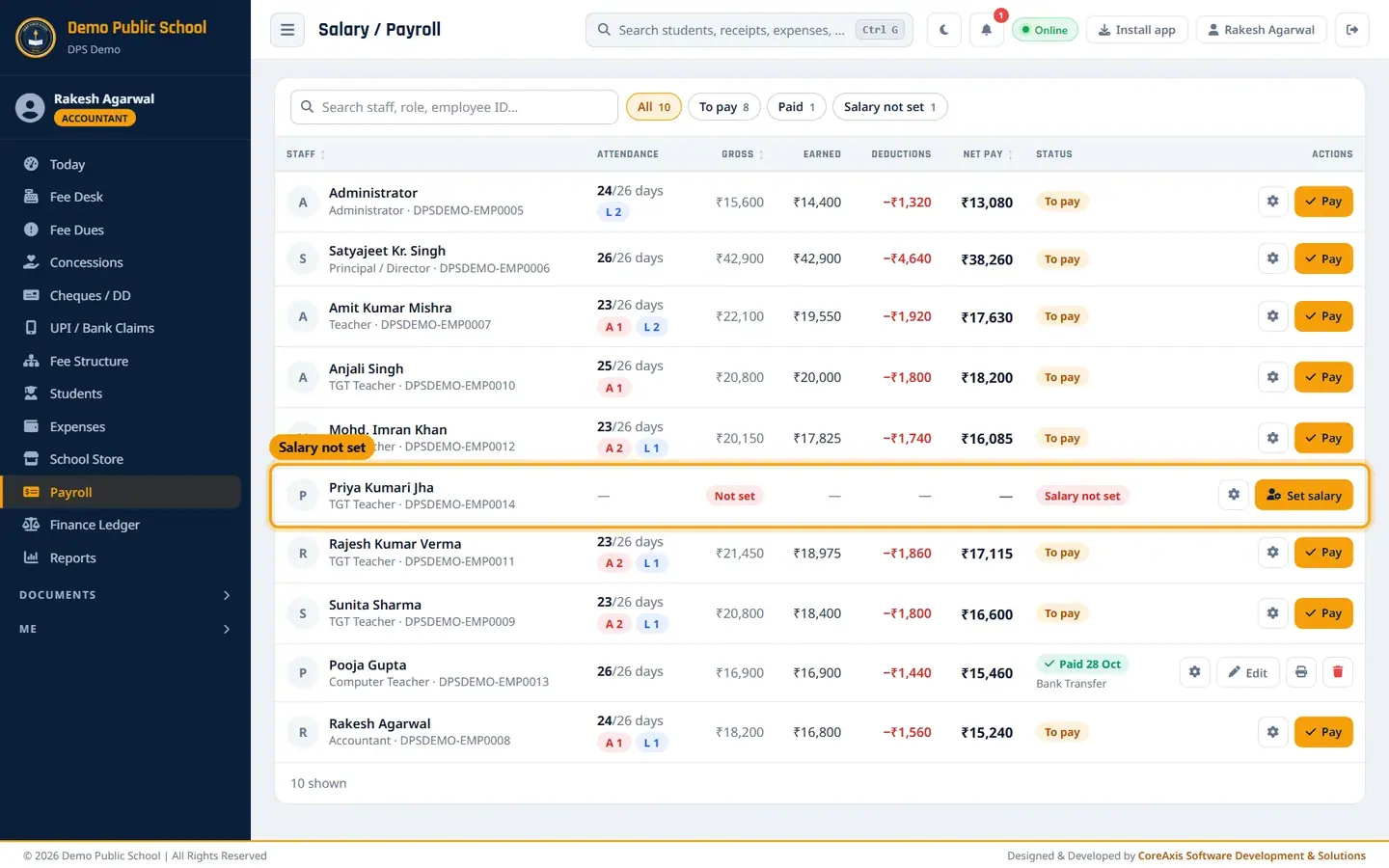
Salary not set for the new teacher. Click Set salary, then Set salary in the popup.
Fill the earnings per month: Basic salary 14,000, HRA 2,800, DA 1,400, TA / conveyance 800, Medical 500.
Fill the deductions: PF 1,680 (ESI, TDS, Other deductions 0).
Keep Working days / month at 26. The box at the bottom shows Gross ₹19,500, Deductions −₹1,680, Net (full month) ₹17,820.
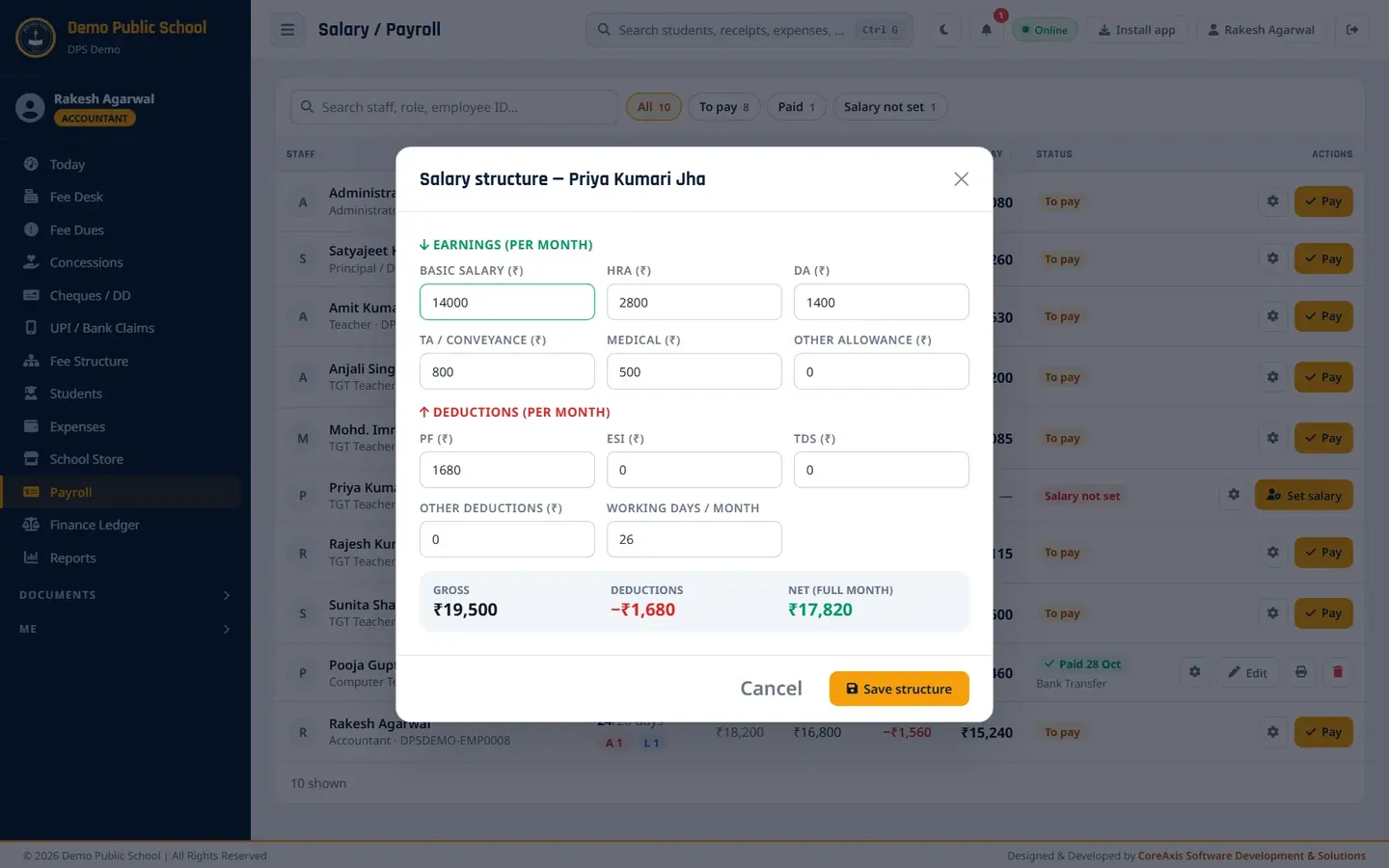
Salary structure with the totals worked out. Click Save structure, then Confirm. It is used for every month paid from now.
TipTo change a structure later, click the gear icon on the staff row. Only Admin / Principal can remove a structure.
Pay the month's salary (example: Pooja Gupta, Computer Teacher, October 2026)
Open Payroll for October 2026. Every row shows the attendance and the net pay worked out from it.
October payroll: 9 staff to pay. Click the gear icon to check Pooja Gupta's structure if needed.

Salary structure of Pooja Gupta: gross ₹16,900, net ₹15,460. Click Pay on Pooja Gupta's row.
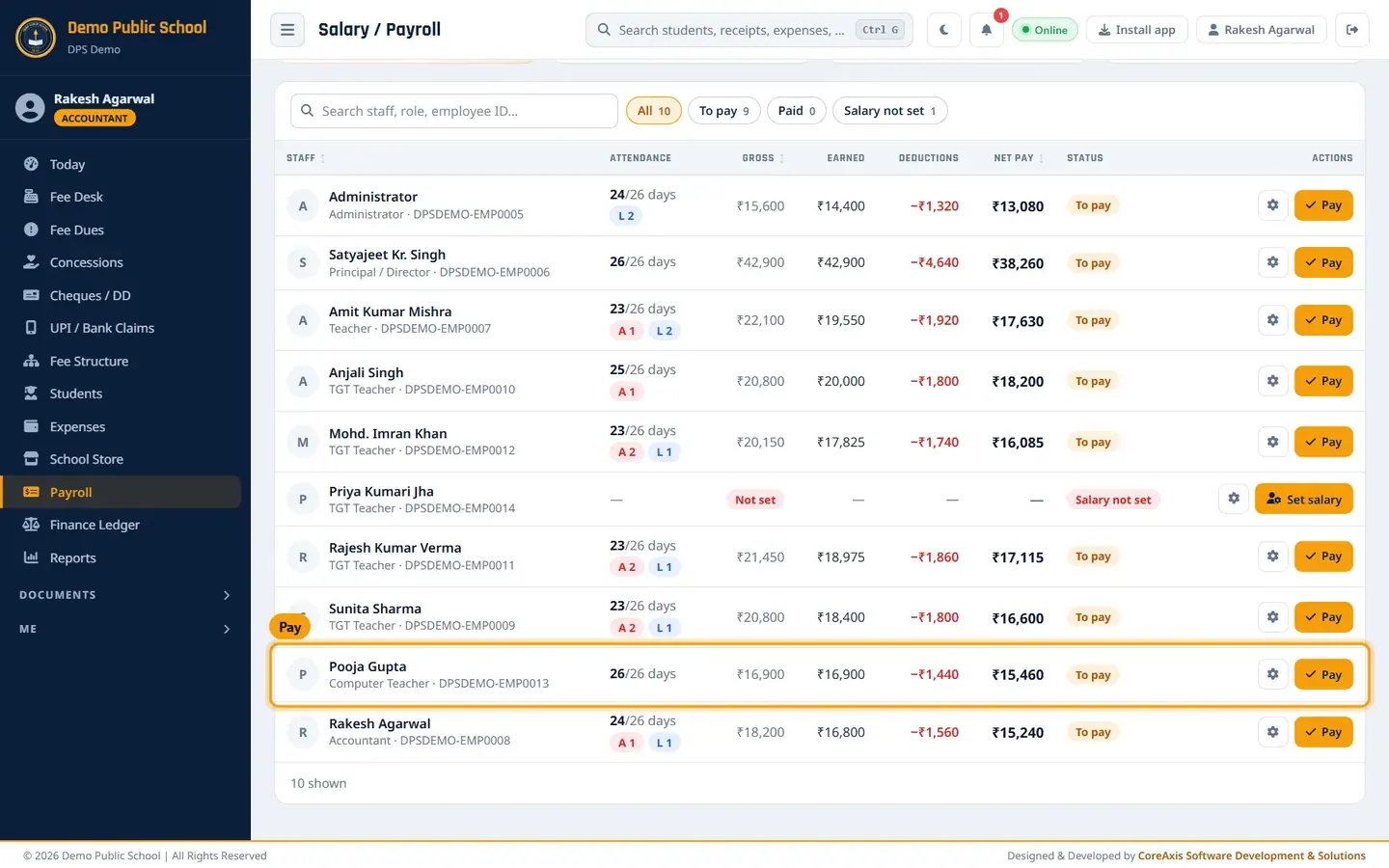
Pay button on the row. Check the summary: 26 / 26 days present, gross ₹16,900, deductions −₹1,440, Net pay ₹15,460. Change Present days or Net salary only to override.
Set Paid on (28-10-2026), Payment mode Bank Transfer, and a Remarks line, for example
October salary paid before Diwali - NEFT from SBI current account.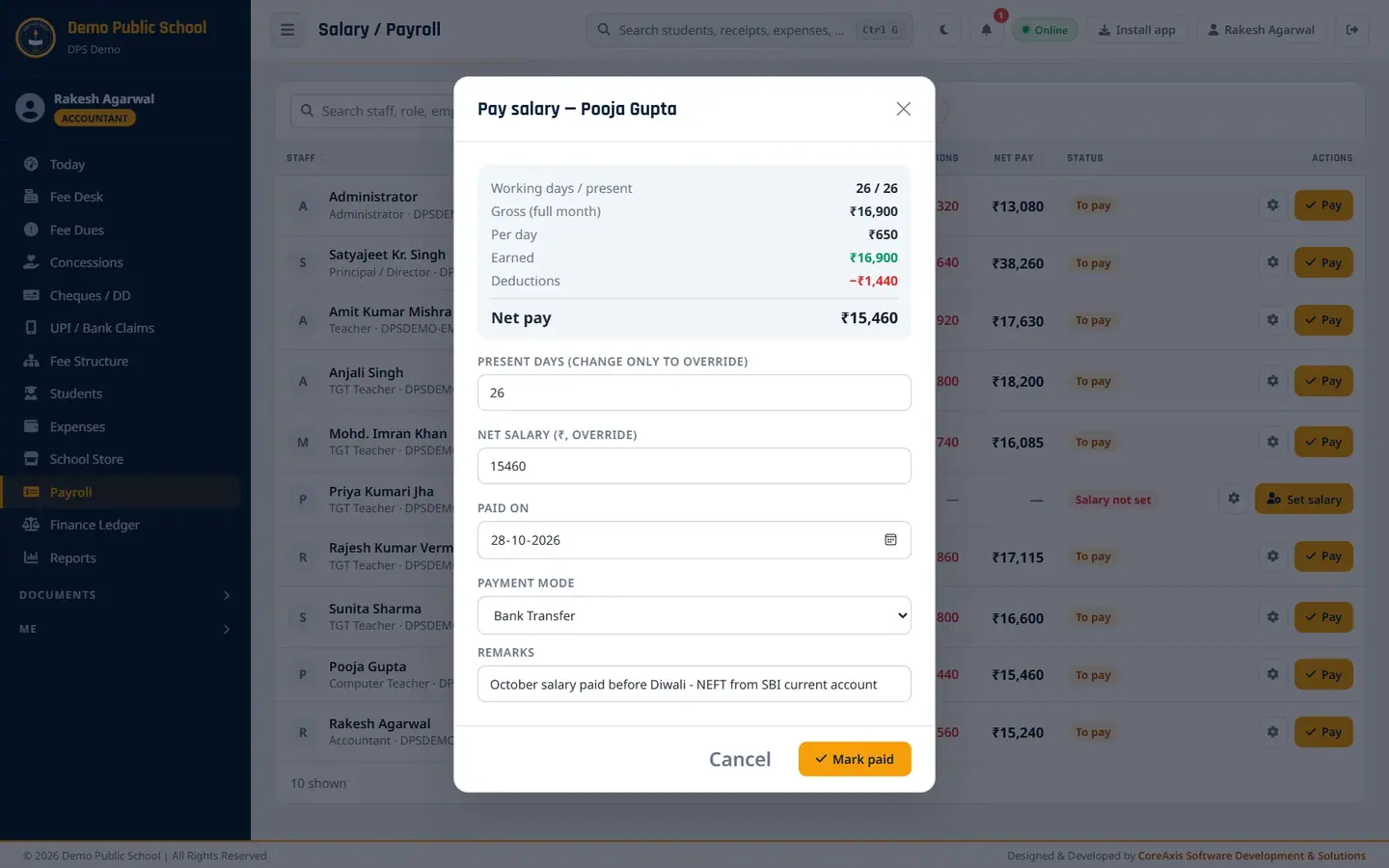
Pay salary window. Click Mark paid, then Mark paid in the popup. The row shows Paid.

Pooja Gupta marked paid.
TipMark staff attendance for the month first (Staff › Staff Attendance). Unmarked working days are counted as present, and the Pay window warns you about them.
TipLeave without pay is deducted at the per-day rate (gross ÷ working days).
Print the payslip
Click the printer icon on a paid row. The payslip opens in a new tab with attendance, earnings, deductions, net pay and a verification QR code.
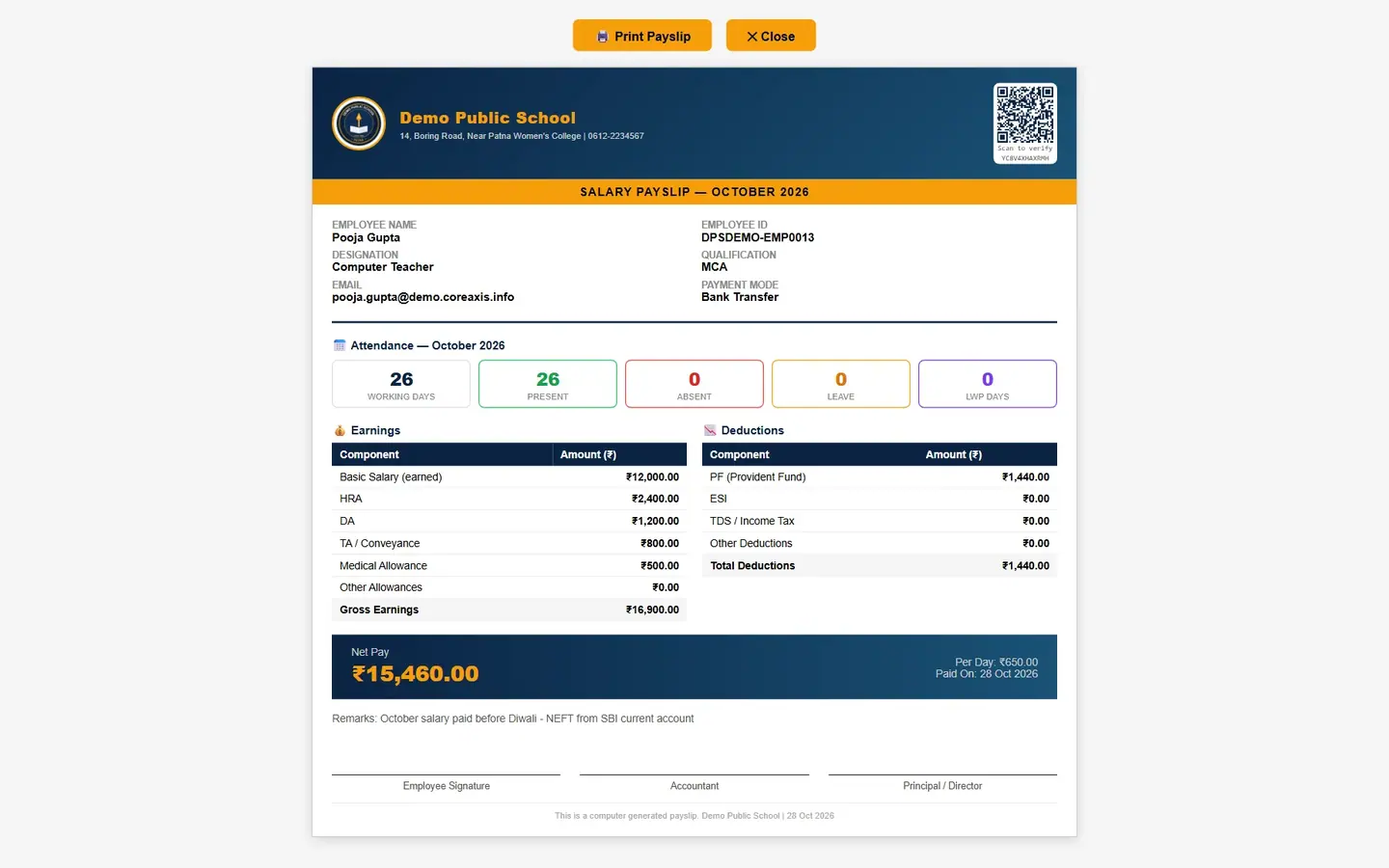
Payslip of Pooja Gupta for October 2026. Click Print Payslip. Choose Save as PDF to keep a file.
My Payslips (every staff member)
Any staff member opens Me › My Payslips.

My Payslips of the accountant, newest month first. The top cards show the latest net pay, gross and deductions.
Click the eye icon to view a month's payslip, or the download icon to save the PDF (the same PDF as in the mobile app).
Questions
I paid the wrong amount.
Click Pay (shown as Edit) again on that row to correct it. Admin / Principal can also delete a processed salary.
Why is the net pay lower than the structure?
Absent or leave-without-pay days reduce the earned salary. Check the Attendance column.