 CoreAxis School ERP
Communicate · Chapter 47
Competitions
Competitions (Pratiyogita) records school events such as quizzes, drawing, elocution and sports races, from intra-school to national level. For each competition you enrol the students taking part, then enter each one's position and prize. Certificates are printed from the same data through Exams › Exam Certificates, with the school's logo, signature and watermark.

Create a competition (example: Children's Day Elocution Competition, 14 November 2026)
Open Communicate › Competitions and click New Competition.

Competitions list. Type the Competition Name (Children's Day Elocution Competition).
Choose the Type (Intra School). Others: Inter School, District Level, State Level, National Level, Other.
Pick the Date (14-11-2026) and type the Venue (School Auditorium) and Description (topic, classes, time per speaker).

New Competition form. Click Add Competition and confirm. The message Competition added! appears.
Enrol students (example: five students of Class V)
Click the blue people icon (Manage Enrollment) on the competition's row.
Under Enroll Students, type in Search students... to narrow the list.
Tick the students taking part: Kabir Sharma, Navya Pandey, Zoya Khan, Pari Agarwal and Ayaan Mishra. You can also type a position or remark now, or leave them blank.
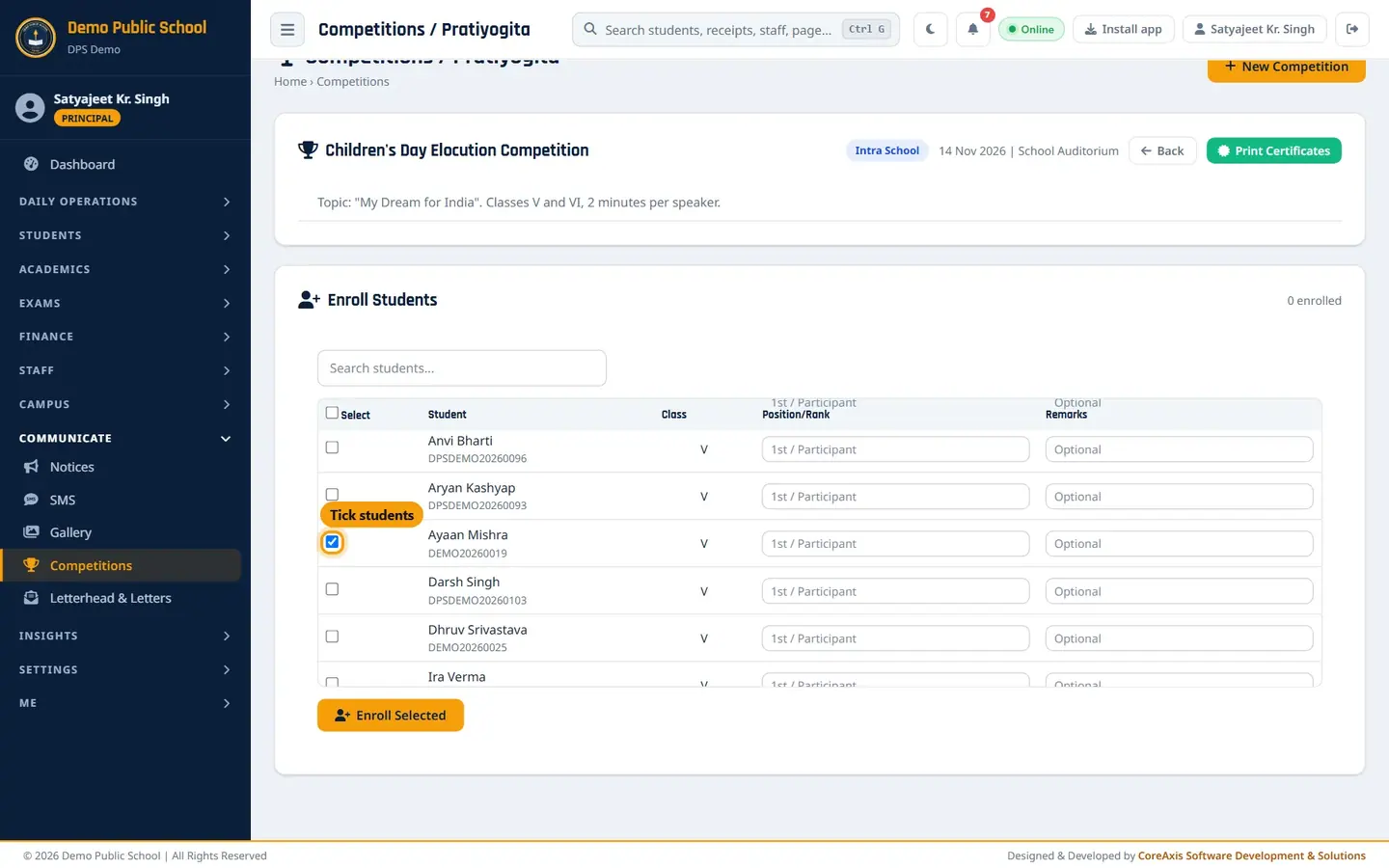
Tick a student to enrol. Click Enroll Selected and confirm. The message 5 student(s) enrolled! appears and the students are listed under Enrolled Students.
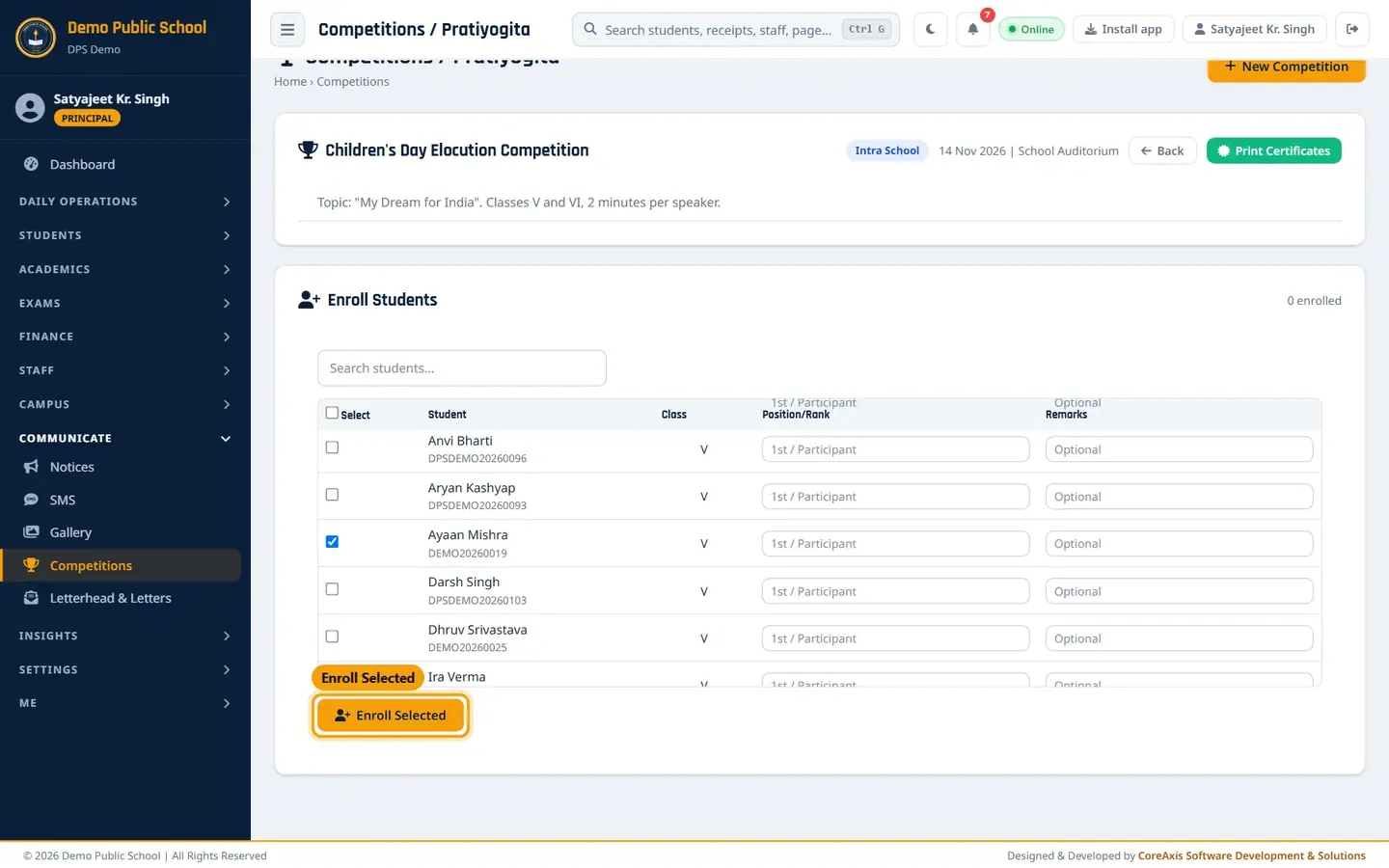
Enroll Selected.
TipThe tick box in the header selects every student not yet enrolled. Already-enrolled students are shaded and cannot be ticked again.
Record positions and prizes (example: Navya Pandey 1st with ₹500)
In Enrolled Students, click the orange pencil icon on the student's row.
Choose the Position / Rank: Participant, 1st Place / Gold, 2nd Place / Silver, 3rd Place / Bronze, Special Prize or Consolation.
Type the Prize Amount (₹) (500) and a Remarks line (Spoke with confidence and clear ideas).
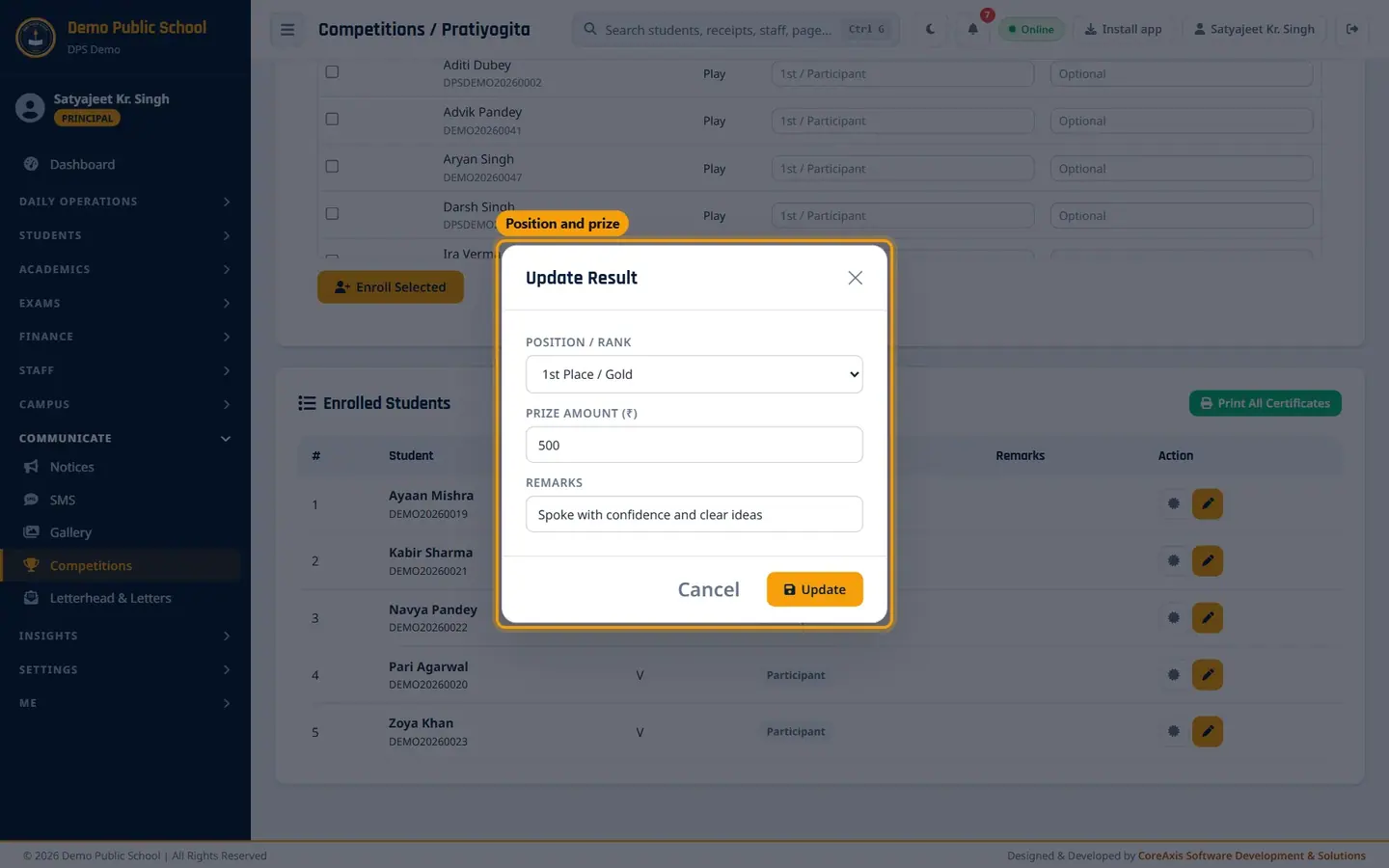
Update Result. Click Update and confirm. Repeat for 2nd (Kabir Sharma, ₹300) and 3rd (Zoya Khan, ₹200).
Enrolled Students with positions.
Print certificates
Click Print All Certificates (or the certificate icon on one student's row). The Certificates page opens with the competition already chosen.

Children's Day Elocution Competition: Navya Pandey 1st, Kabir Sharma 2nd, Zoya Khan 3rd; Ayaan Mishra and Pari Agarwal show Participation. Choose the Certificate Design and the Certificate Type: Certificate of Merit (position badge and prize), Participation or Appreciation.
Leave Student at — All Students — for all, or pick one student.
Click Generate & Print. Check the preview, then click Issue & Print to print the originals.
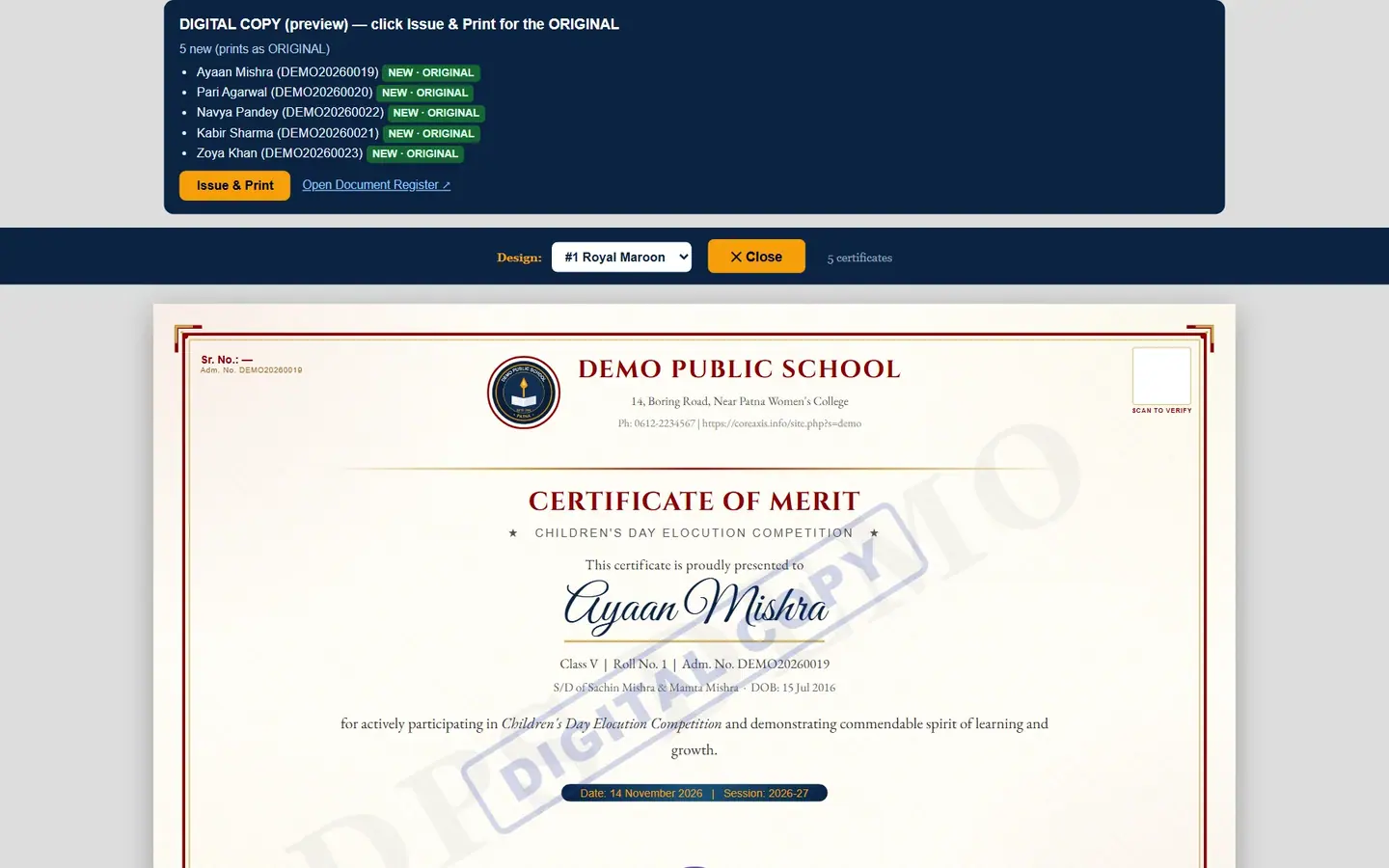
A4 landscape certificate, DIGITAL COPY preview.
TipPrint merit certificates for the prize winners and participation certificates for the rest.
Screen at a glance
- Competition list
- Competition Name with description, Type, Date, Venue, Added By, and Manage Enrollment / Print Certificates / Delete.
- Enroll Students
- Search, Select, Student and admission no., Class, Position/Rank, Remarks, Enroll Selected.
- Enrolled Students
- Position badge, Remarks, Print Certificate and Edit result for each student.
Questions
Can a teacher manage a competition?
Yes. Teachers open Library & Activities › Competitions. A competition can be changed by the principal / admin or by the teacher who created it.
Is the prize money paid from fees?
No. Prize Amount is recorded on the result and printed on the certificate. Record the actual payment in Finance › Expenses.