 CoreAxis School ERP
Finance · Chapter 33
Finance Ledger
Finance Ledger puts together every fee receipt, expense and salary payment. You choose a period and read it as an overview, a Cash Book or Bank Book with running balance, a General Ledger by account, or an Income & Expenditure (profit and loss) statement. Every view can be printed or exported to CSV for the auditor.
Choose the period
Open Finance Ledger. It opens on This month.
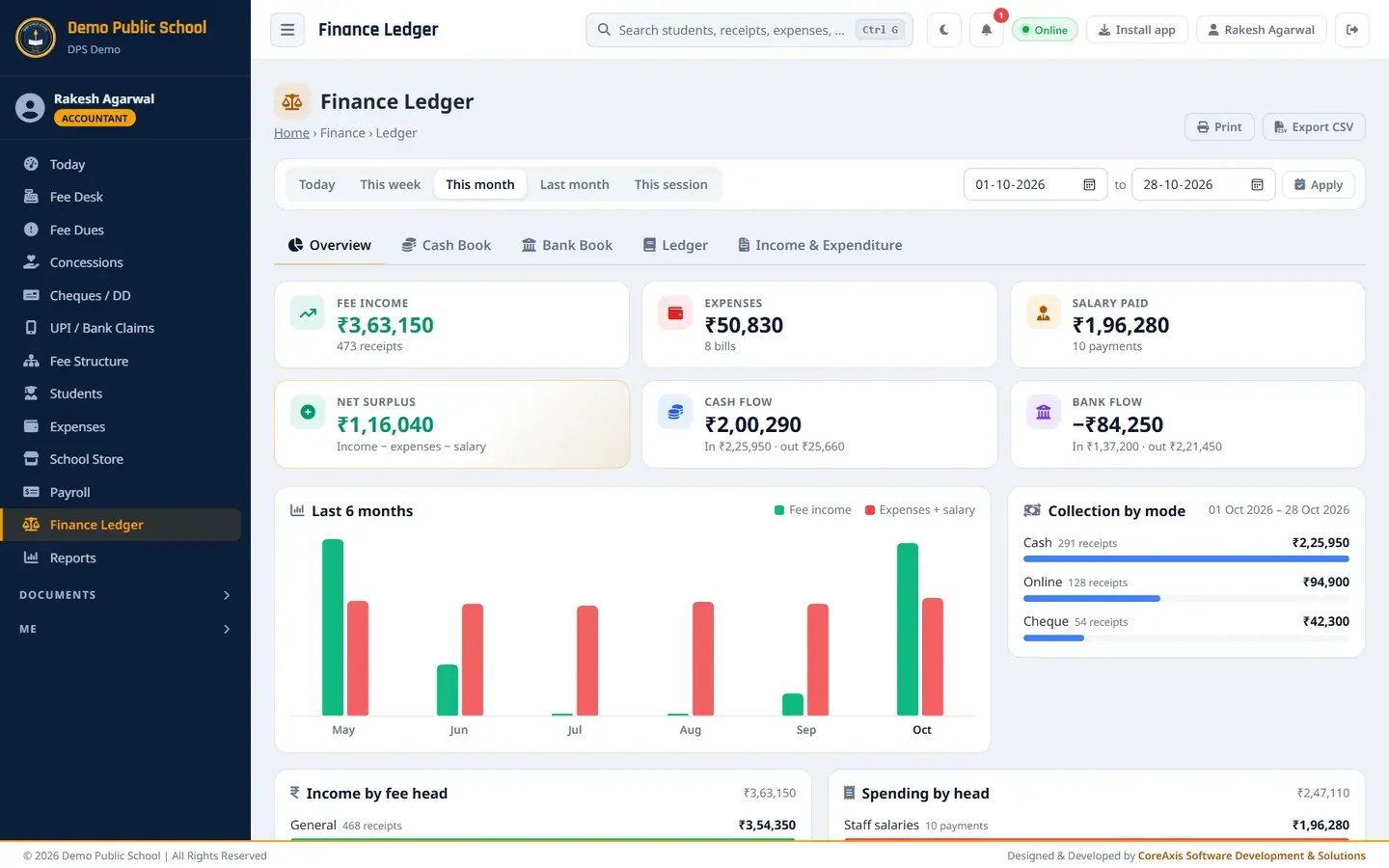
Overview of October 2026. Click a quick period: Today, This week, This month, Last month or This session.
Or set your own dates in the two date boxes (from … to) and click Apply.
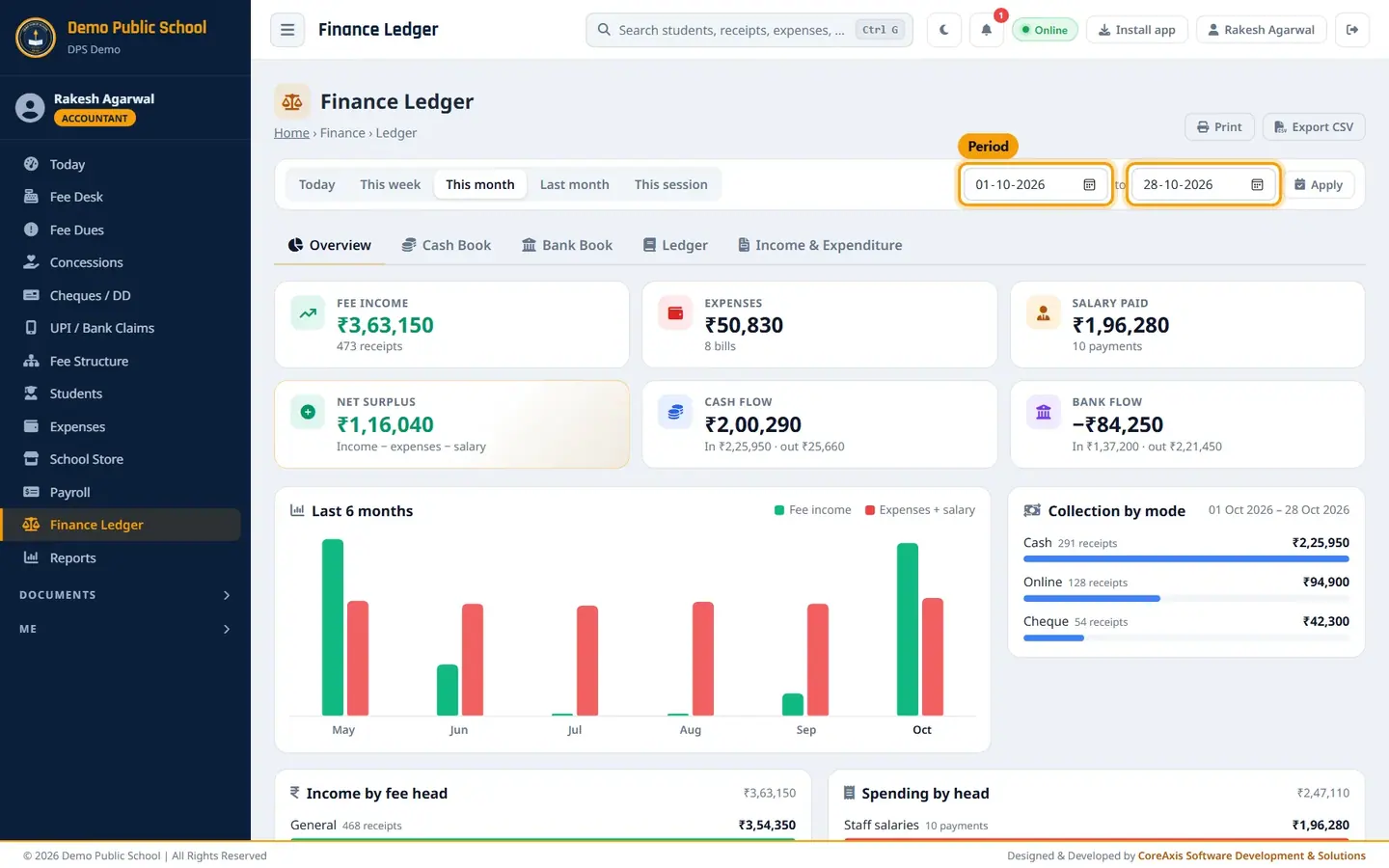
Quick periods and the custom date range. The chosen period stays when you switch between the tabs.
Overview tab
- Fee income
- Fees received in the period and receipt count, including cheques not yet cleared.
- Expenses
- Bills entered in Expenses.
- Salary paid
- Salary payments made in the period.
- Net surplus
- Income − expenses − salary.
- Cash flow
- Cash in and cash out.
- Bank flow
- Bank in (online, cheque, DD) and bank out.
- Last 6 months
- Chart of fee income against expenses + salary.
- Collection by mode
- Cash, Online and Cheque totals with receipt counts.
- Income by fee head
- Fee income split by head.
- Spending by head
- Salaries and each expense head.
- Latest receipts
- Most recent receipts; All fee income opens the full list.
Cash Book and Bank Book (example: 20–28 October 2026)
Set the period 20-10-2026 to 28-10-2026 and click Apply.
Click Cash Book. The cards show Received (fees in cash), Paid out (cash expenses and salary) and Net for the period.
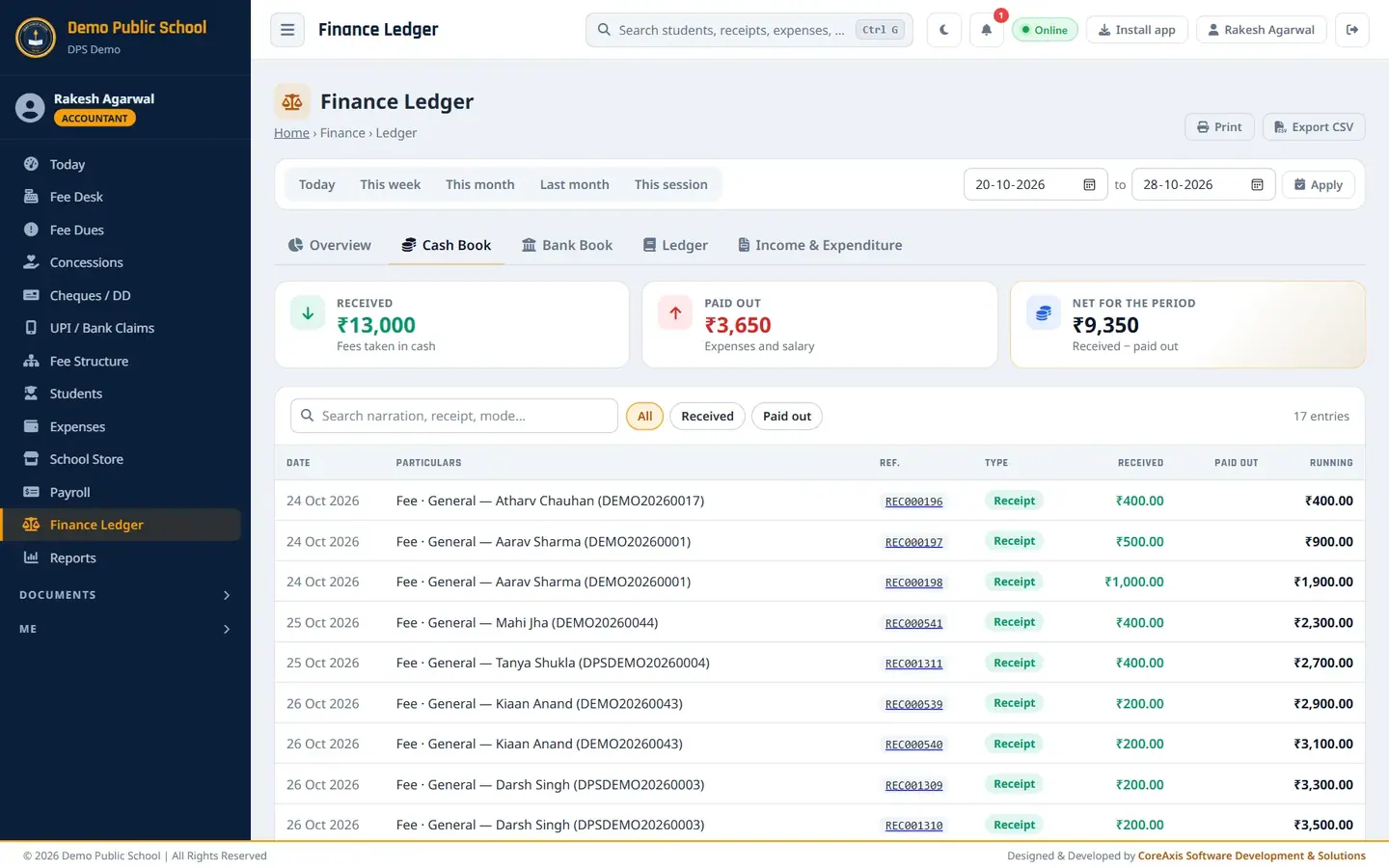
Cash Book with a running balance. Read the table: Date, Particulars, Ref. (click a receipt number to open it), Type, Received, Paid out, Running.
Use the search box and the All / Received / Paid out chips to narrow the list.
Click Bank Book for online, UPI, cheque and DD money in and bank payments out.
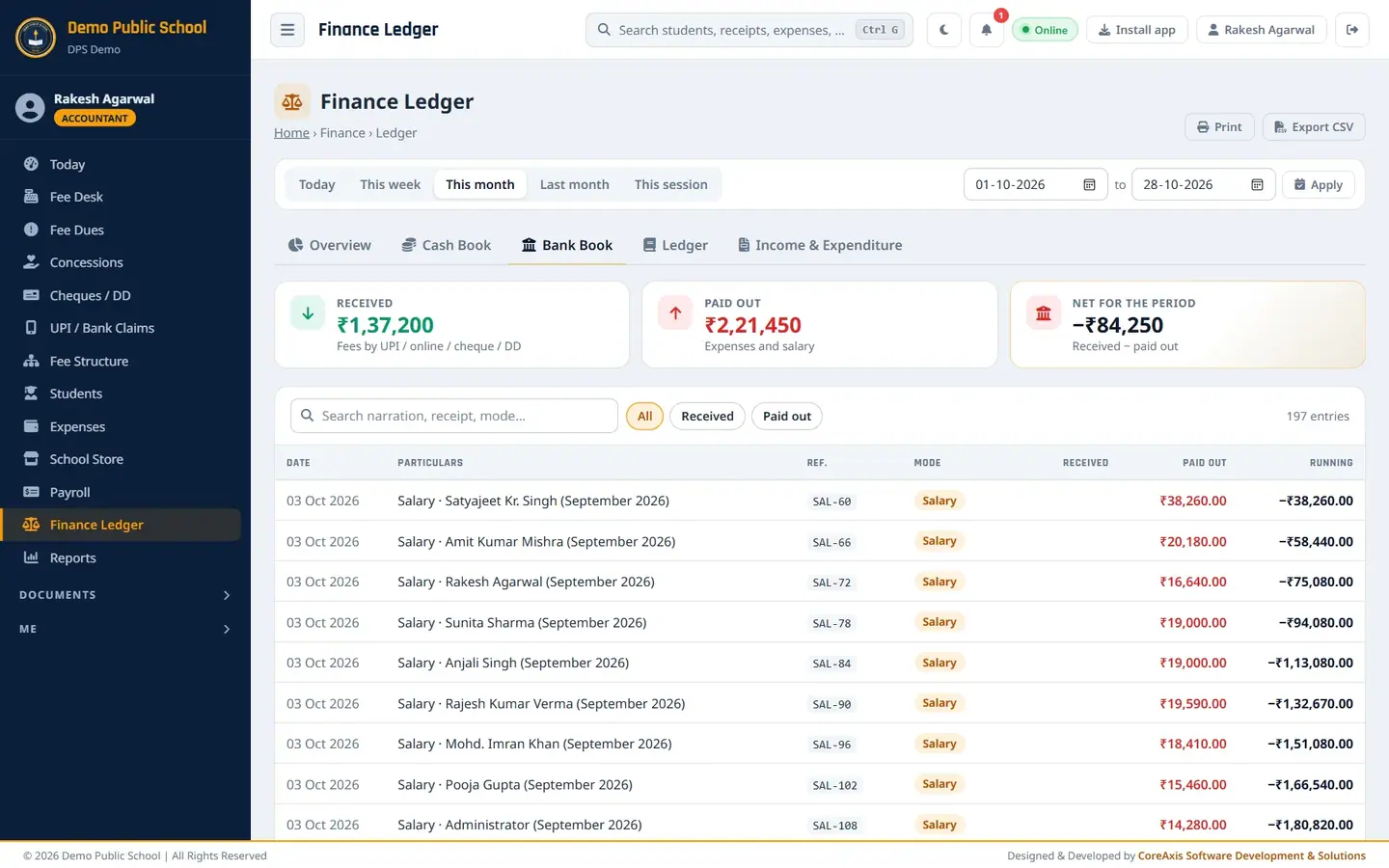
Bank Book for October.
TipAt the end of the day the Cash Book running total should match the cash in the drawer.
General Ledger
Click Ledger. Three cards show the accounts: Fee income account, Expenditure account and Salary account.
Click a card or the chips Fee income, Expenditure, Salary to see that account's entries with a running total.

Expenditure account for October 2026, including the Diwali Decoration bill.
Income & Expenditure (example: this session, 1 Apr – 28 Oct 2026)
Click This session, then Income & Expenditure.
Read Income (fees by head) and Expenditure (each expense head and staff salaries) with their totals.
The line below says Net surplus or Net deficit. For 1 Apr – 28 Oct 2026 the demo school shows income ₹10,06,900, expenditure ₹14,77,140 and a net deficit of ₹4,70,240.
Read Month by month for income, expenses, salary, total outgo and net of each month.
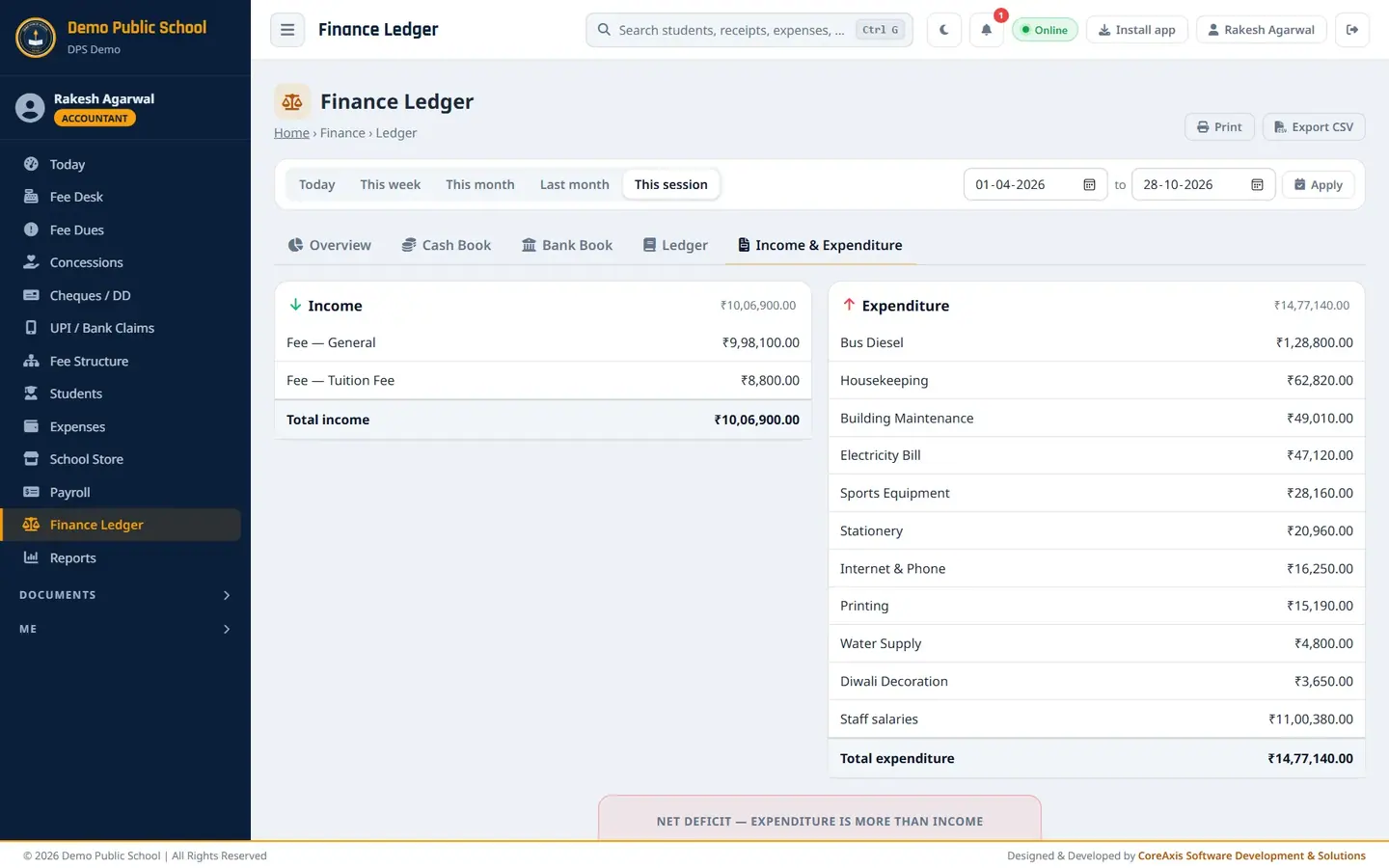
Income & Expenditure statement with the month-by-month table.
Print or export
Open the tab and period you need.
Click Print for a paper copy or a PDF (choose Save as PDF).
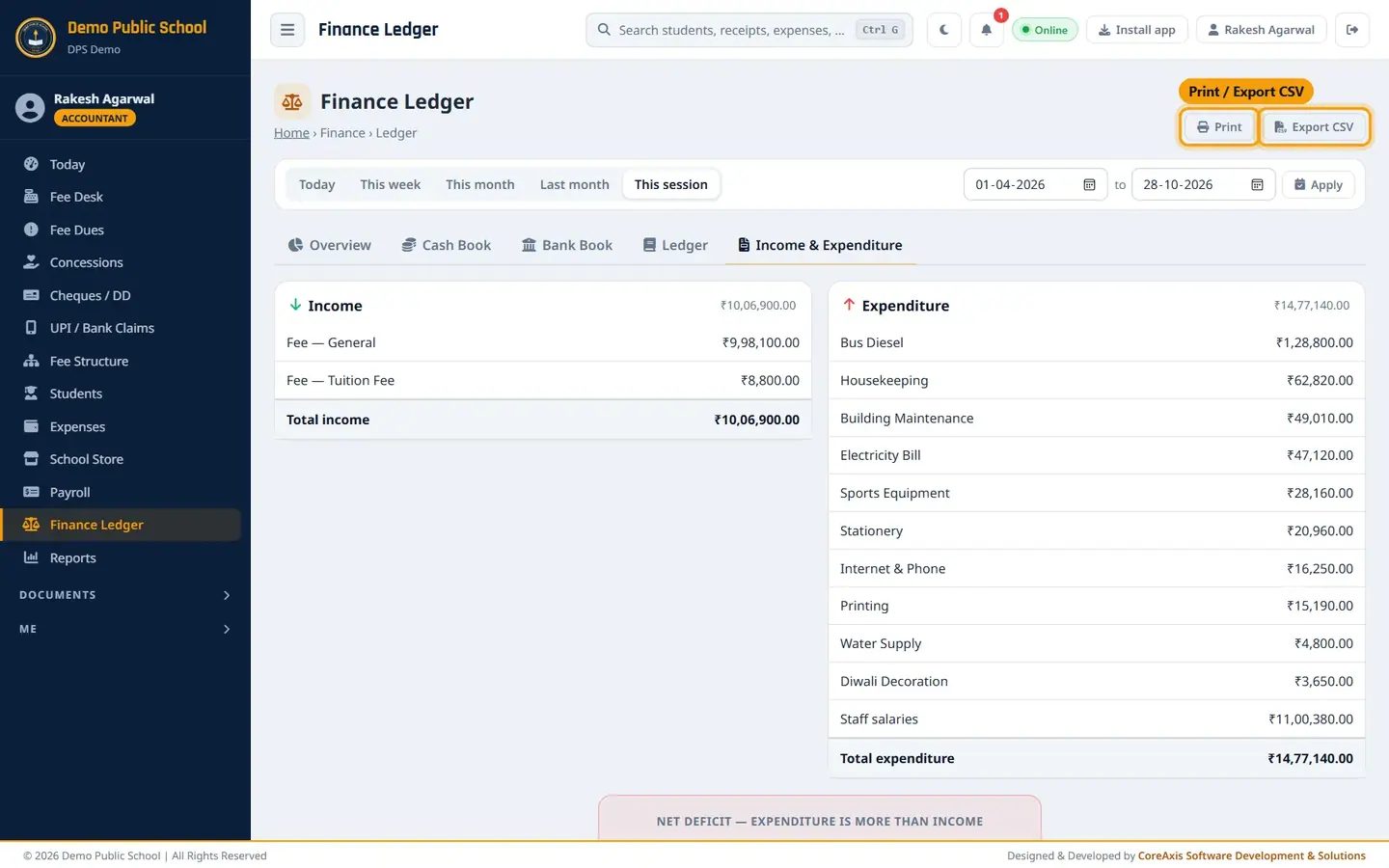
Print and Export CSV at the top right. Click Export CSV to download the entries of the period for Excel or your CA.
Questions
Why is fee income higher than the money in the bank?
Cheque receipts count as income when they are made, even before the bank clears them. The overview card says how much of it is in cheques not yet cleared.
Can I edit an entry here?
No. The ledger is read-only. Correct the receipt, expense or salary in its own page.