 CoreAxis School ERP
Insights & Settings · Chapter 52
Plan & Billing
Plan & Billing shows the school's CoreAxis subscription: serial number, subdomain, registration date, status and the date it is valid till. It lists the invoices paid, how many students and staff the plan allows and uses, and the plans on offer. Renewals are made with an activation code or, when enabled, by online payment.
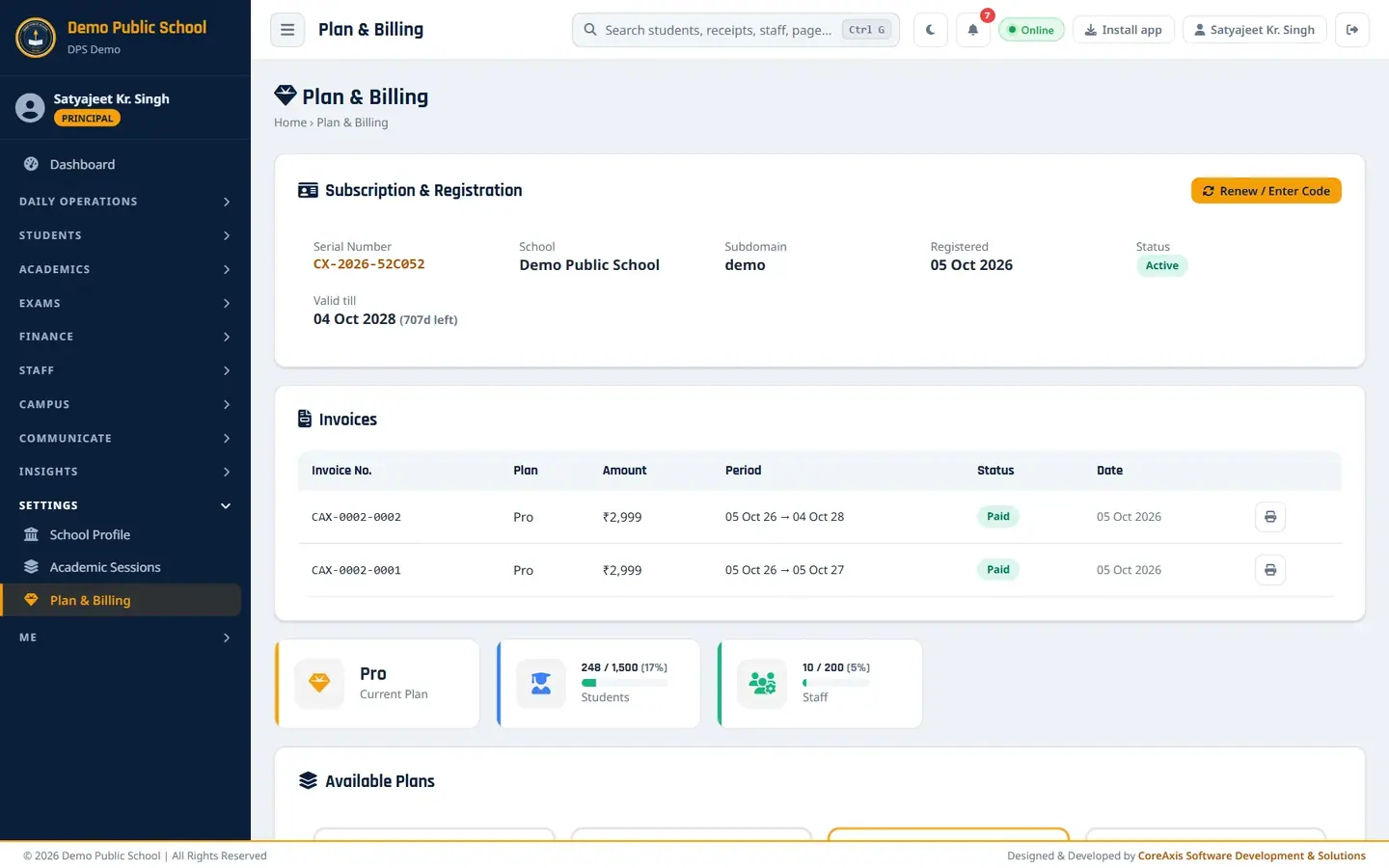
Check the subscription and invoices
Open Settings › Plan & Billing.
Subscription & Registration, Invoices and usage. Under Subscription & Registration, read the Serial Number, School, Subdomain, Registered date, Status and Valid till (with days left).
Under Invoices, click the print icon (View / Print) on a row to open the GST invoice for your records.
Read the usage cards: Students (for example 248 / 1,500) and Staff (10 / 200) against your plan limits.
Compare plans and renew
Scroll to Available Plans: Free Trial, Starter, Pro and Unlimited, with yearly price, saving and student / staff limits. Current marks your plan.
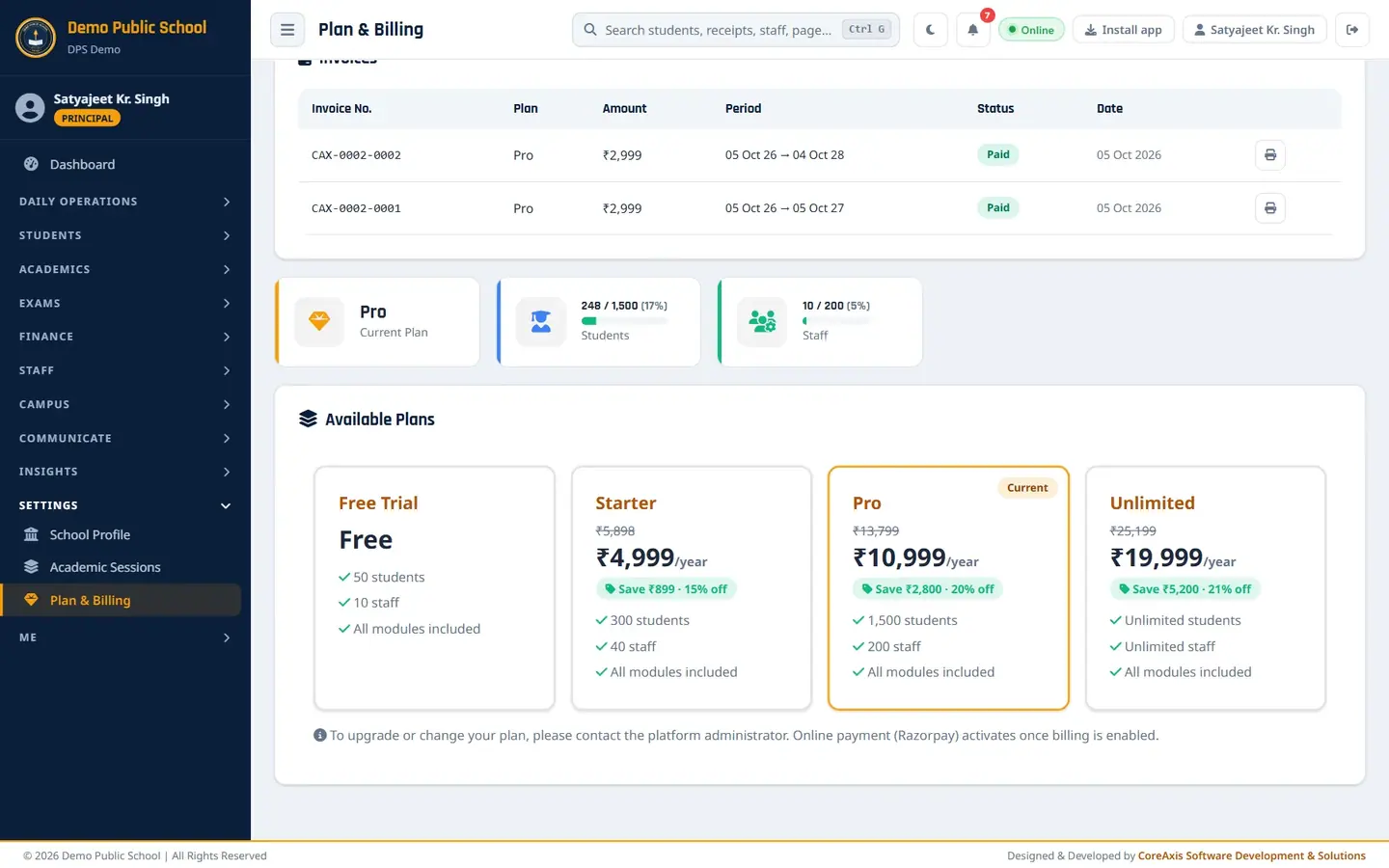
Available Plans. To renew or upgrade, click Renew / Enter Code and type the activation code you received from CoreAxis, or pay online if your school has online payment enabled.
For a change of plan, contact the CoreAxis team; the page says so under the plans.
TipReminder emails are sent before the expiry date. After expiry there is a short grace period in read-only mode, so renew in time.
TipWhen the student or staff limit is reached, adding new students or staff is blocked until you upgrade.
Screen at a glance
- Serial Number / Subdomain
- Your school's CoreAxis ID and web address (subdomain.coreaxis.info).
- Status / Valid till
- Active, Trial, Grace or Expired, and the last valid date.
- Invoices
- Invoice No., Plan, Amount, Period, Status (Paid), Date, View / Print.
- Current Plan / Students / Staff
- Plan name and used / allowed counts with a bar.
- Available Plans
- All plans include all modules; they differ in student and staff limits.
Questions
Can the accountant see Plan & Billing?
No. Only admin-level users (Administrator, Principal, Vice Principal) see this page.