 CoreAxis School ERP
Finance · Chapter 30
Online Payment
This page decides how parents can pay from the portal and the app. UPI / bank transfer sends the money straight to the school's own account with no gateway fee; the office then verifies the parent's claim in UPI / Bank Claims. The Razorpay gateway accepts cards, UPI, net-banking and wallets and makes the receipt automatically, but Razorpay charges a small fee per payment. Only Admin / Principal see this page.
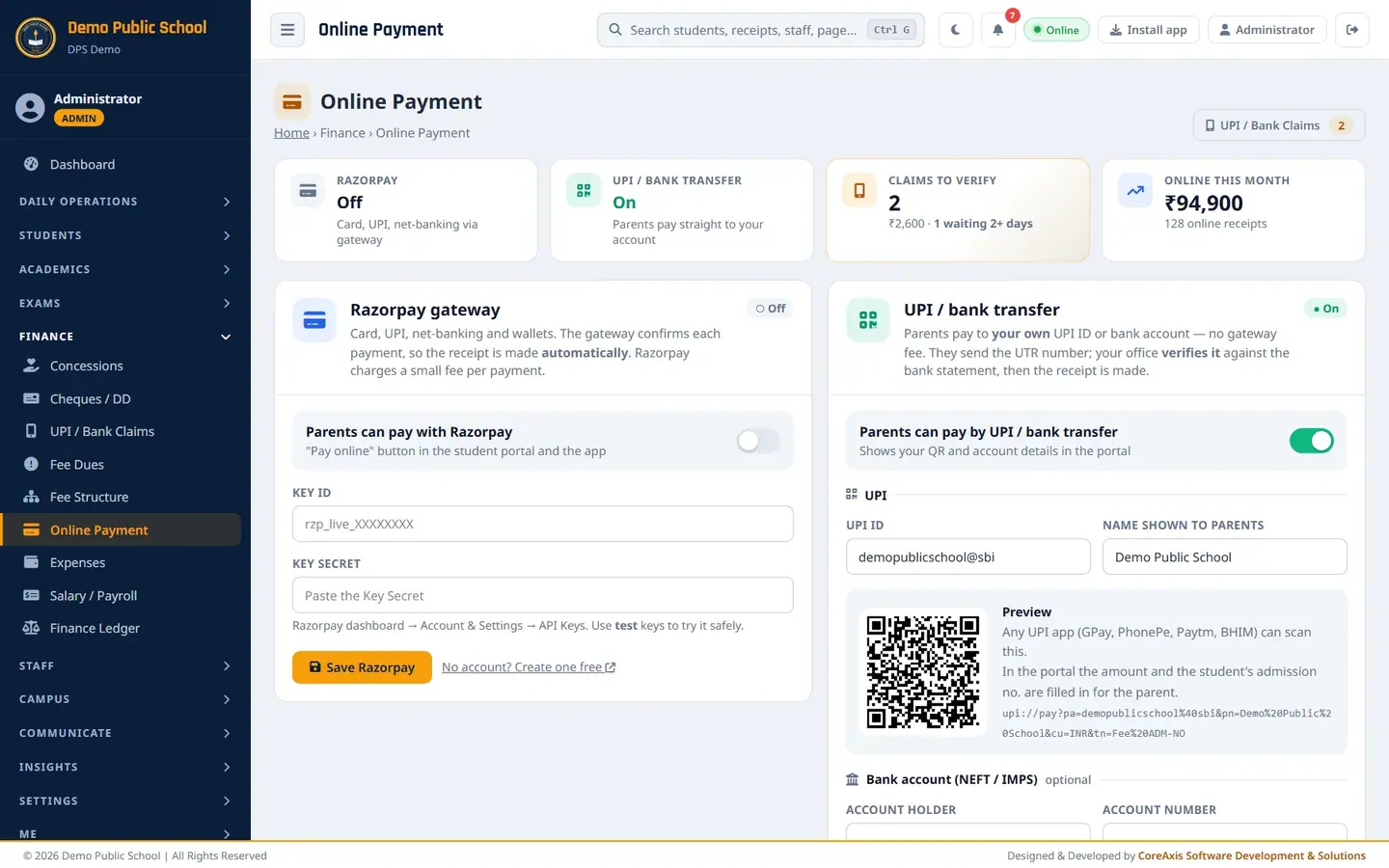
Screen at a glance
- Razorpay
- On or Off.
- UPI / bank transfer
- On or Off.
- Claims to verify
- Parent claims waiting in UPI / Bank Claims, with the amount.
- Online this month
- Online receipts this month.
- UPI / Bank Claims (button)
- Opens the claims page; the number shows claims waiting.
- How a UPI / bank payment works
- Four steps: parent pays, parent sends the UTR, office checks, verify makes the receipt.
- Latest online payments
- Recent online receipts (UPI verified or gateway), with a link to the Bank Book.
Set the UPI ID and QR for parents (example: demopublicschool@sbi)
Open Online Payment.
Online Payment with the Razorpay and UPI / bank transfer cards. In UPI / bank transfer, switch on Parents can pay by UPI / bank transfer.
Type the school's UPI ID, for example
demopublicschool@sbi, and Name shown to parents,Demo Public School.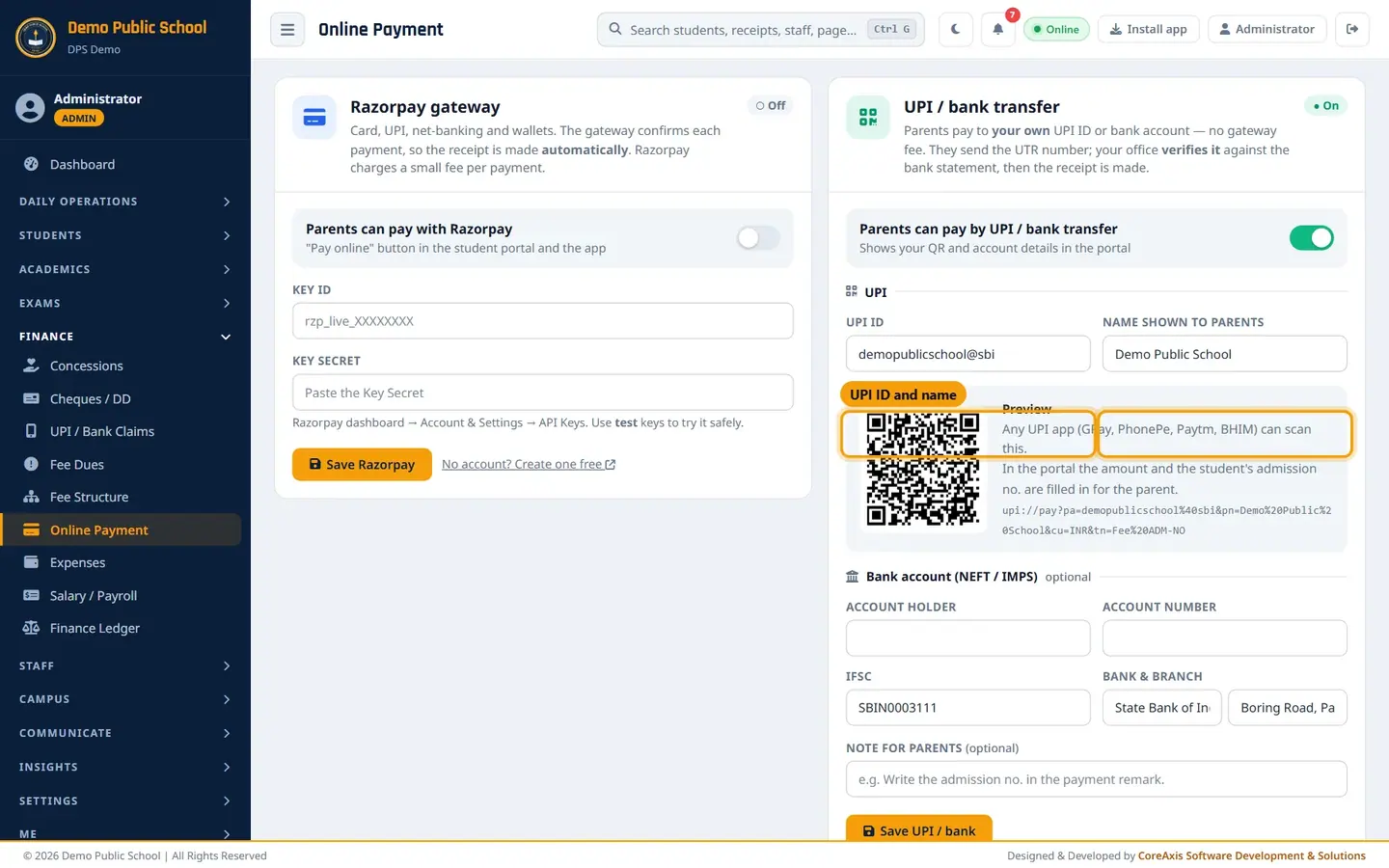
UPI ID and name, with a live QR preview. Check the Preview. Scan the QR with your own UPI app to make sure the school's name appears. In the portal the amount and the student's admission no. are filled in for the parent.
Optionally fill Bank account (NEFT / IMPS): Account holder, Account number, IFSC, Bank & branch, and a Note for parents such as
Write the admission no. in the payment remark.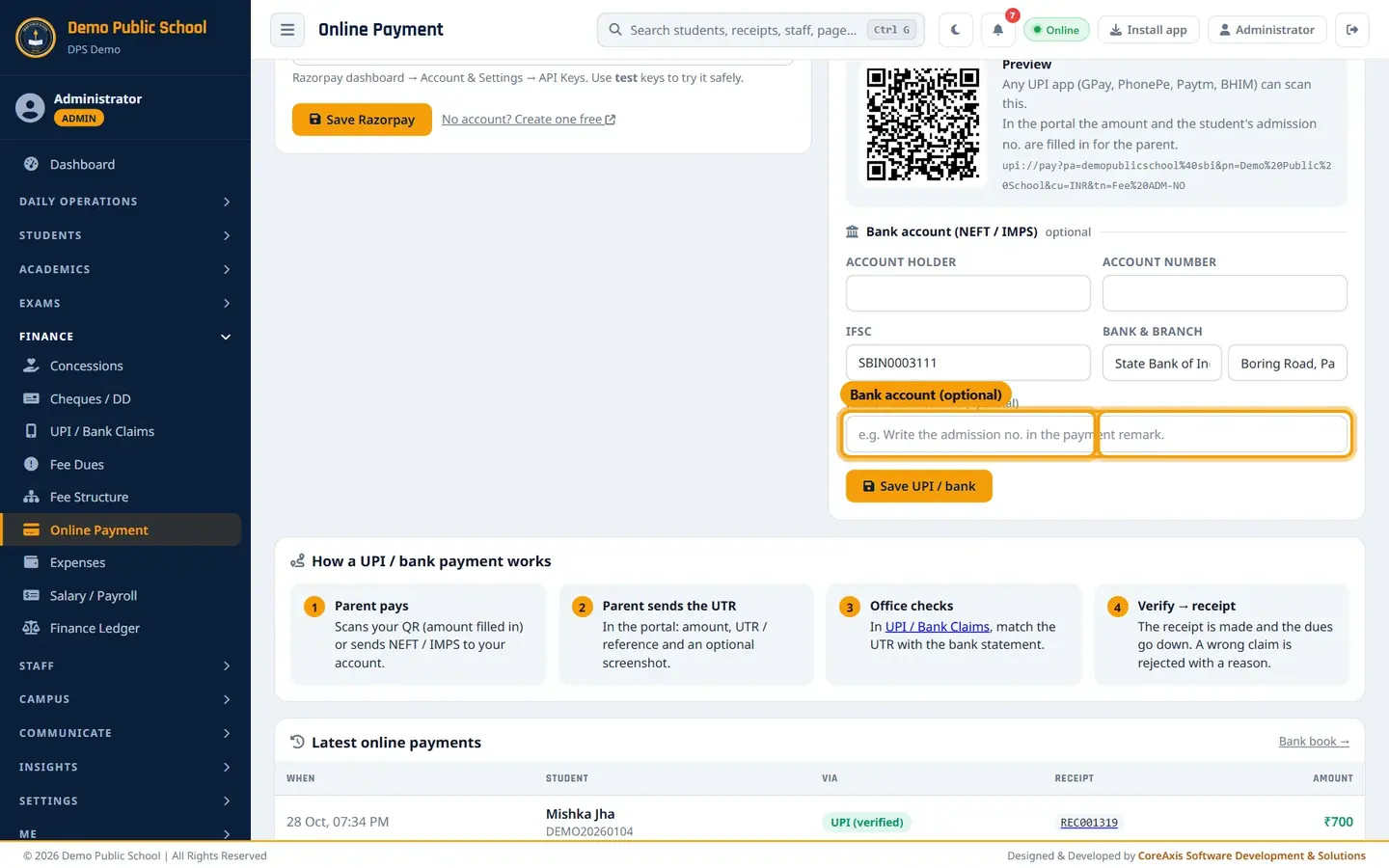
Bank details are optional. Click Save UPI / bank and confirm.
TipUse only the school's own current account UPI ID, never a staff member's personal UPI.
Razorpay gateway
Razorpay is optional. It is Off in the demo school.
Create a Razorpay account (link No account? Create one free) and finish its KYC.
In the Razorpay dashboard open Account & Settings › API Keys and make a key pair.
Paste the Key ID and Key Secret here, switch on Parents can pay with Razorpay and click Save Razorpay. Try test keys first.
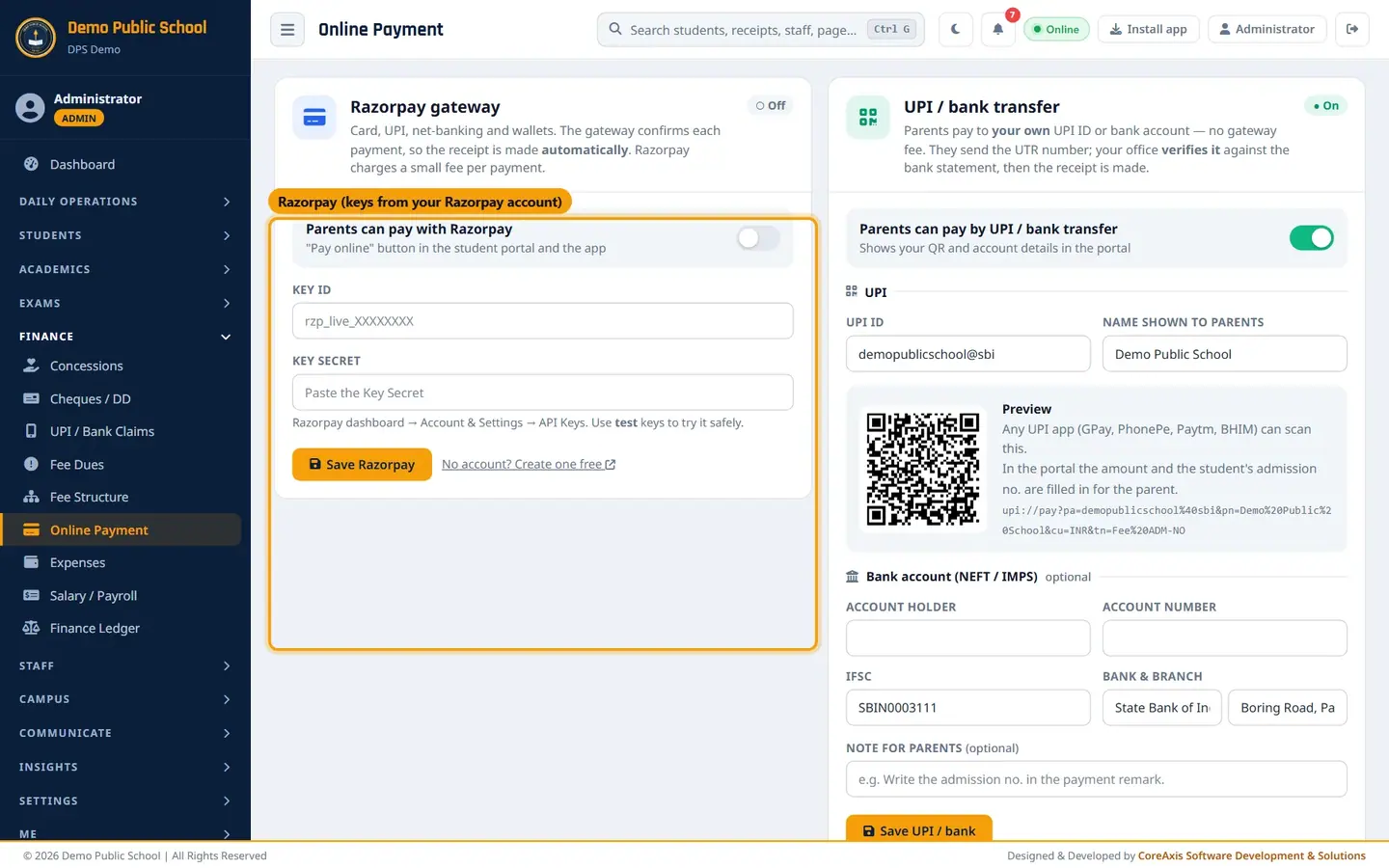
Razorpay section. Keys are entered by the school's Admin only. Parents then see a Pay online button in the portal and the app. Each successful payment makes a receipt automatically.
ImportantThe Key Secret is like a password. Enter it yourself and never share it by message or email.
How a UPI / bank payment flows
Parent pays: scans your QR or sends NEFT / IMPS. Parent sends the UTR, amount and screenshot in the portal. Office checks the UTR in UPI / Bank Claims. Verify makes the receipt and lowers the dues.
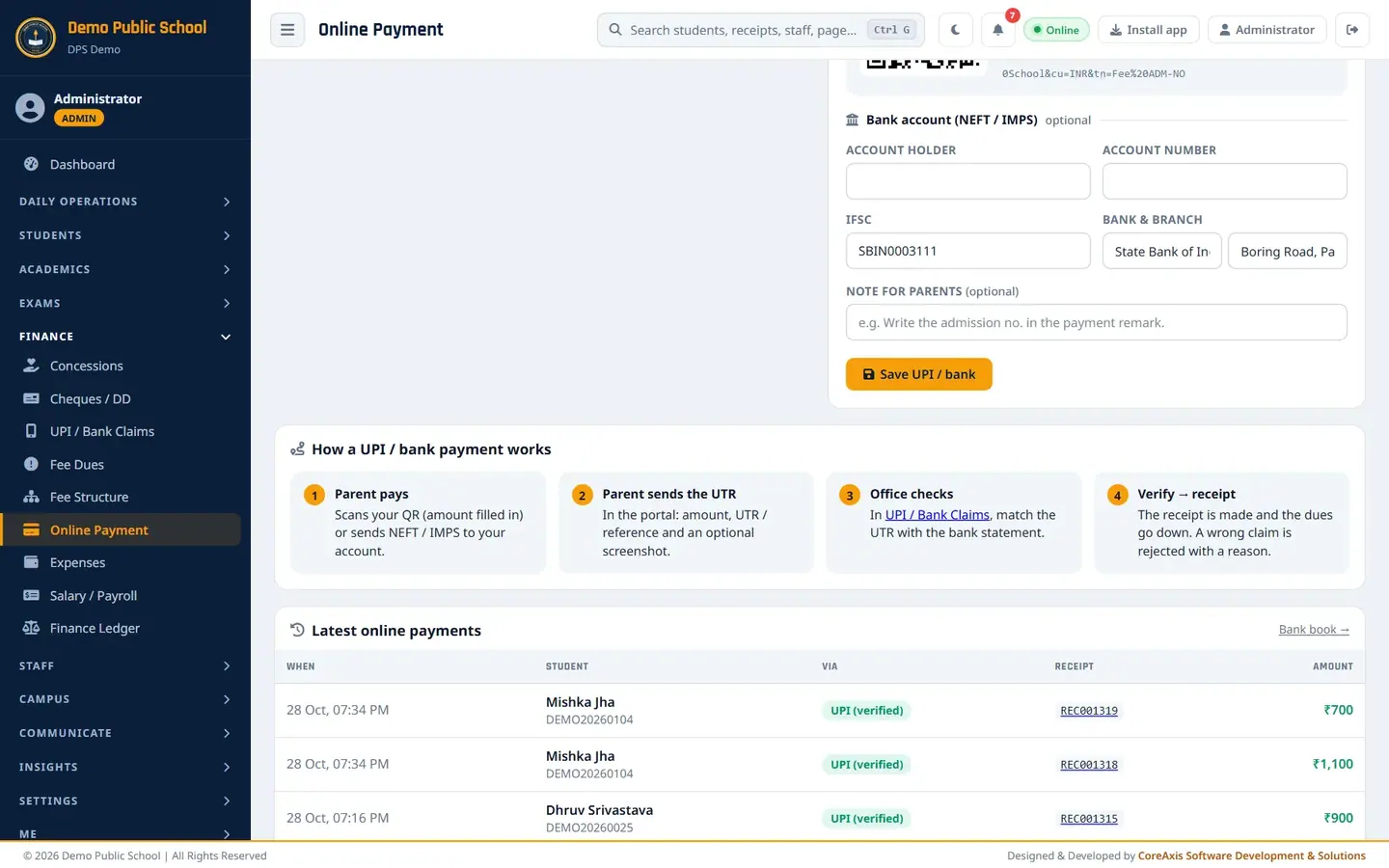
The four steps and the latest online payments.
Questions
Can we use both UPI and Razorpay?
Yes. Parents then see both choices in the portal.
Why can't the accountant see this page?
Payment settings decide where the school's money goes, so only Admin / Principal can open them. Accountants work in UPI / Bank Claims.
A parent has a UPI claim waiting. What does Pay online offer?
Only what is left after the claims being checked. If the waiting claim covers the dues, the portal says there is nothing more to pay for now.