 CoreAxis School ERP
Finance · Chapter 26
Concessions
A concession lowers a student's fee for chosen months: a percent or a fixed amount off tuition, one fee head or all charges. The accountant can propose a concession; it applies only after the Principal or Admin approves it. The same page links brothers and sisters and runs the sibling concession, and its Register tab shows how much was given this session.
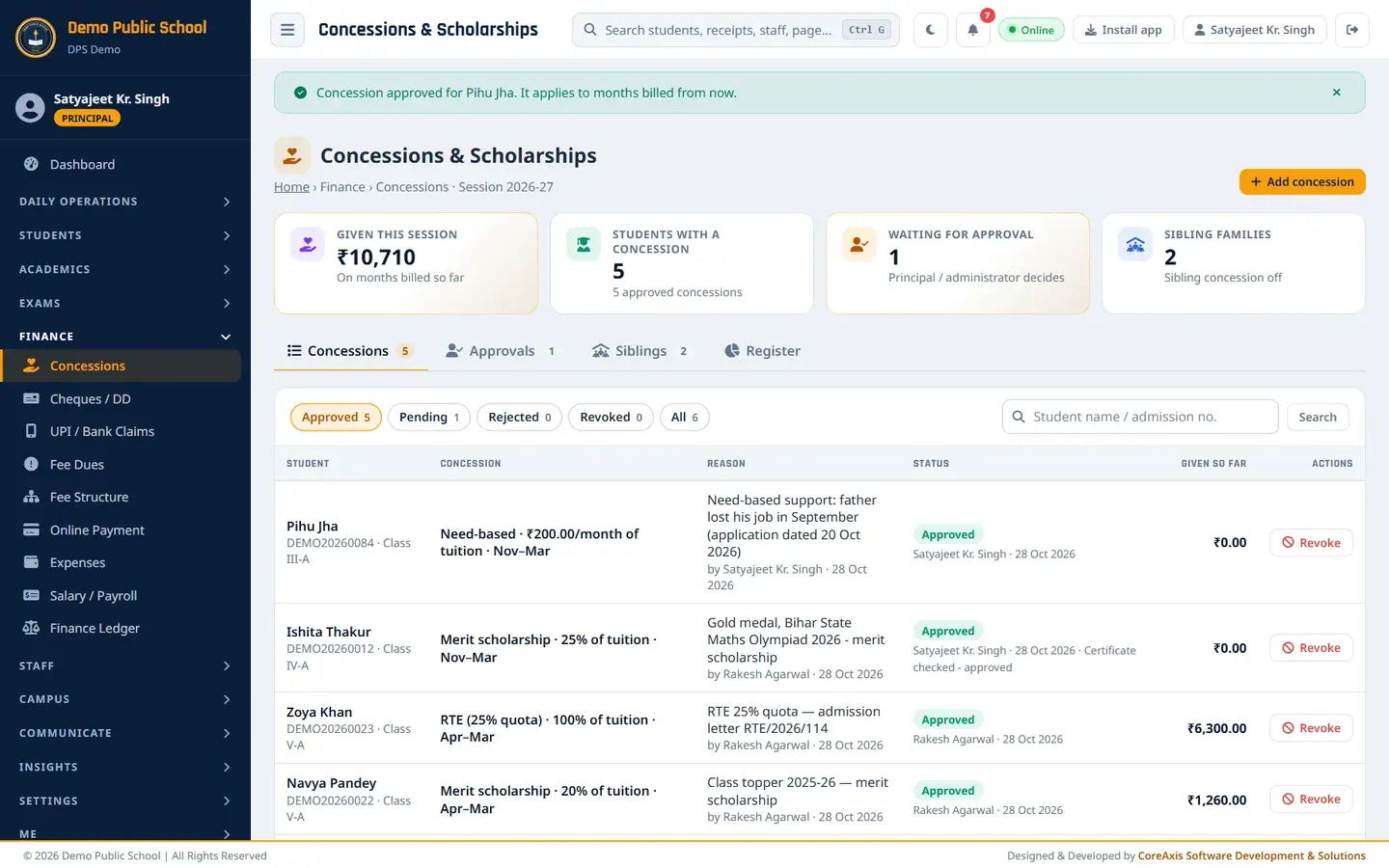
Screen at a glance
- Given this session
- Total concession on the months billed so far.
- Students with a concession
- Number of students with an approved concession.
- Waiting for approval
- Concessions the Principal / Admin has not yet decided.
- Sibling families
- Number of linked families, and whether the sibling concession is on or off.
- Concessions tab
- All concessions with status chips: Approved, Pending, Rejected, Revoked, All. Search by student name or admission no.
- Approvals tab
- Pending concessions with Approve / Reject buttons (Admin / Principal only).
- Siblings tab
- Sibling concession setting, Link siblings and the list of linked families.
- Register tab
- Amount given this session by type (staff ward, RTE, merit …) with student count and share.
- Columns
- Student, Concession (type, value, months), Reason (and who entered it), Status (and who decided), Given so far, Actions (Approve, Reject, Revoke).
Add a concession as accountant (example: Ishita Thakur, Class IV-A, 25% merit scholarship, Nov–Mar)
Open Concessions and look at the list of current concessions.
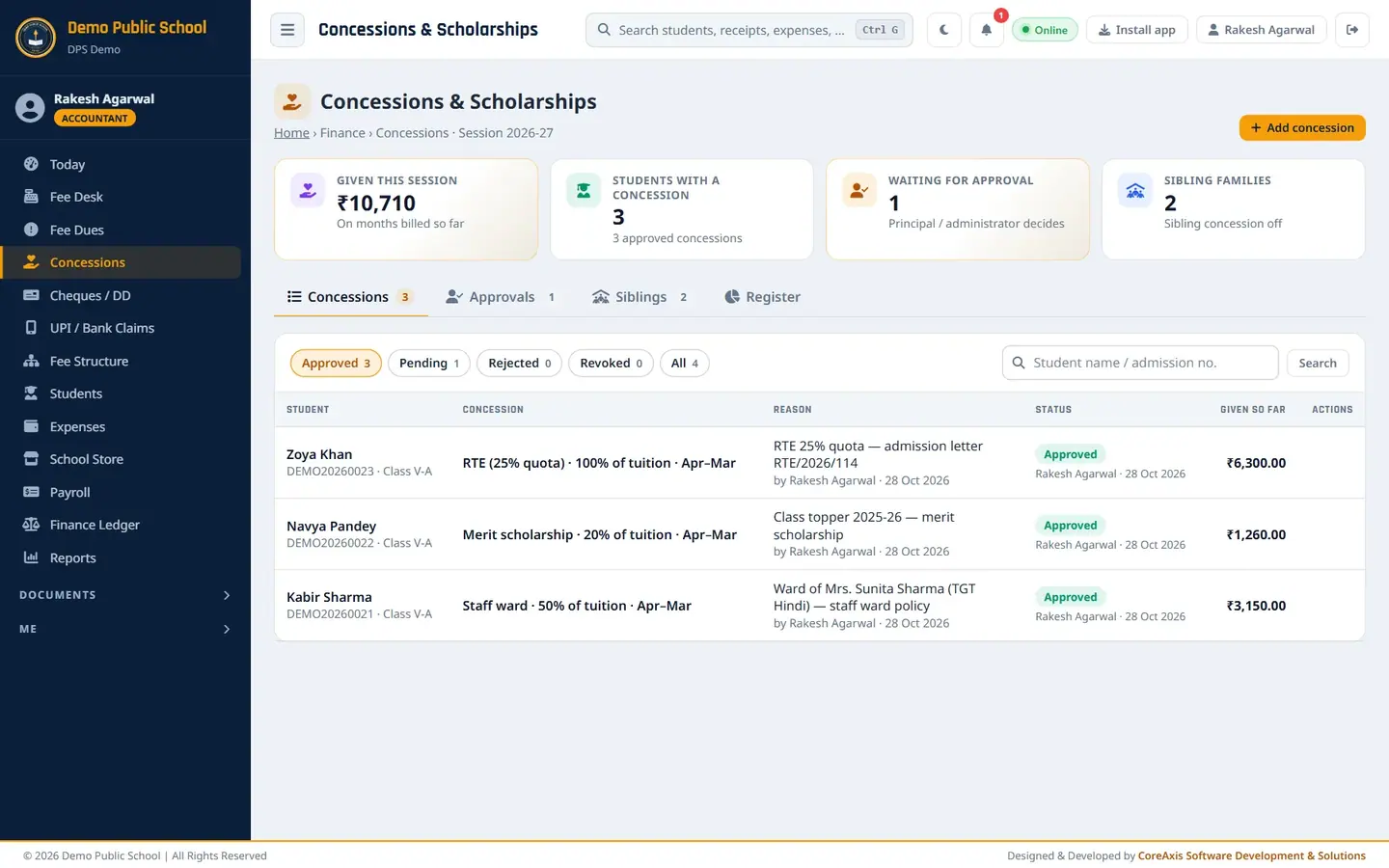
Concessions page as seen by the accountant. Click Add concession, then Yes, add in the popup.
In Student, type
Ishita Thakurand pick Ishita Thakur · DEMO20260012 (Class IV).Set Type to Merit scholarship, Applies to to Tuition and As to Percent (%).
Type
25in Percent.Set From month to November and To month to March.
Write the Reason, for example
Gold medal, Bihar State Maths Olympiad 2026 - merit scholarship.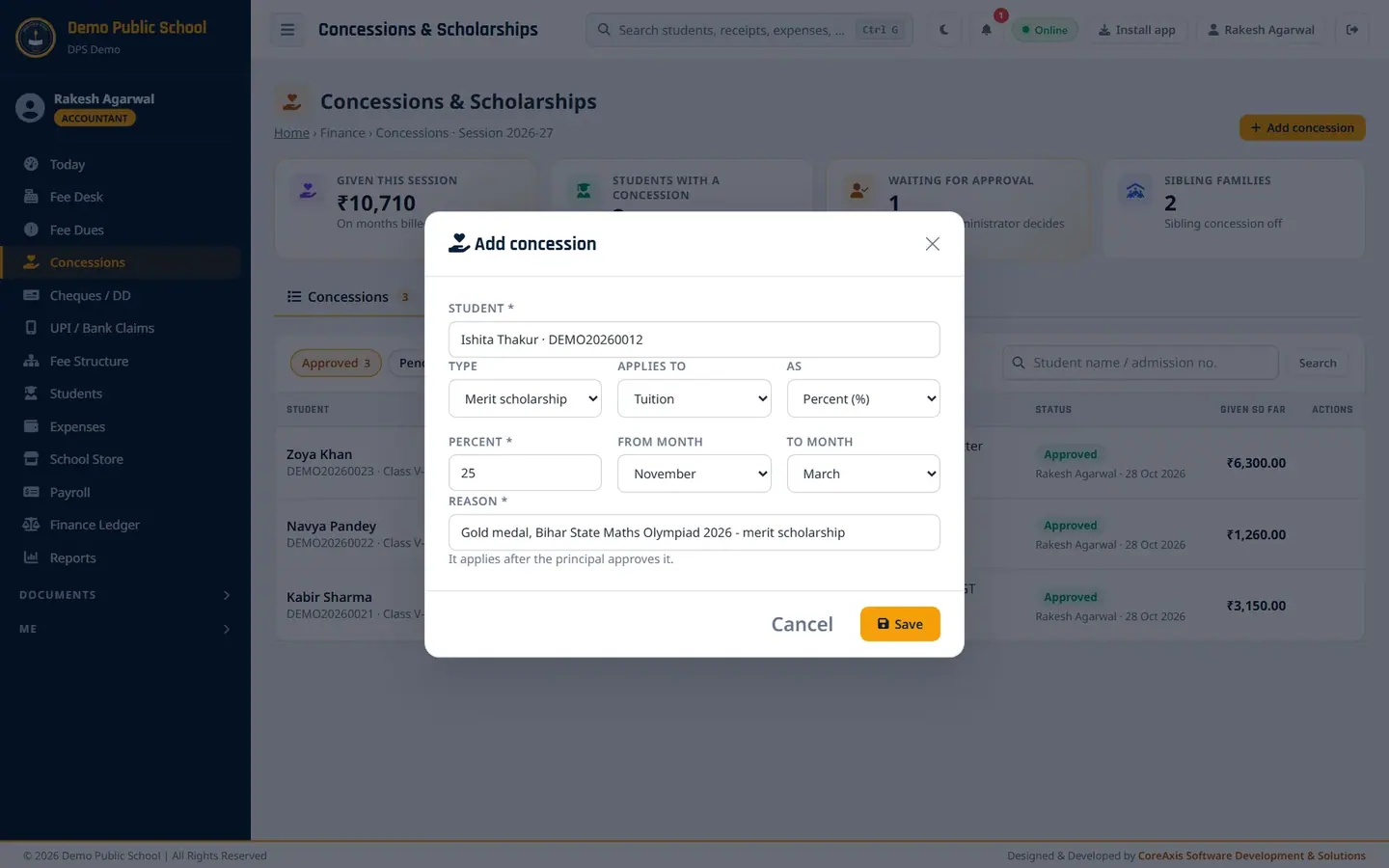
The filled form. The note says it applies after the principal approves it. Click Save, then Confirm. The message says the concession was sent for approval by the principal.
Open the Approvals tab. The row shows Pending and "Waiting for the principal".
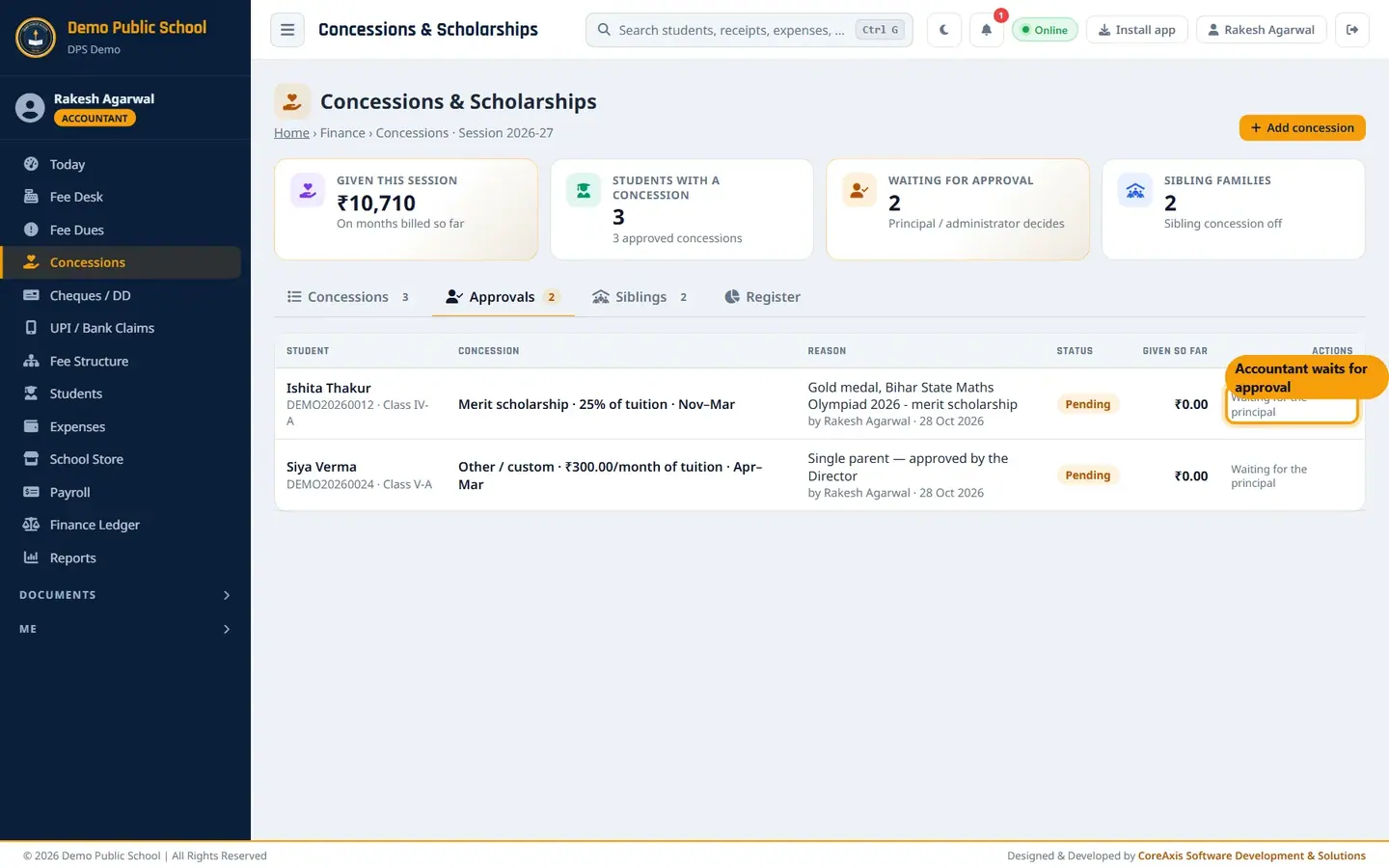
Accountants cannot approve; the row waits for the principal.
TipTypes: Staff ward, RTE (25% quota), Merit scholarship, Need-based, Other / custom.
TipApplies to: Tuition, One fee head (choose the head, for example Exam Fee), or Tuition + all charges.
TipAs: Percent (%) or Fixed ₹ per month / line.
Approve a concession (Principal: Ishita Thakur)
Sign in as Principal or Admin and open Concessions › Approvals. Both pending concessions are listed.
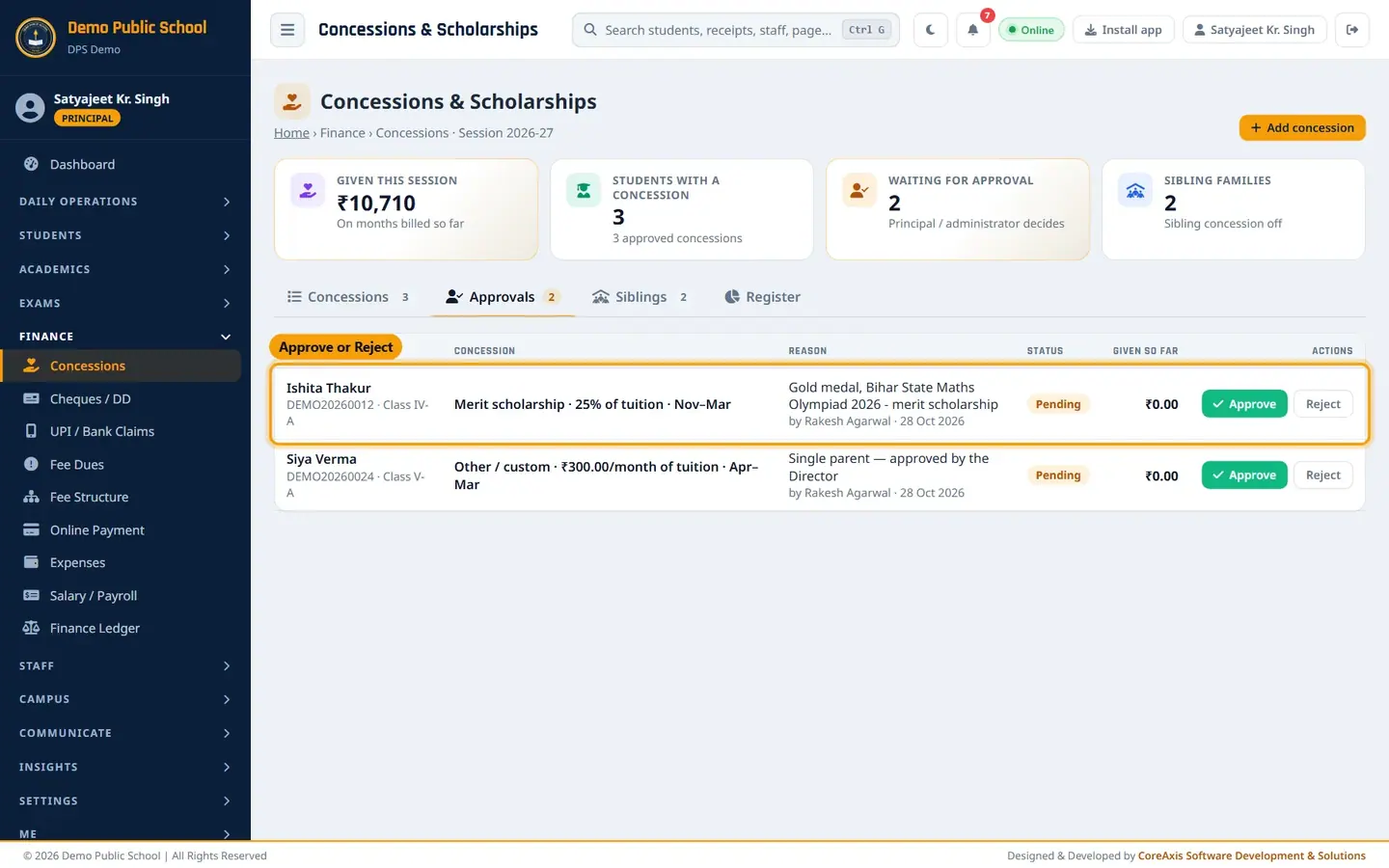
Pending concessions with Approve and Reject. Click Approve on Ishita Thakur's row.
Type a Note (optional), for example
Certificate checked - approved.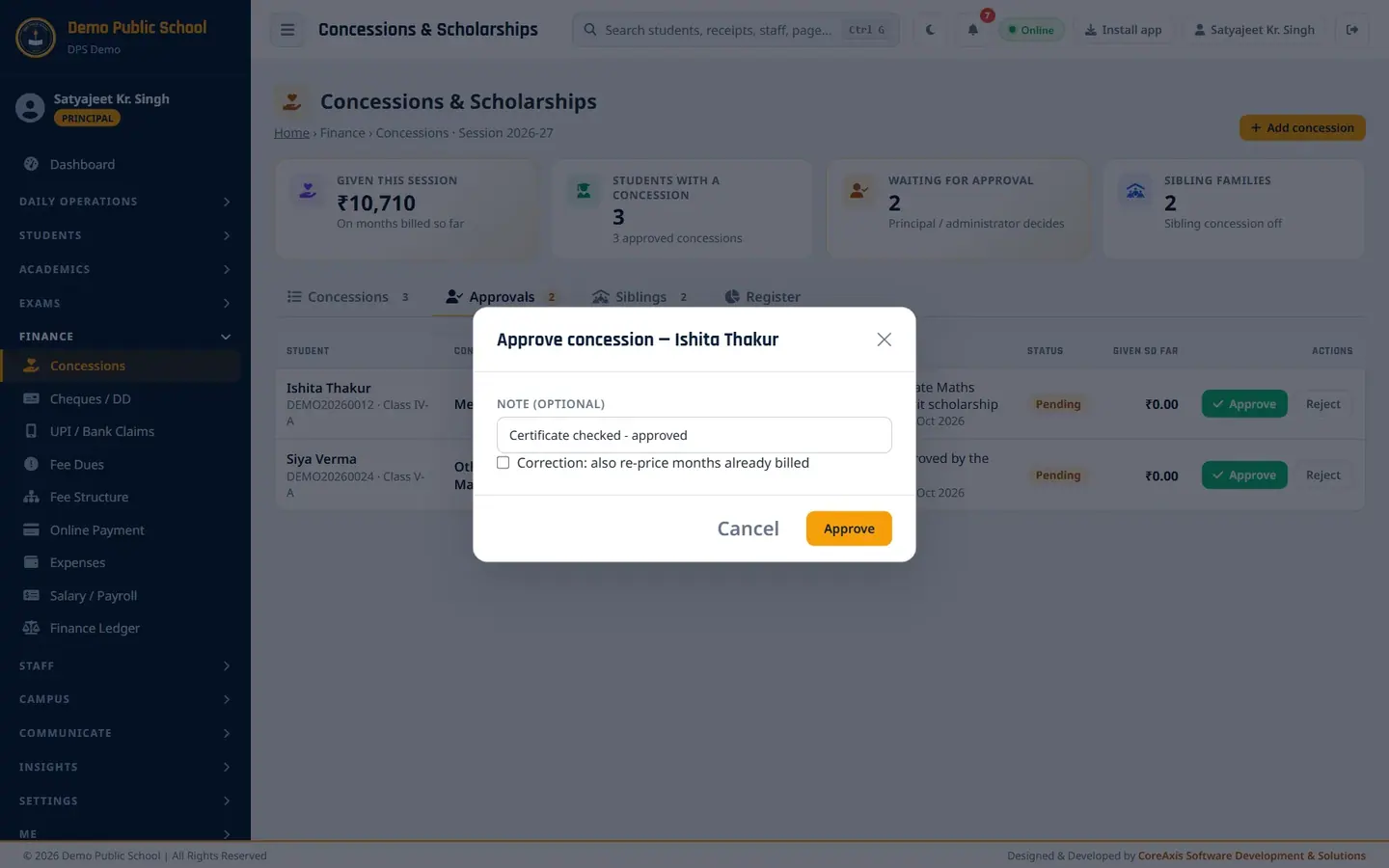
Approve window with an optional note. Leave Correction: also re-price months already billed unticked. The concession starts from November, so no billed month needs changing.
Click Approve, then Approve again in the popup. Months billed from now get the 25% concession.
TipClick Reject to turn a request down. The reason you type is saved with it.
TipRevoke on an approved concession stops it for months billed from now.
Add a fixed concession and approve it at once (Principal: Pihu Jha, Class III-A, ₹200 per month)
As Principal, click Add concession and then Yes, add.
Pick Pihu Jha · DEMO20260084 (Class III). Another Pihu Jha studies in Class IV; check the class.
Set Type to Need-based and As to Fixed ₹ per month / line. Type
200in Amount (₹).Set From month November and To month March, and write the reason, for example
Need-based support: father lost his job in September (application dated 20 Oct 2026).Keep Approve now (I am the approver) ticked.
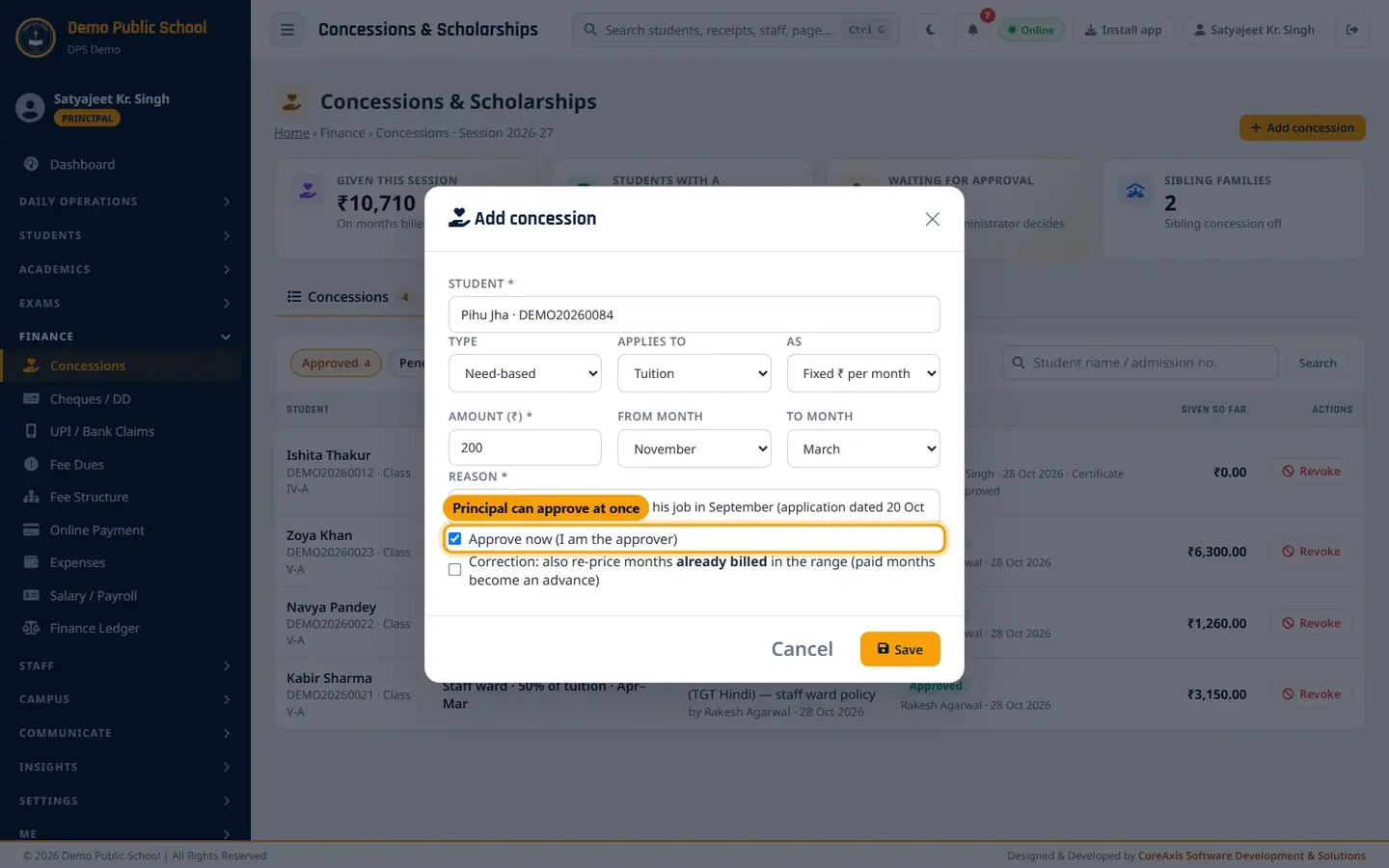
Only Admin / Principal see Approve now and Correction. Click Save, then Confirm. The concession is approved at once and shows in the Approved list.
Approved concessions with who approved them and the Revoke button.
ImportantTick Correction: also re-price months already billed only when you really want to change months that are already billed. Months already paid then become an advance.
Concession register
Open the Register tab.
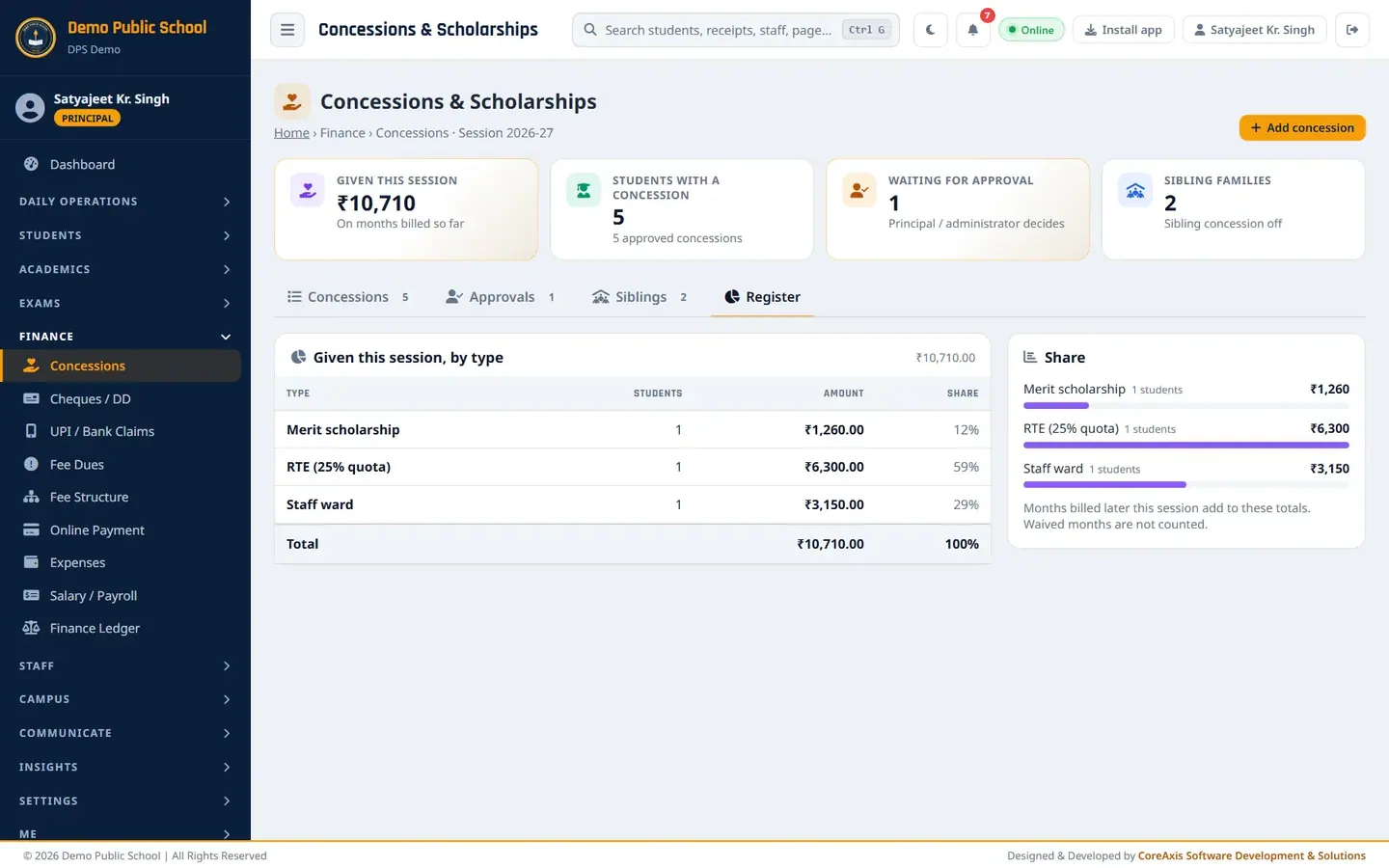
Amount given by type this session. Read Given this session, by type: number of students, amount and share for each type. Months billed later this session add to these totals.
Link siblings (Principal: Kritika Mishra, Class III-A and Vanshika Mishra, Class V-A)
Linking tells the app that students are brothers and sisters. When the sibling concession is on, the eldest pays full fee and the younger ones get the set percent off tuition. Only Admin / Principal can link and unlink.
Open the Siblings tab. The left card shows the Sibling concession setting (Off in the demo school; 2nd child 10%, 3rd and younger 15%).
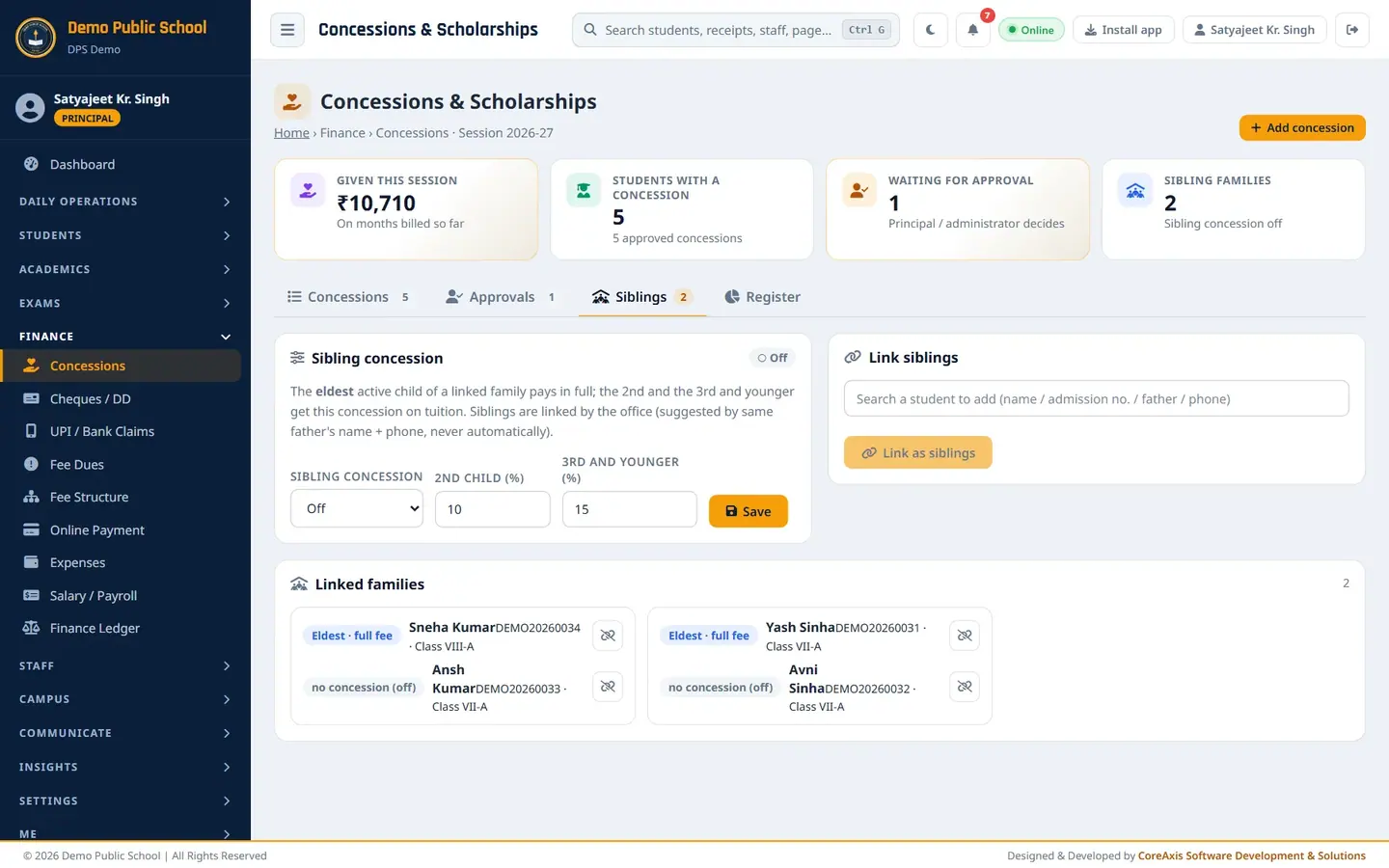
Sibling concession setting, Link siblings and Linked families. In Link siblings, type
Kritika Mishraand pick DPSDEMO20260074 (Class III).Type
Vanshika Mishraand pick DPSDEMO20260094 (Class V). Both names show as chips.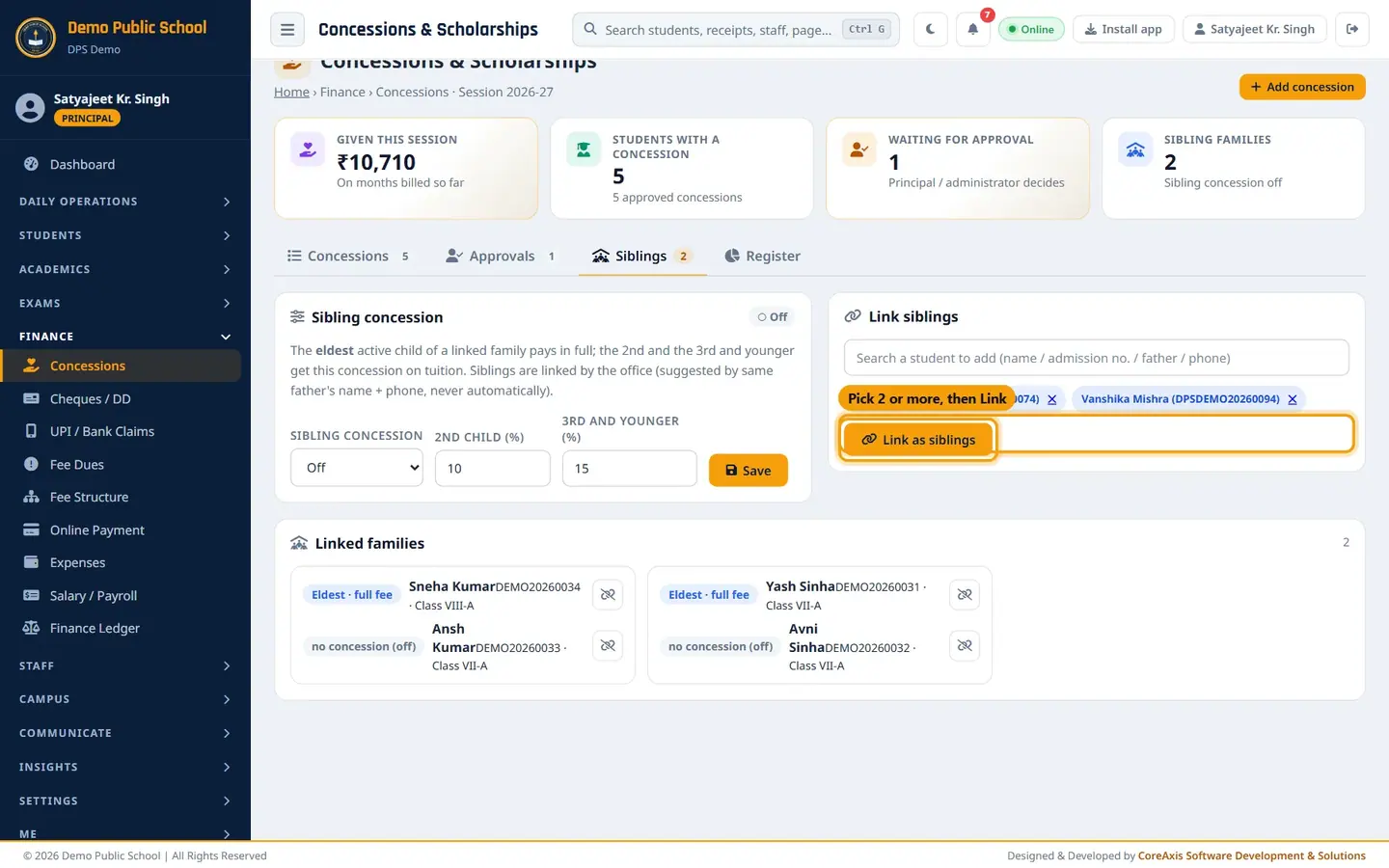
Pick two or more students, then Link as siblings. Click Link as siblings, then Confirm.
The new family appears under Linked families. Vanshika (the elder) is marked Eldest · full fee; Kritika shows the concession she gets ("no concession (off)" while the setting is off).
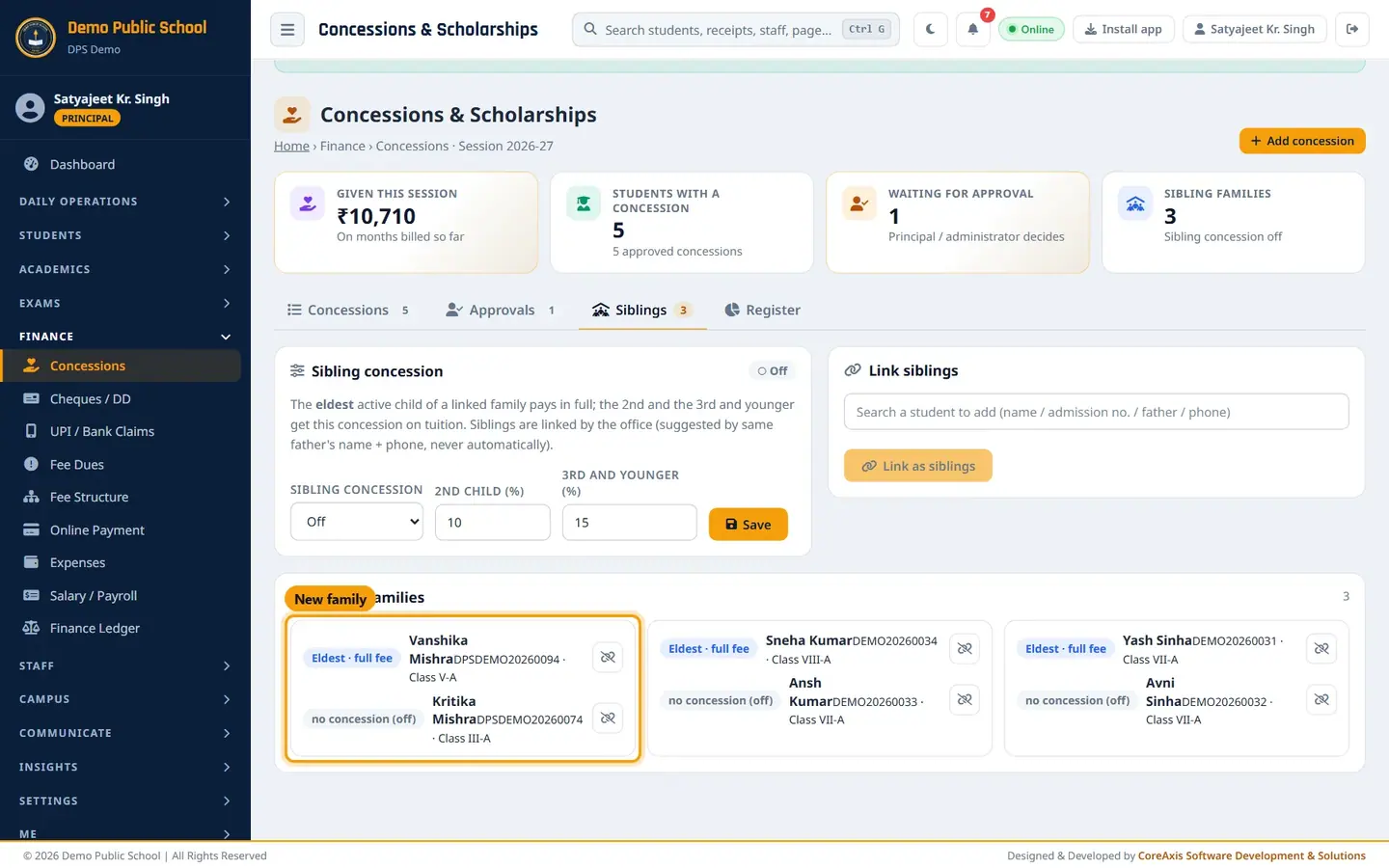
The new family card. To switch the sibling concession on, set Sibling concession to On, enter the percents and click Save. It prices months billed from now.
TipWhen the app finds students with the same father's name and phone, a Possible siblings list appears with a Link button. The app never links them on its own.
Unlink a sibling
In Linked families, click the unlink icon next to the student who is not part of the family (for example a cousin linked by mistake).
Read the popup: "Remove … from this family? The sibling concessions of the family are re-checked."

Unlink asks once before removing. Click Unlink to remove, or Cancel to keep the family as it is.
Questions
Who can approve a concession?
Only the Principal or an Admin. Accountants can add a concession, which then waits in Approvals.
The concession is approved but the old months did not change.
A concession prices months billed after approval. To change months already billed, the Principal ticks Correction when approving or adding it.
Where does the parent see the concession?
The tuition billed in the portal is already reduced. The Fee Desk card shows a green Concession this session line.
How do I give RTE students free tuition?
Add a concession with Type RTE (25% quota), Applies to Tuition, Percent 100, April to March.