 CoreAxis School ERP
Staff · Chapter 39
Holiday Calendar
The Holiday Calendar lists the school's holidays for each academic year and shows the whole year at a glance. Leave Management uses it to decide which days count as leave, and the attendance registers shade these days. Admin and Principal add or edit holidays; teachers and accountants can only view the calendar.

Add a holiday (example: Chhath Puja, 15–17 November 2026)
Open Staff › Holiday Calendar. Check that the year box shows Year 2026-27 (Apr 2026 – Mar 2027).

Holiday Calendar with working-day counts. Click Add Holiday.
Type the Name (Chhath Puja).
Choose From (15-11-2026) and To (17-11-2026). For a one-day holiday, leave To empty.
Choose the Type: School holiday. Add a Note if you like (School closed for Chhath Puja).
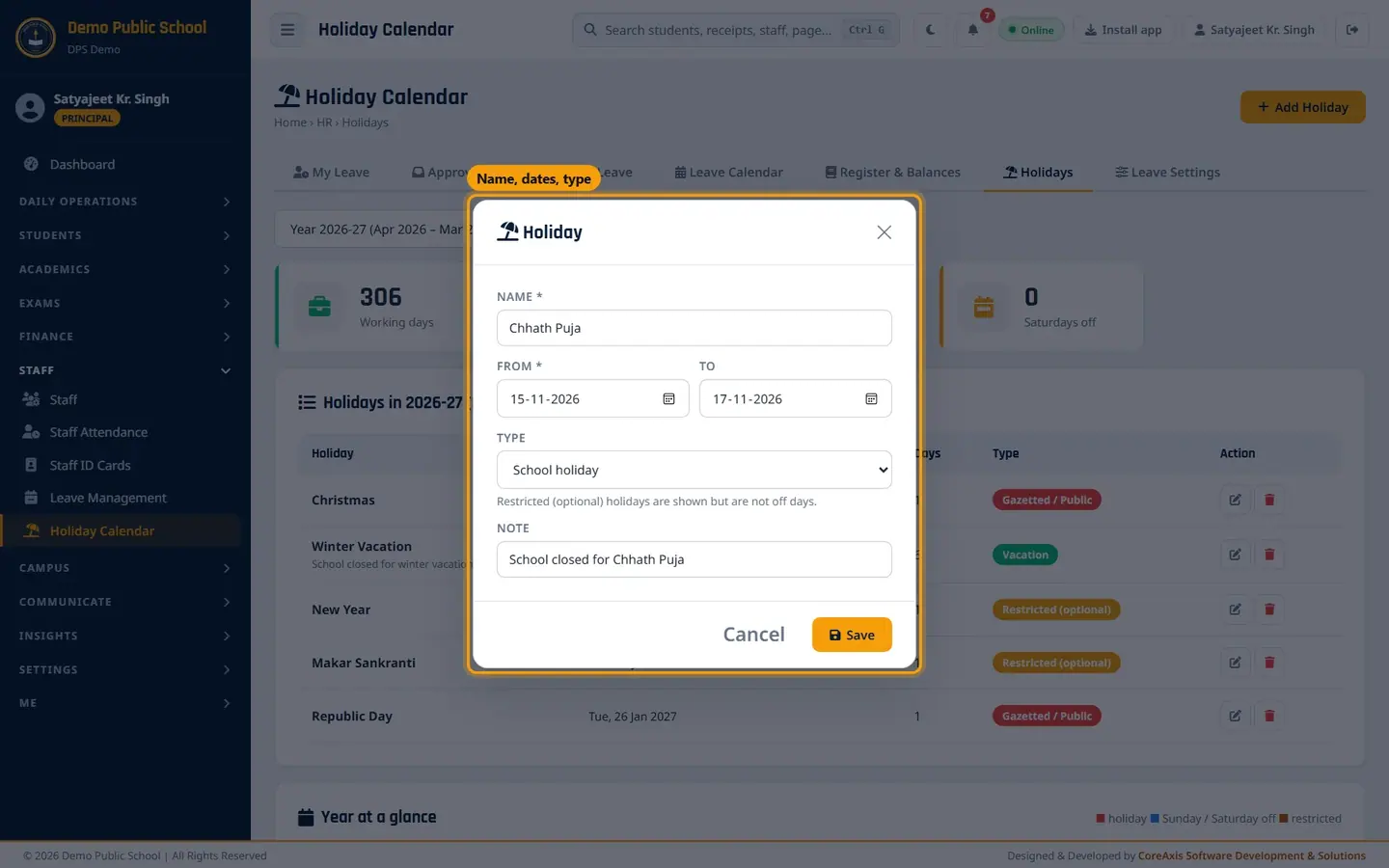
Holiday form: name, dates, type, note. Click Save and confirm. The message Holiday saved. appears and the holiday is added to the list with 3 days.
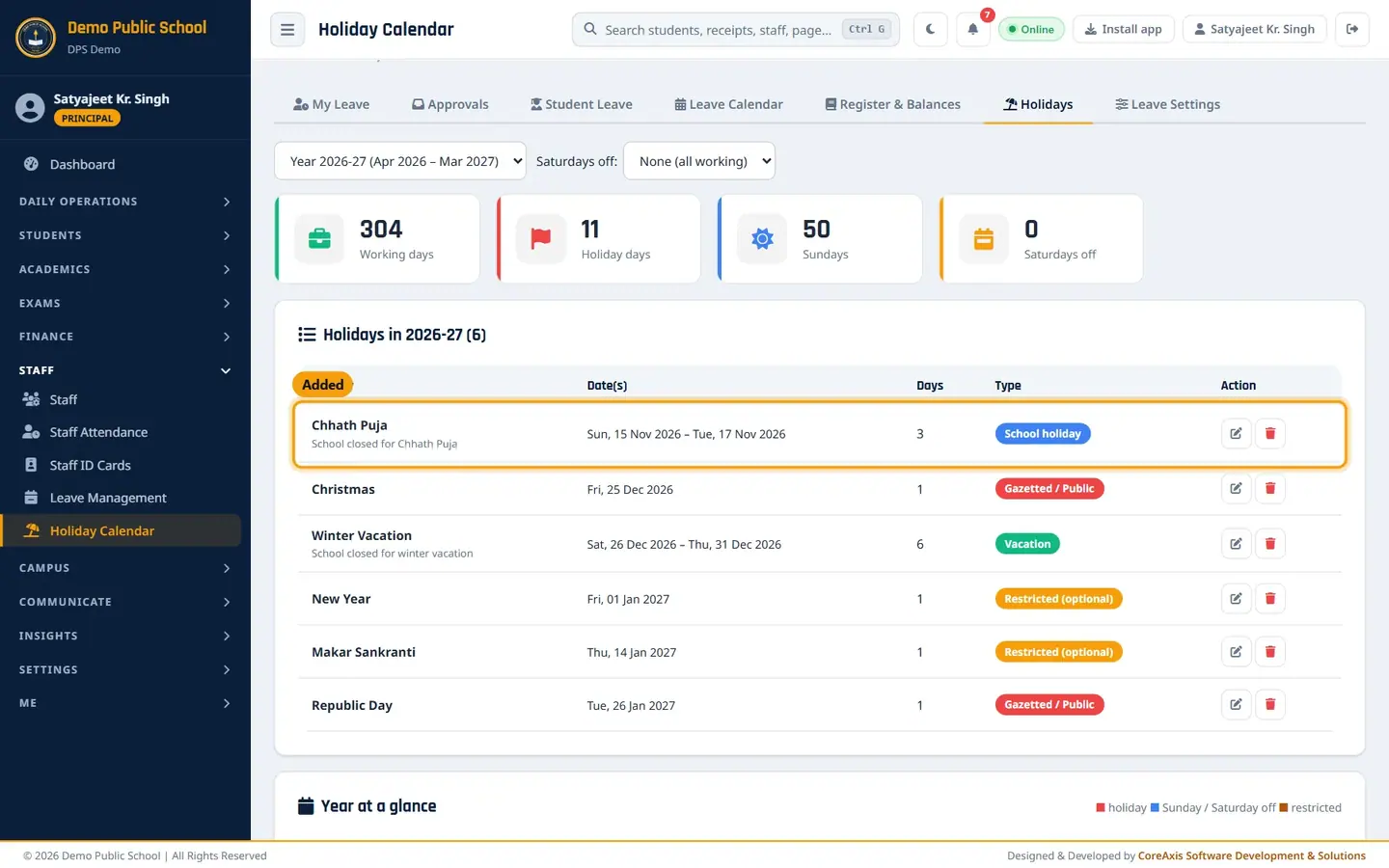
Chhath Puja added; Holiday days go up from 8 to 11.
TipRestricted (optional) holidays are shown on the calendar but are not off days; staff who want them apply for leave.
TipTo change a holiday, click the pencil icon on its row. To remove it, click the bin icon and confirm.
Set the Saturday offs
In Saturdays off, choose the pattern: None (all working), 2nd & 4th, 1st & 3rd, 2nd only, 4th only or All Saturdays.
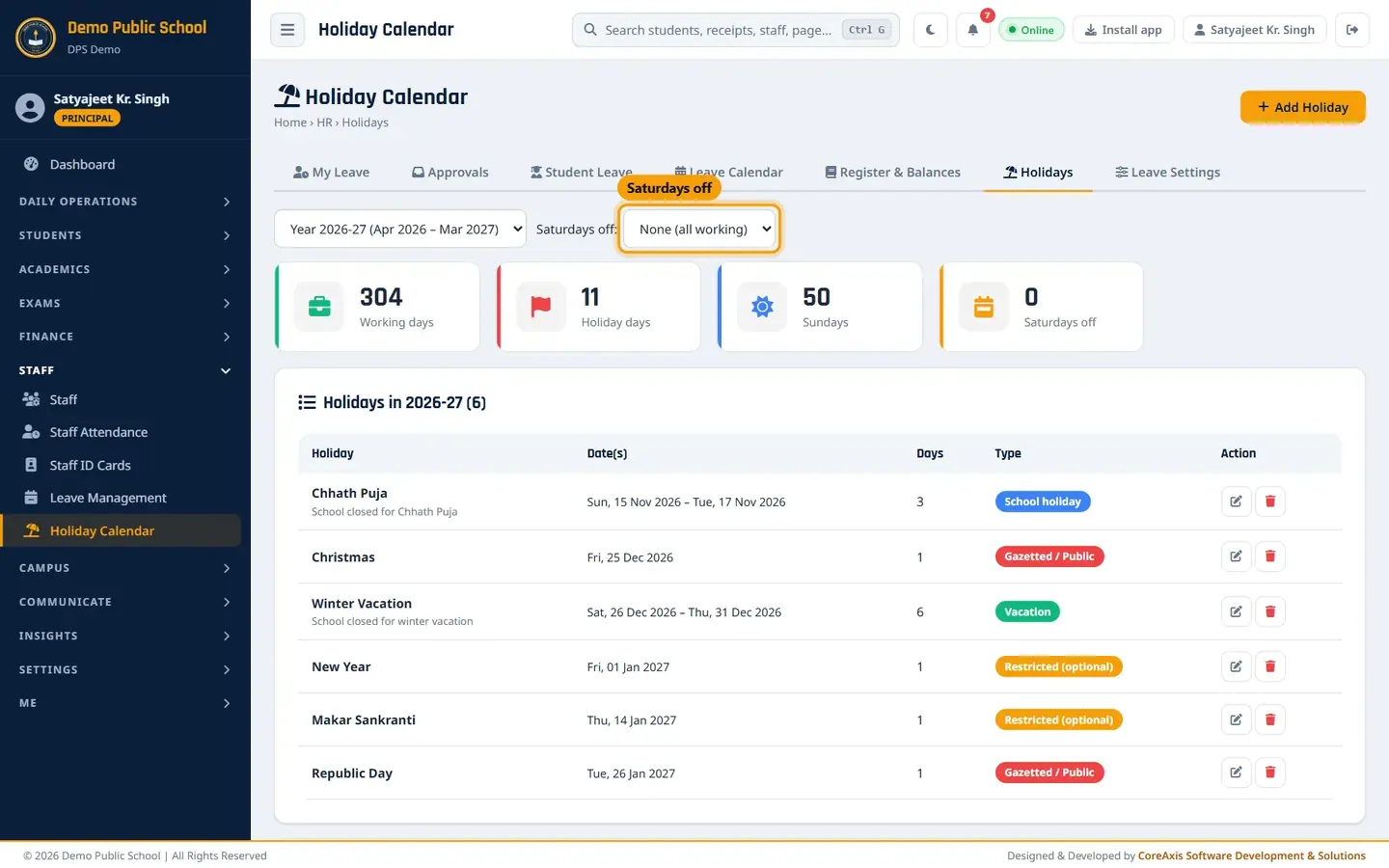
Saturdays off setting for the year. Confirm the popup. Leave and attendance day counts follow this setting from now on.
Read the year at a glance
Scroll down to Year at a glance. Red days are holidays, blue days are Sundays and Saturday offs, and amber days are restricted holidays.
Twelve months, April 2026 to March 2027. Teachers and accountants open Me › Holidays to see the same list and calendar without edit buttons.

Teacher view: read only.
Screen at a glance
- Year
- Academic year (April to March) to show.
- Working days
- Days in the year minus Sundays, Saturday offs and holidays.
- Holiday days
- Total off days from gazetted, school and vacation holidays (restricted holidays are not counted).
- Sundays / Saturdays off
- Number of Sundays and Saturday offs in the year.
- Type
- Gazetted / Public, School holiday, Vacation, Restricted (optional).
Questions
Should I enter holidays for the whole year at once?
Yes, at the start of the session. Leave applications count days using the holidays that exist when the leave is applied. If you add a holiday later and a balance needs correcting, use Leave Settings › Adjust balance / credit Comp-off.
Staff worked on a holiday. How do they get a day back?
Credit a Compensatory Off (CO) in Leave Settings › Adjust balance / credit Comp-off, with the reason (for example: Worked on 15 Aug, Independence Day duty).