 CoreAxis School ERP
Campus · Chapter 40
Library
The Library page holds the school's book catalogue with copies on each shelf, and the list of books currently issued. Books can be issued to students or staff with a due date. When a book comes back late, the fine is worked out at ₹2 per day. Teachers (and a Librarian role) use the same screen from Library & Activities › Library Desk.
Add a book (example: The Discovery of India, 2 copies)
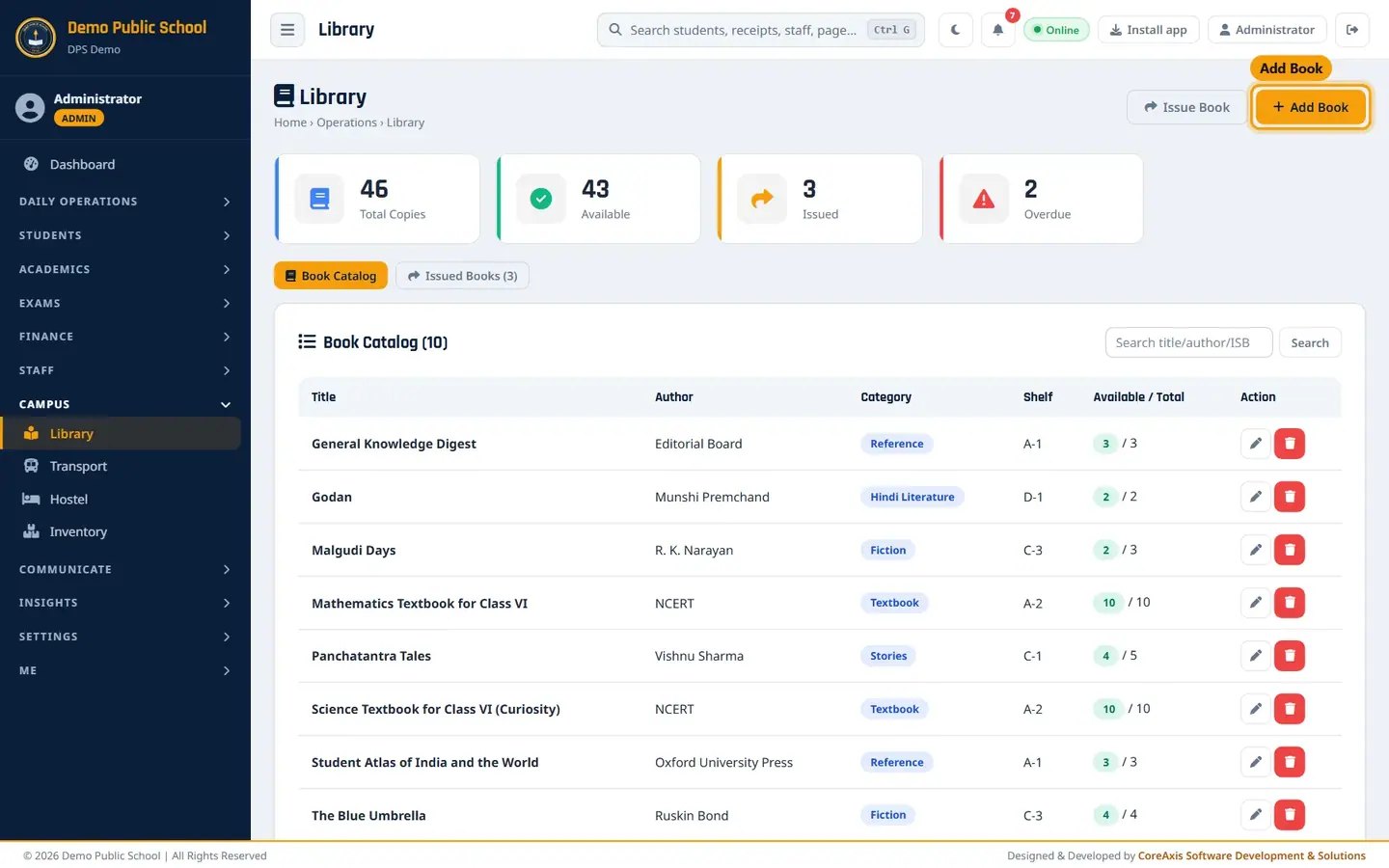
Open Campus › Library. The Book Catalog tab lists every title with available and total copies.
Book Catalog with copy counts. Click Add Book.
Type the Title (The Discovery of India) and Author (Jawaharlal Nehru). Add the ISBN if the book has one.
Choose the Category (Reference), type the Shelf No. (B-3) and the Total Copies (2).

Add Book form. Click Add Book and confirm. The book appears in the catalogue as 2 / 2 available.

New title in the catalogue.
TipTo change copies or the shelf later, click the pencil icon on the book's row.
Issue a book to a student (example: Kabir Sharma, Class V, due 11 November 2026)
Click Issue Book.
In Book, choose The Discovery of India (2 avail).
Leave Member Type at Student. In Student, type at least two letters of the name or the admission number and pick the student from the list.
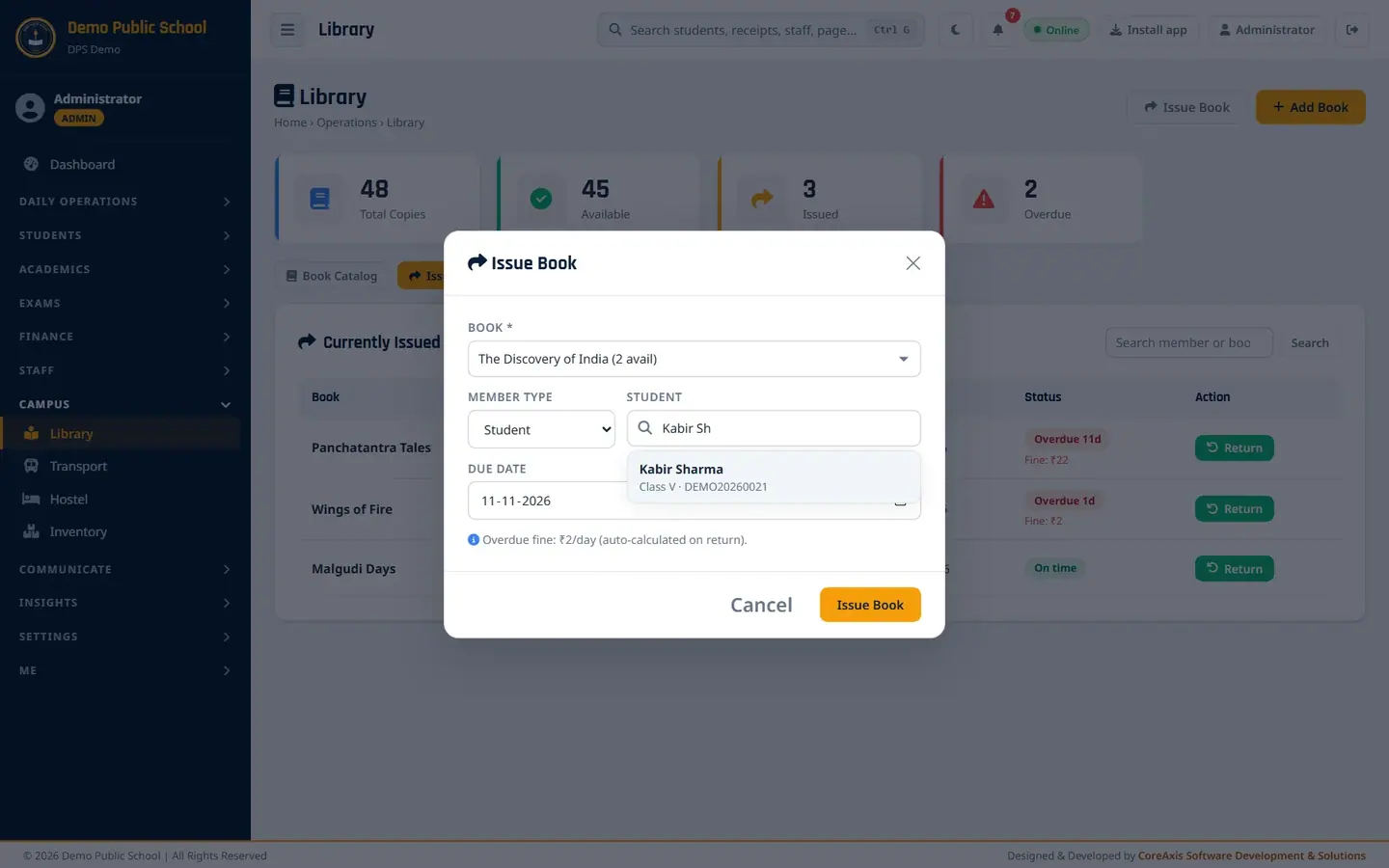
Member search shows class and admission number. Check the Due Date (14 days from today by default; here 11-11-2026).

Book, member and due date filled. Click Issue Book and confirm. The Issued Books tab now lists it as On time.

Currently Issued list.
TipTo issue to a teacher, set Member Type to Staff and search the staff name.
Take a return and see the fine (example: Panchatantra Tales, 11 days late)
Open the Issued Books tab. Late books show Overdue Nd in red with the fine so far.

Overdue 11d, Fine: ₹22. Click Return on the book's row and confirm in the popup.

Confirm the return. The message Book returned. Overdue fine: ₹22 appears. The copy is available again and the book leaves the issued list.
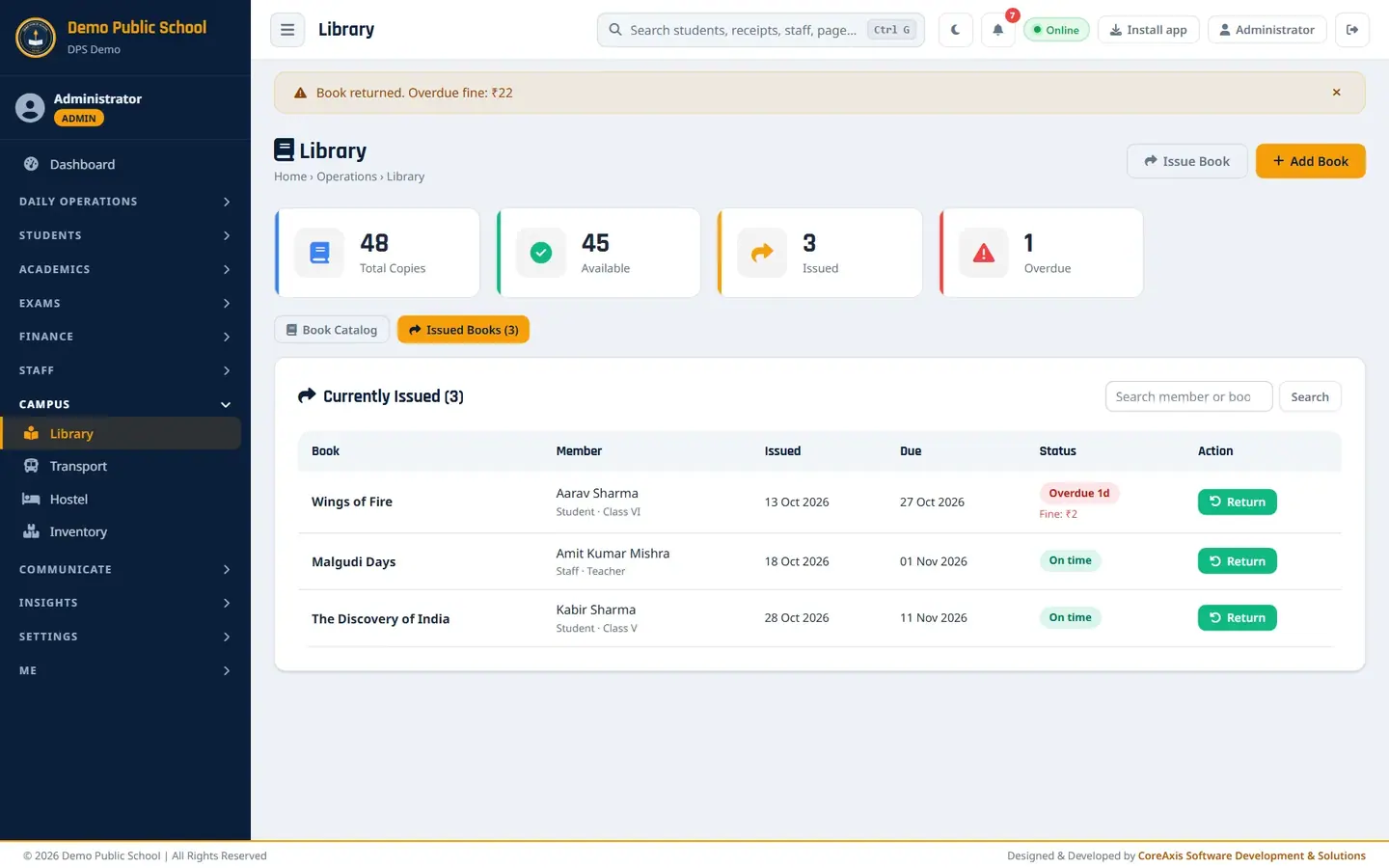
Return done; the fine is shown. Collect the fine from the student and give a receipt from the Fee Desk if your school records fines as fees.
ImportantThe fine is calculated and stored with the return, but it is not added to the student's fee dues by itself. Collect it at the counter.
Library Desk for teachers
Teachers open Library & Activities › Library Desk. They see the same catalogue and issued list and can issue and return books, for example in a class library period.
Teacher view of the Library Desk.
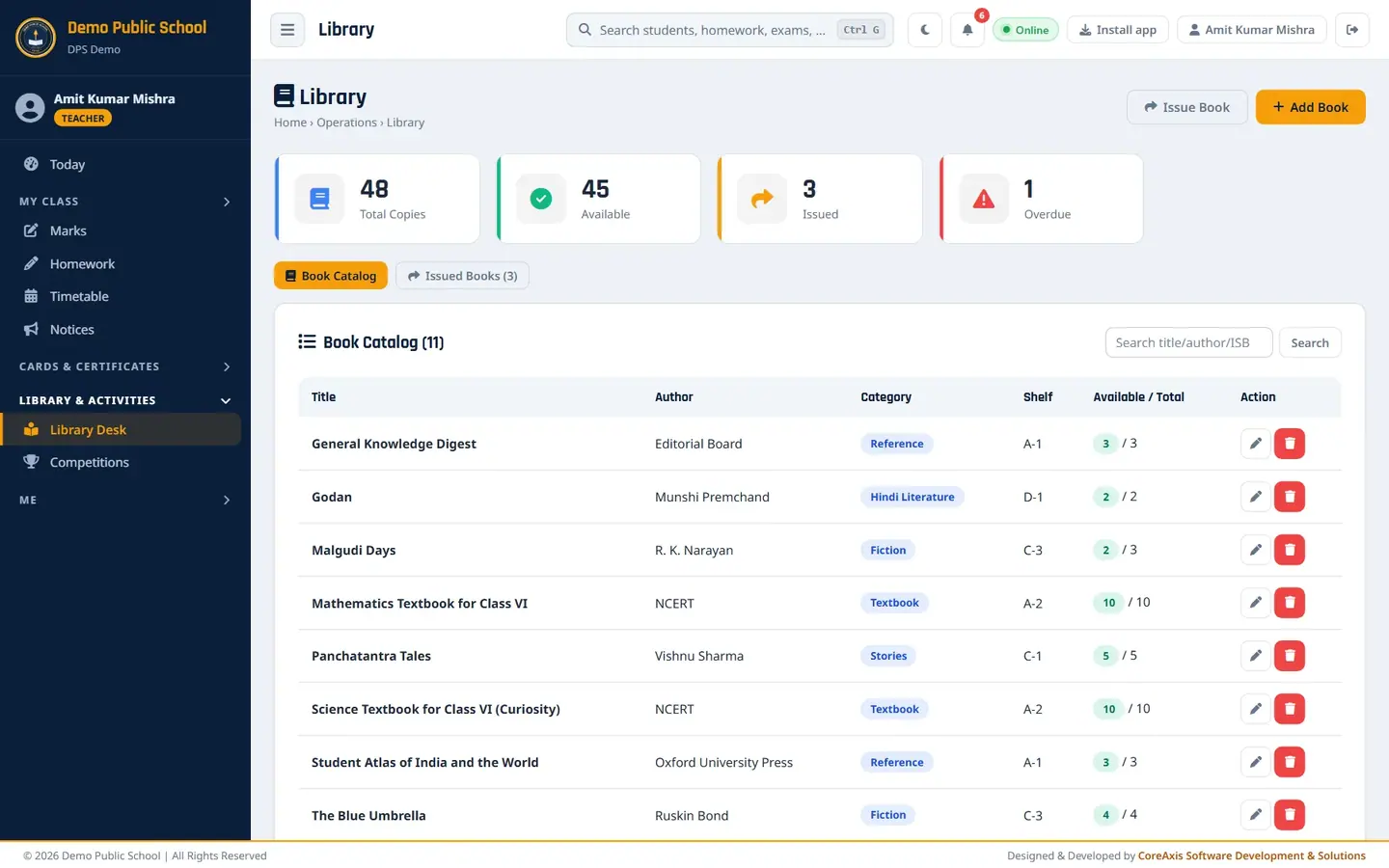
Library Desk signed in as a teacher.
Screen at a glance
- Total Copies / Available / Issued / Overdue
- Counts across the whole catalogue.
- Book Catalog
- Title, Author, Category, Shelf, Available / Total, with Edit and Delete.
- Issued Books
- Book, Member (student with class, or staff), Issued, Due, Status (On time / Overdue with fine), Return.
- Search
- Catalog: title, author or ISBN. Issued Books: member or book.
- Fine rule
- ₹2 for each day after the due date, worked out on return.
Questions
A student lost a book.
Return it in the system so it leaves the issued list, collect the cost, then edit the book and reduce Total Copies by one.
Can the due date be extended?
Return the book and issue it again with a new due date.