 CoreAxis School ERP
Finance · Chapter 25
Fee Dues
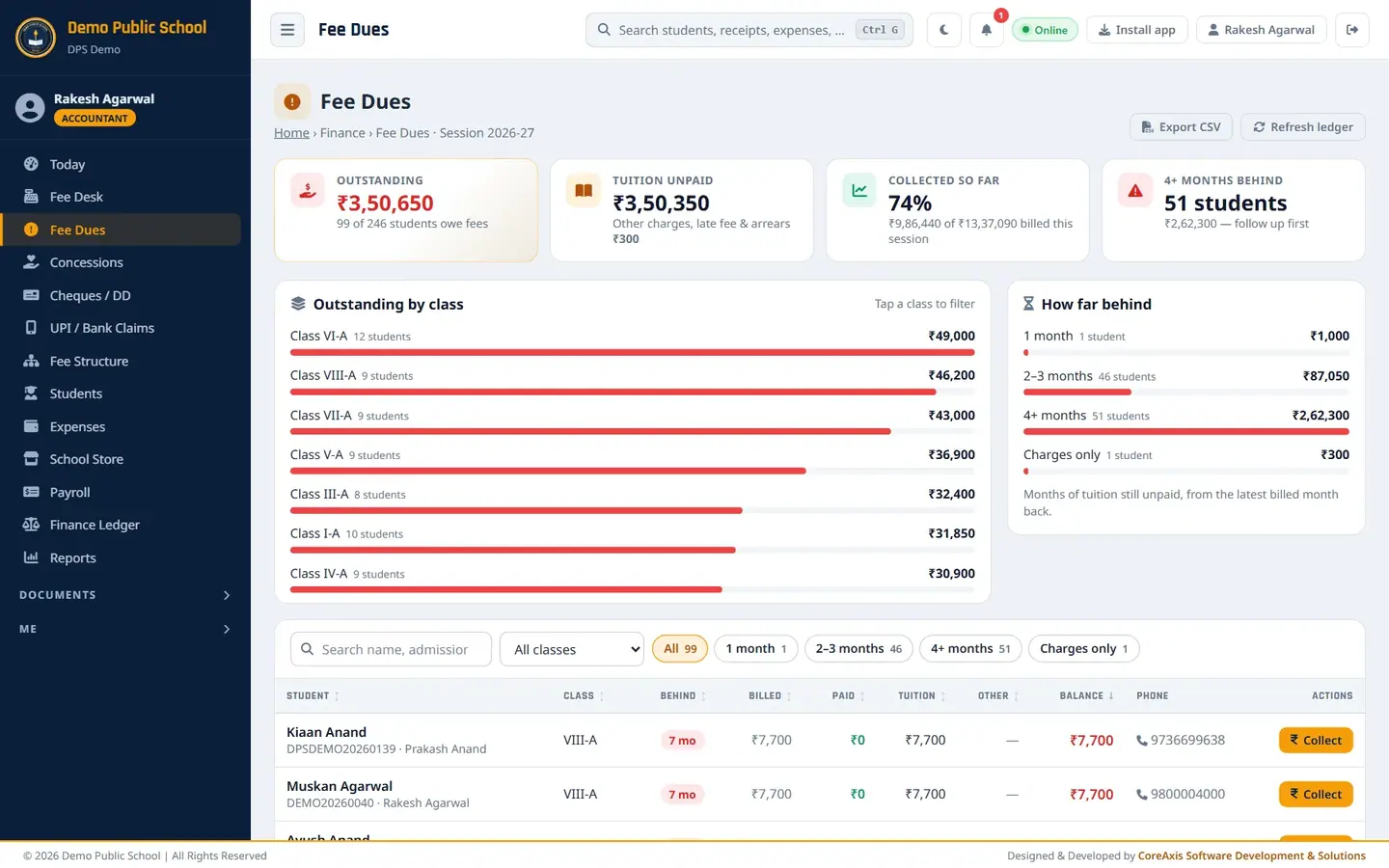
Fee Dues is the defaulter list. It shows every student with an unpaid balance in the running session, how many months behind they are and their parent's phone. Use it to plan follow-up calls, send reminder SMS and jump to the Fee Desk to collect.
Screen at a glance
- Outstanding
- Total unpaid in the session and how many students owe fees, for example ₹3,50,650 — 99 of 246 students.
- Tuition unpaid
- The tuition part of the outstanding amount. The line below shows other charges, late fee and arrears.
- Collected so far
- Percentage of the billed amount that has been collected this session.
- 4+ months behind
- Students who have not paid tuition for four or more months, with their total. Follow these up first.
- Outstanding by class
- One bar per class with the amount and number of students. Click a class to filter the list.
- How far behind
- Age buckets: 1 month, 2–3 months, 4+ months, Charges only (tuition paid, only other charges due).
- Search box
- Filter the list by name, admission no., father or phone.
- Class
- Show one class only.
- Bucket chips (All, 1 month, 2–3 months, 4+ months, Charges only)
- Show only students in that age bucket. The number on each chip is the count.
- Columns
- Student (with admission no. and father), Class, Behind (months unpaid), Billed, Paid, Tuition, Other, Balance, Phone, Actions. Click a column heading to sort.
- Collect
- Opens the Fee Desk with this student already loaded.
- Export CSV
- Downloads the list (the selected class only, if a class is chosen) as a spreadsheet file.
- Refresh ledger
- Re-checks every student's dues: bills missing months and re-syncs payments, charges, late fee and arrears. Months already billed keep their price. Use it after changing the fee structure.
Find the defaulters of one class (example: Class V-A, 4+ months behind)
Open Fee Dues from the menu. Look at Outstanding by class to see which class owes the most.
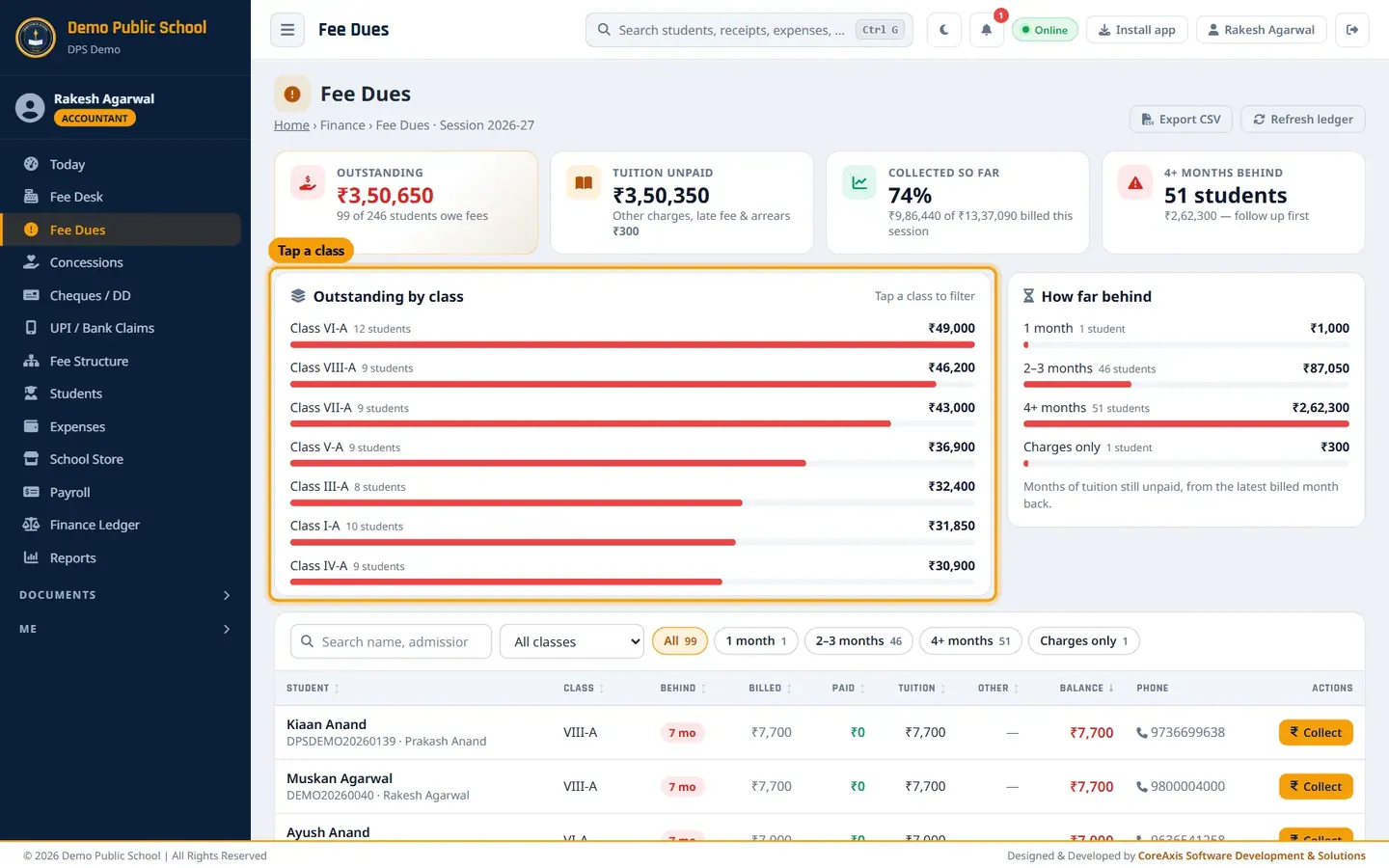
Click a class bar to filter the list. Choose Class V-A in the class box (or click its bar). The cards now show only Class V-A: ₹36,900 outstanding, 9 of 24 students.
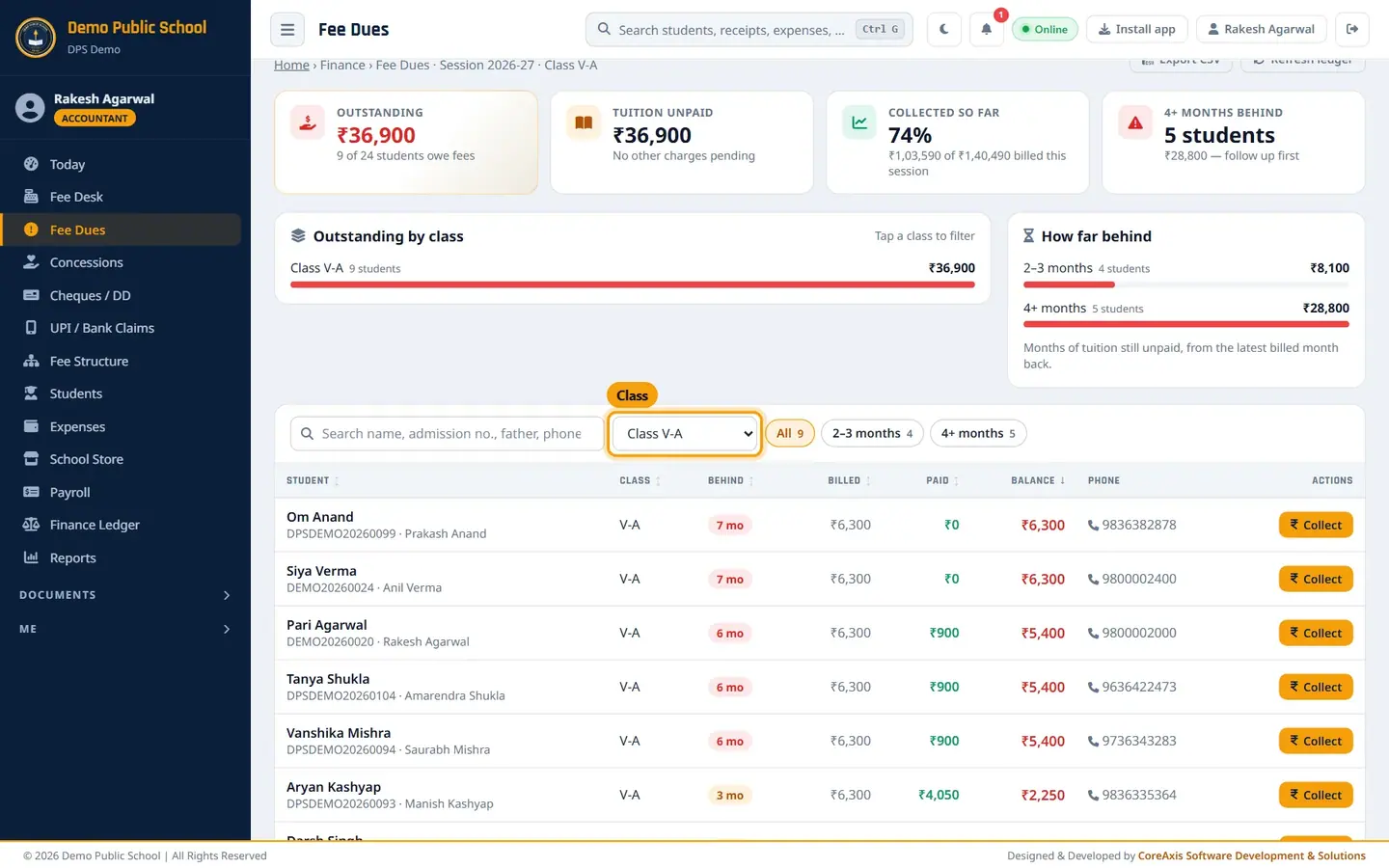
The list filtered to Class V-A. Click the 4+ months chip. Five students remain, for example Om Anand and Siya Verma (7 months, ₹6,300 each).
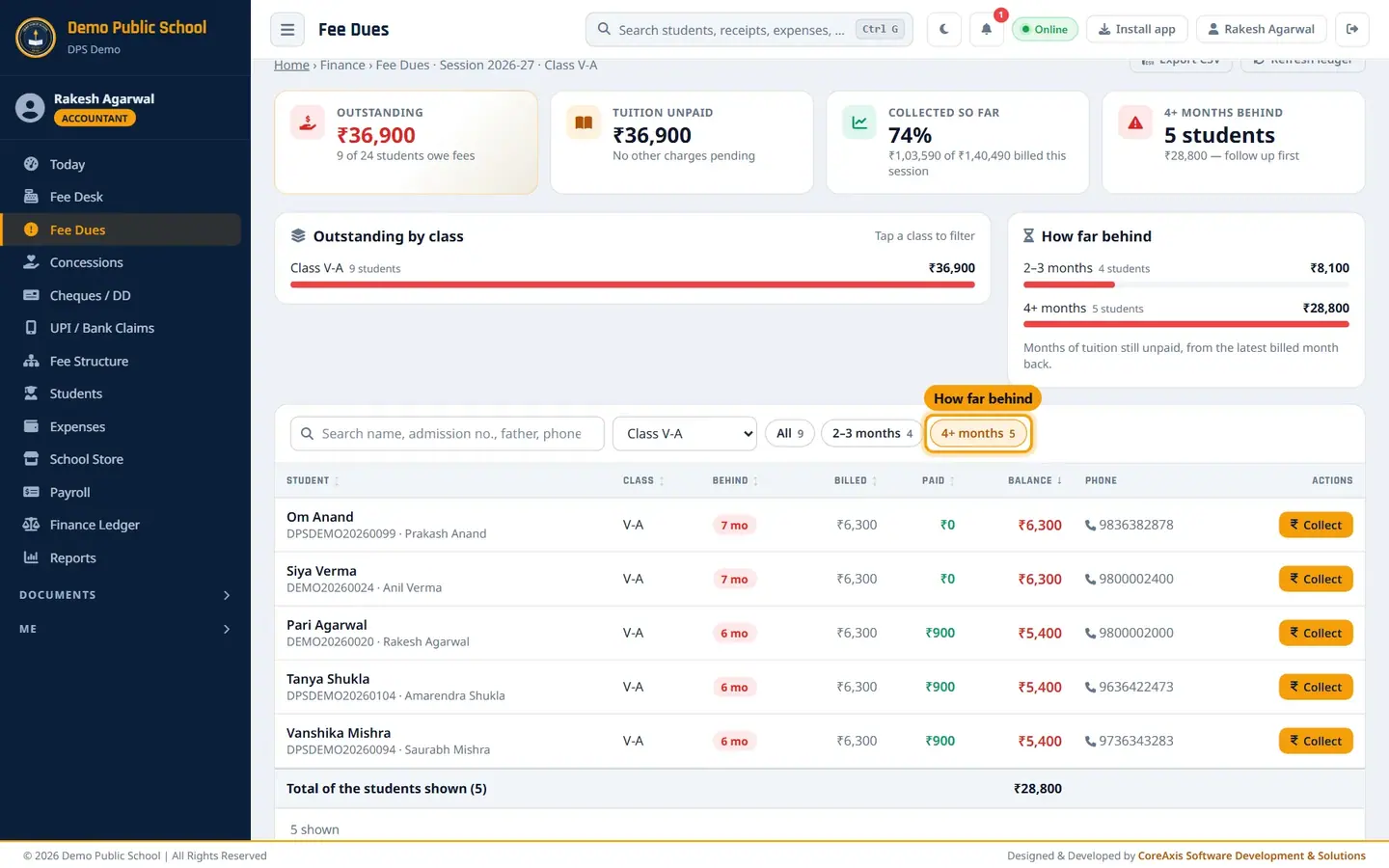
Only students 4 or more months behind. Call the parent using the number in the Phone column.
When the parent comes to pay, click Collect on that row. The Fee Desk opens with the student's dues loaded.
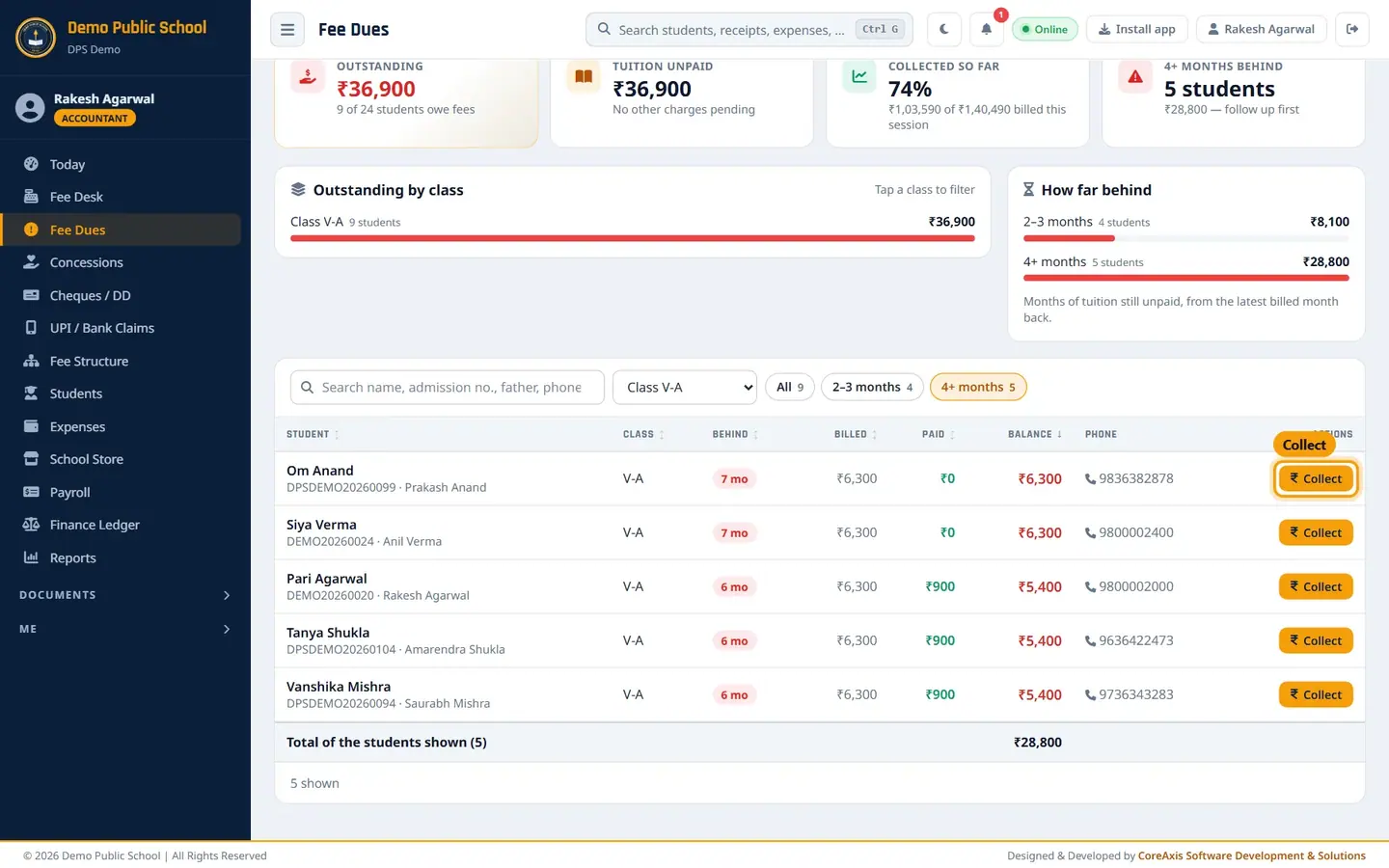
Collect opens the Fee Desk for that student.
TipSiya Verma's row still shows full dues because her ₹300 per month concession is waiting for the principal's approval. Once approved, her dues go down.
Export the list or refresh the ledger
Choose a class first if you want only that class.
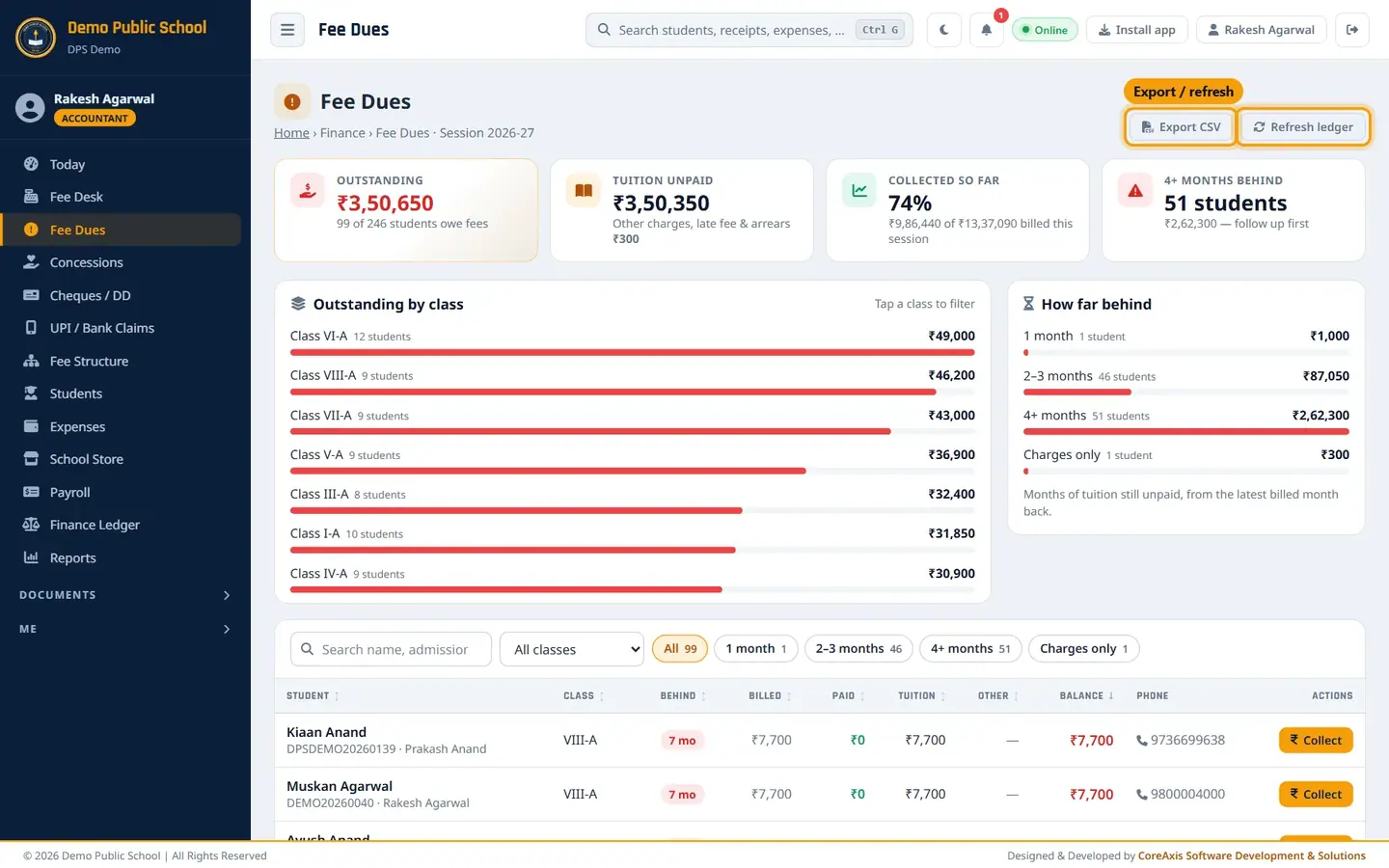
Export CSV and Refresh ledger at the top right. Click Export CSV. A file downloads that opens in Excel or Google Sheets.
If the dues look out of date (for example after changing a class fee), click Refresh ledger and then Confirm.
Send SMS reminders
The SMS buttons appear only after the school has set up an SMS gateway in Communicate › SMS (Configuration tab). The demo school has SMS switched off, so the buttons are not visible in the screenshots.
Ask the Admin to set up and enable SMS in SMS › Configuration.
Open Fee Dues and filter the class or bucket you want.
To remind one parent, click the SMS icon on that row.
To remind several parents, tick the box at the start of their rows and click SMS selected (n).
To remind everyone in the list, click SMS all.
Confirm the popup. Messages go out in the background; a progress bar shows the batch. Anyone already reminded today is skipped.
TipThe message text is the Fee Reminder template in SMS › Templates, for example: "Dear Parent, fee of Rs.[AMOUNT] is pending for [STUDENT NAME] …".
ImportantEach SMS costs money on your SMS account. Check the filter before clicking SMS all.
Questions
A student paid but still shows in Fee Dues.
Check the payment was made for the right student in Fee Desk › Recent Collections. If it was paid by cheque and the cheque bounced, the months fall due again. If it still looks wrong, click Refresh ledger.
What does Charges only mean?
The student's tuition is fully paid, but another charge is due, for example a cheque bounce charge or transport fee.
Why does a student show '7 mo' in October?
Tuition from April to October (7 months) is unpaid.