 CoreAxis School ERP
Finance · Chapter 28
UPI / Bank Claims
Parents can pay the fee from home by scanning the school's UPI QR (demopublicschool@sbi) or by NEFT / IMPS, with no gateway fee. In the parent portal or app they then send a claim: amount, UTR / reference number and an optional screenshot. The office matches each UTR with the bank statement and either verifies it (a receipt is made) or rejects it with a reason the parent can see.
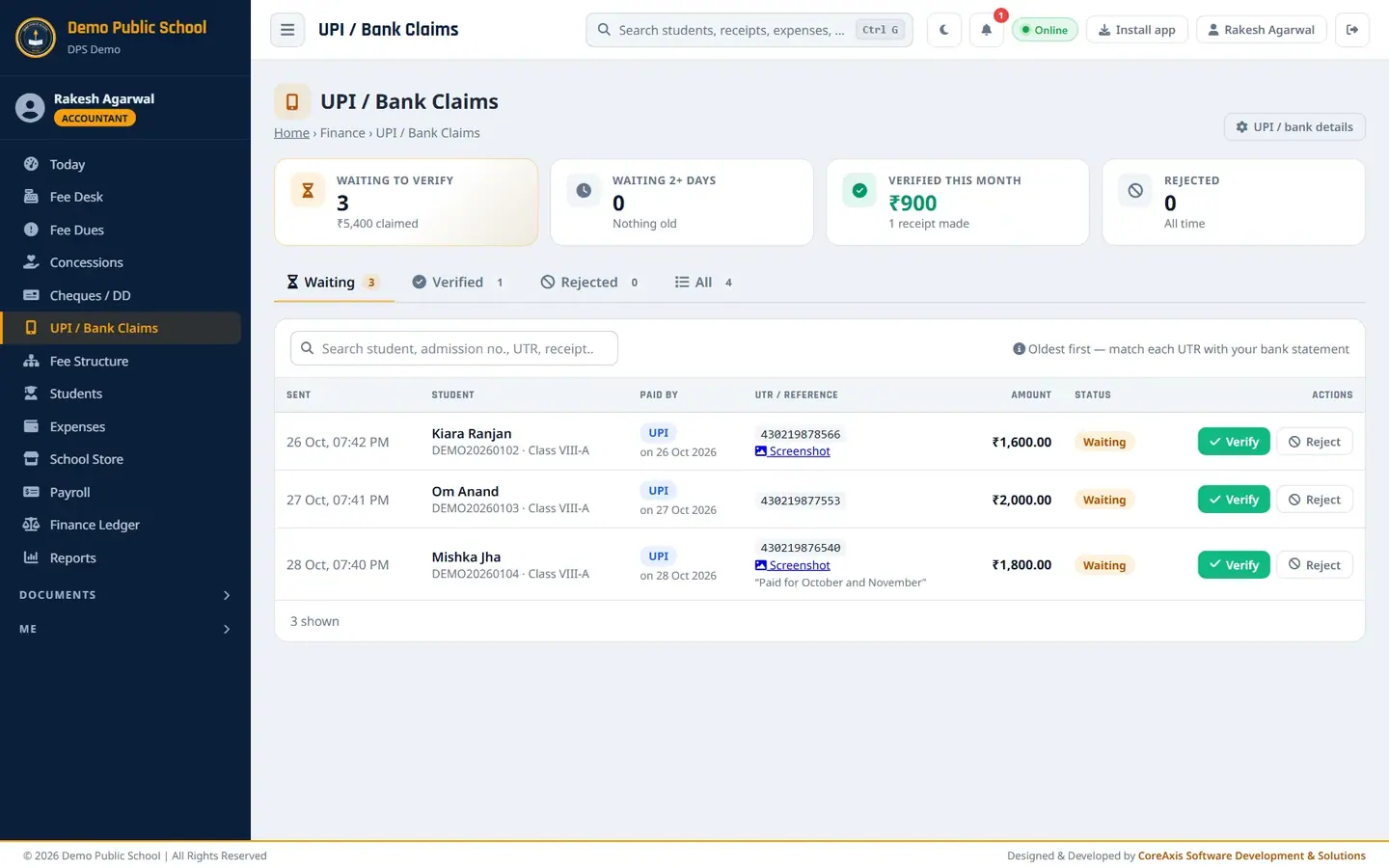
Screen at a glance
- Waiting to verify
- Claims not yet checked and the amount claimed.
- Waiting 2+ days
- Claims older than two days. Parents expect a receipt quickly.
- Verified this month
- Amount verified this month and number of receipts made.
- Rejected
- Claims rejected, all time.
- Tabs
- Waiting, Verified, Rejected, All.
- Search
- Find by student, admission no., UTR or receipt.
- Columns
- Sent (date and time), Student, Paid by (UPI or bank, payment date), UTR / reference (with Screenshot link and the parent's note), Amount, Status, Actions.
- UPI / bank details (button)
- Opens Online Payment, where the school's UPI ID and bank account are set (Admin / Principal).
- Fee desk (button on verified rows)
- Opens the student on the Fee Desk.
Verify a claim (example: Mishka Jha, Class VIII-A, ₹1,800 by UPI)
Open UPI / Bank Claims. The Waiting tab lists the claims, oldest first.
Three claims waiting to be checked. Read Mishka Jha's claim: UTR 430219876540, ₹1,800, note "Paid for October and November". Click Screenshot to see the parent's proof.

Match this UTR with the bank statement. Open the school's bank statement (net banking or the bank app) and find a credit with the same UTR and amount.
Click Verify on the row.
Check Amount received in the bank (₹). Change it only if the bank shows a different amount. Type a Note (optional), for example
Seen in SBI statement on 28 Oct 2026.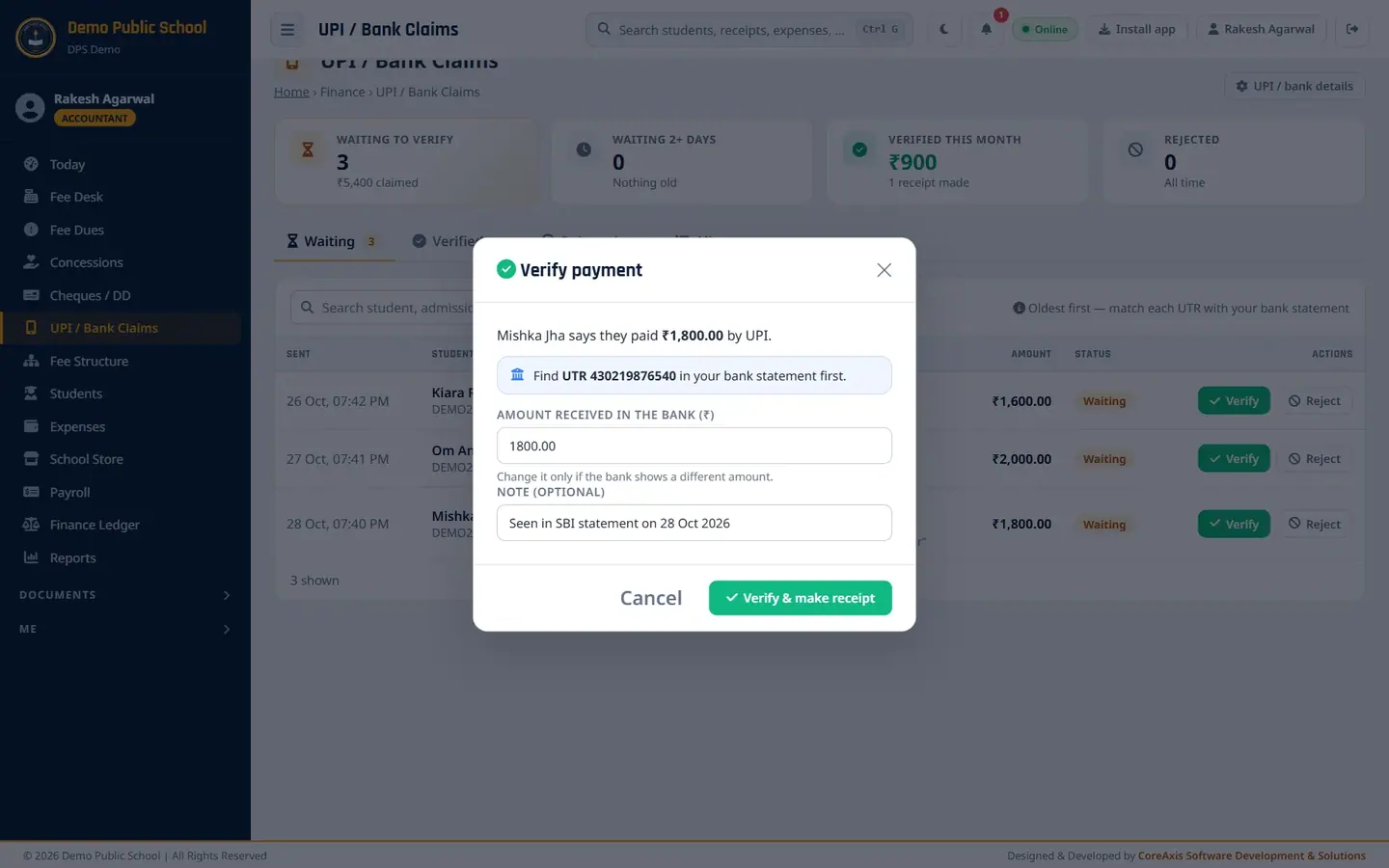
The verify window repeats the UTR to look for. Click Verify & make receipt, then Verify & make receipt again in the popup.
The message shows the new receipt number. The claim moves to Verified with the receipt number, and the student's dues go down.
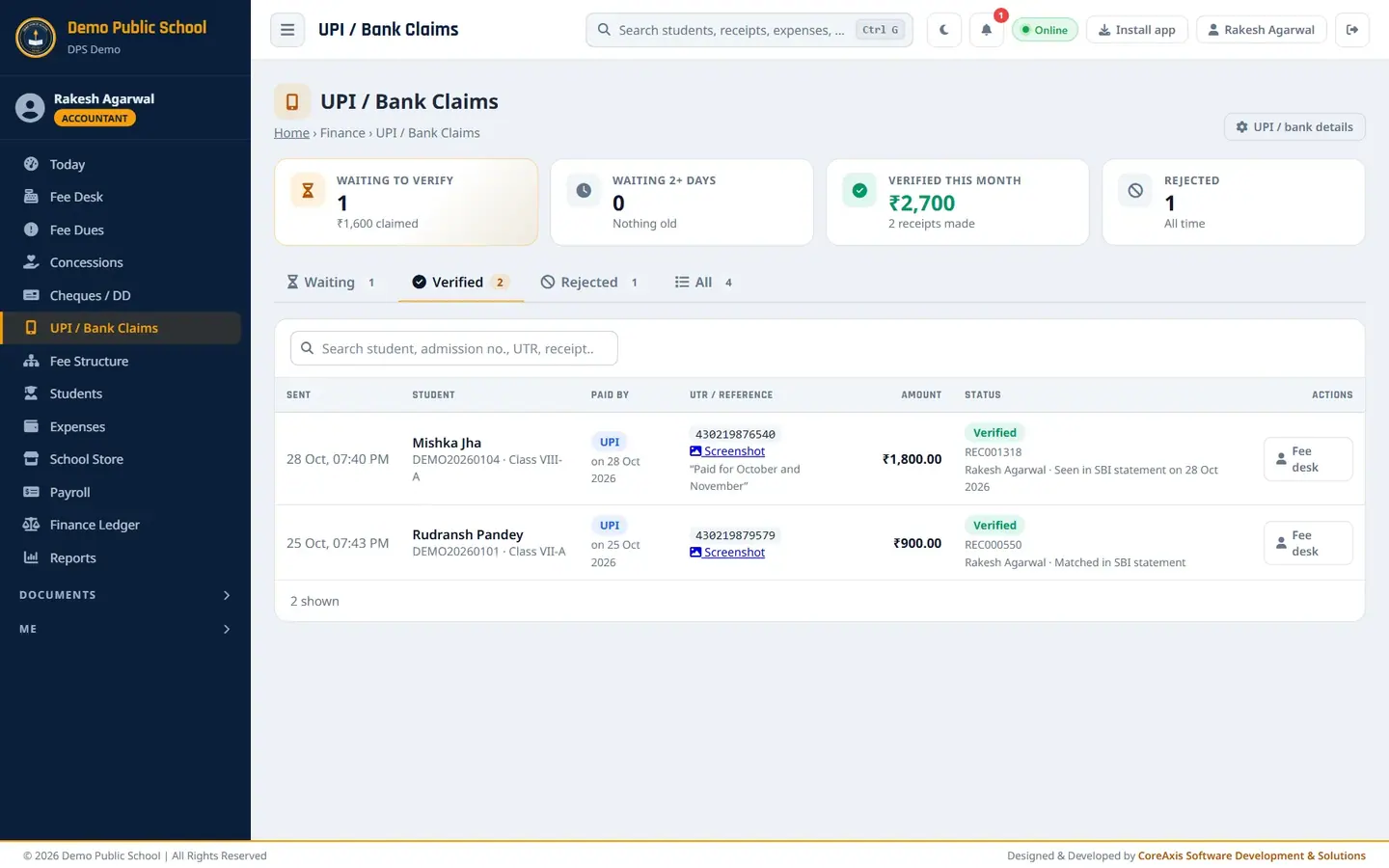
Verified claims with receipt numbers.
TipThe parent sees the receipt in the portal and app straight away.
Reject a claim (example: Om Anand, Class VIII-A, ₹2,000, UTR not in the statement)
Search the bank statement for UTR 430219877553. It is not there.
Click Reject on Om Anand's row.
Choose Reason (the parent sees this): No such payment in the bank statement. Other reasons: Amount does not match, UTR / reference number is wrong, Paid to a different account, Duplicate of an earlier claim, Other (write your own).

The parent sees the reason you choose. Click Reject, then Reject claim, then Yes, proceed in the second popup.
The claim moves to Rejected. No receipt is made; the parent can send a corrected claim.

Rejected claim with the reason.
See all claims
Open the All tab to see waiting, verified and rejected claims together. Kiara Ranjan's claim is still Waiting for the bank statement to be checked.
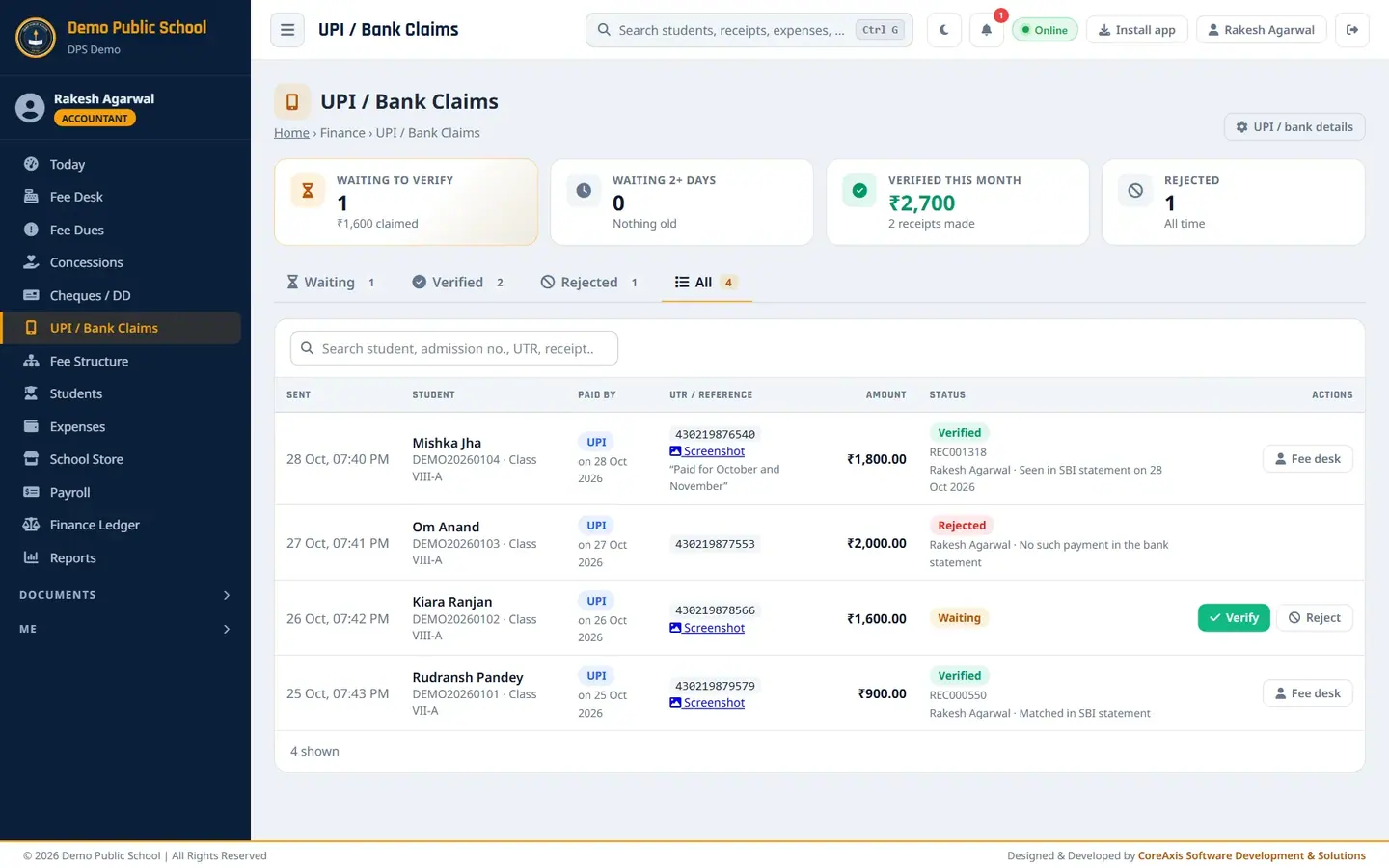
All claims with their status.
Questions
The parent paid ₹1,800 but the bank shows ₹1,500.
Verify with ₹1,500 in Amount received in the bank and write a note. The receipt is made for ₹1,500, and the rest stays due.
Where do parents get the QR code?
In the parent portal and app, when UPI / bank transfer is switched on in Online Payment. The amount and admission no. are filled in for them.
Does the school pay a fee on these payments?
No. The money goes straight to the school's account. Only the Razorpay gateway charges a fee.
Can a parent send a second claim for the same dues by mistake?
The portal makes it unlikely. While a claim is waiting, the parent's Fees page shows the amount being checked and only what is left to pay, and Pay by UPI starts at that amount (₹0 when the claim covers the dues). If a duplicate still arrives, reject it with the reason Duplicate of an earlier claim.