 CoreAxis School ERP
Exams · Chapter 23
Exam Certificates
Exam Certificates prints A4 landscape certificates in four designs. In Class / Academic mode it uses an exam's marks to find the toppers of a class (rank and percentage) and prints Academic Excellence or Achievement certificates, or Participation certificates for every student. In Competition / Event mode it uses the positions and prizes recorded for a competition (Communicate › Competitions). Each certificate carries a QR code to verify it, and the first print is registered as the ORIGINAL in the Document Register. Transfer, bonafide and character certificates are on a different page (Students › TC / Bonafide).

Screen at a glance
- Certificate Generation Rules / Print & Design Info
- Reminders: create and score the competition first, print on A4 Landscape, add the school seal after printing.
- Certificate Source
- Competition / Event or Class / Academic. The fields below change with it.
- Certificate Design
- #1 Royal Maroon, #2 Royal Navy, #3 Emerald, #4 Royal Purple.
- Class / Exam (Optional — for %/Rank)
- Class / Academic mode: the class and the exam whose marks decide rank and percentage.
- Certificate Type (class)
- Academic Excellence, Achievement or Participation.
- Merit for
- Topper only (Rank 1), Top 3, Top 5 or Top 10 ranks — for Excellence and Achievement.
- Competition / Event and Certificate Type (competition)
- Pick the competition and Certificate of Merit, Participation or Appreciation.
- Student (Optional = All)
- Leave as All Students to print every certificate, or pick one student.
- Generate & Print
- Opens the certificates in a new tab.
- List
- The students who will get a certificate, with Percentage and Rank (class mode) or Position and Prize (competition mode).
Print toppers' certificates for an exam (example: Class VI, Unit Test 2, top 3)
Open Exams › Exam Certificates.

Exam Certificates page. Pick Class / Academic in Certificate Source.
Pick Class VI in Class and Unit Test 2 — November 2026 — VI in Exam.
Pick Academic Excellence in Certificate Type and Top 3 ranks in Merit for.
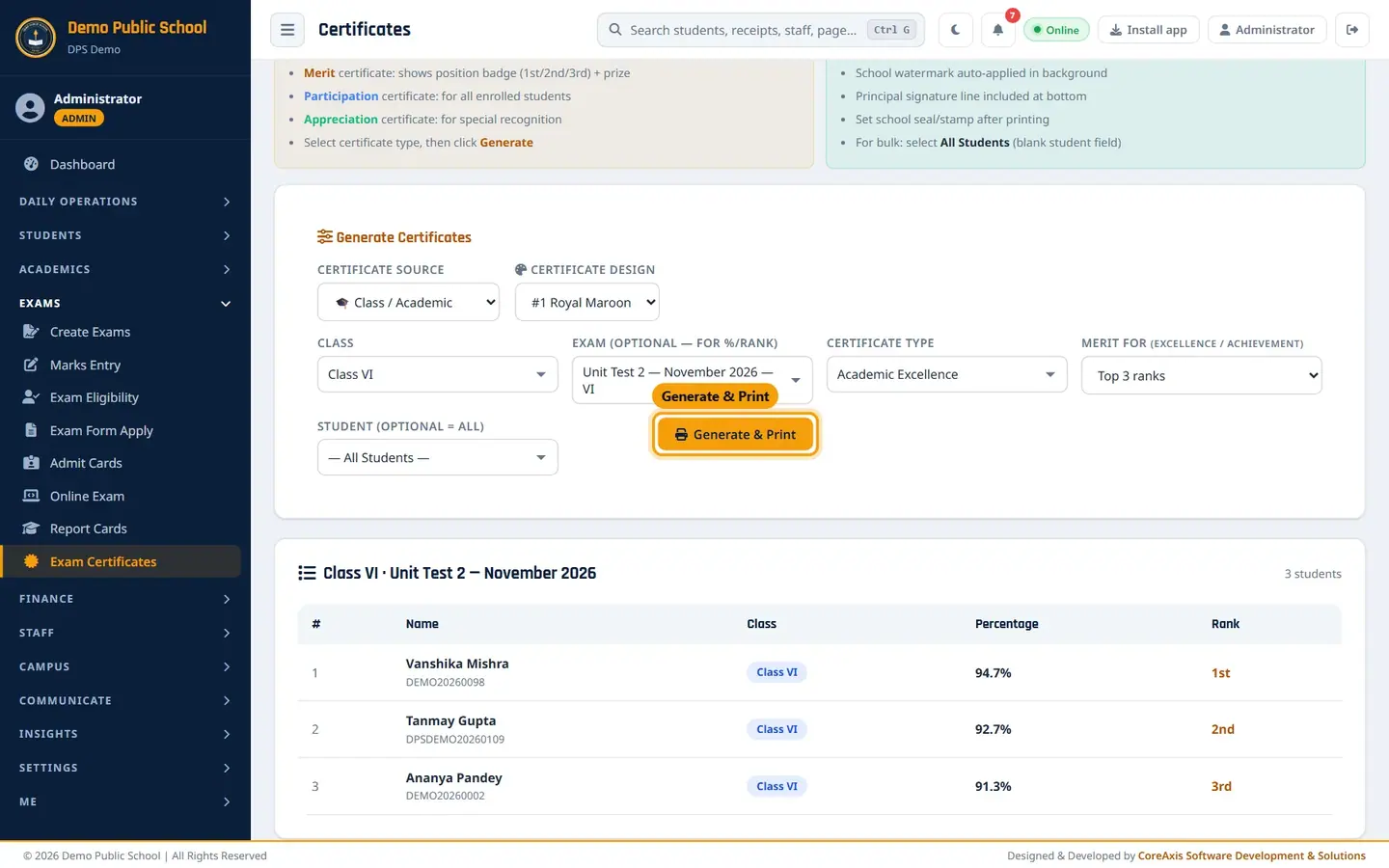
Class mode with exam, type and merit chosen. Check the list below: Vanshika Mishra 94.7% (1st), Tanmay Gupta 92.7% (2nd), Ananya Pandey 91.3% (3rd).
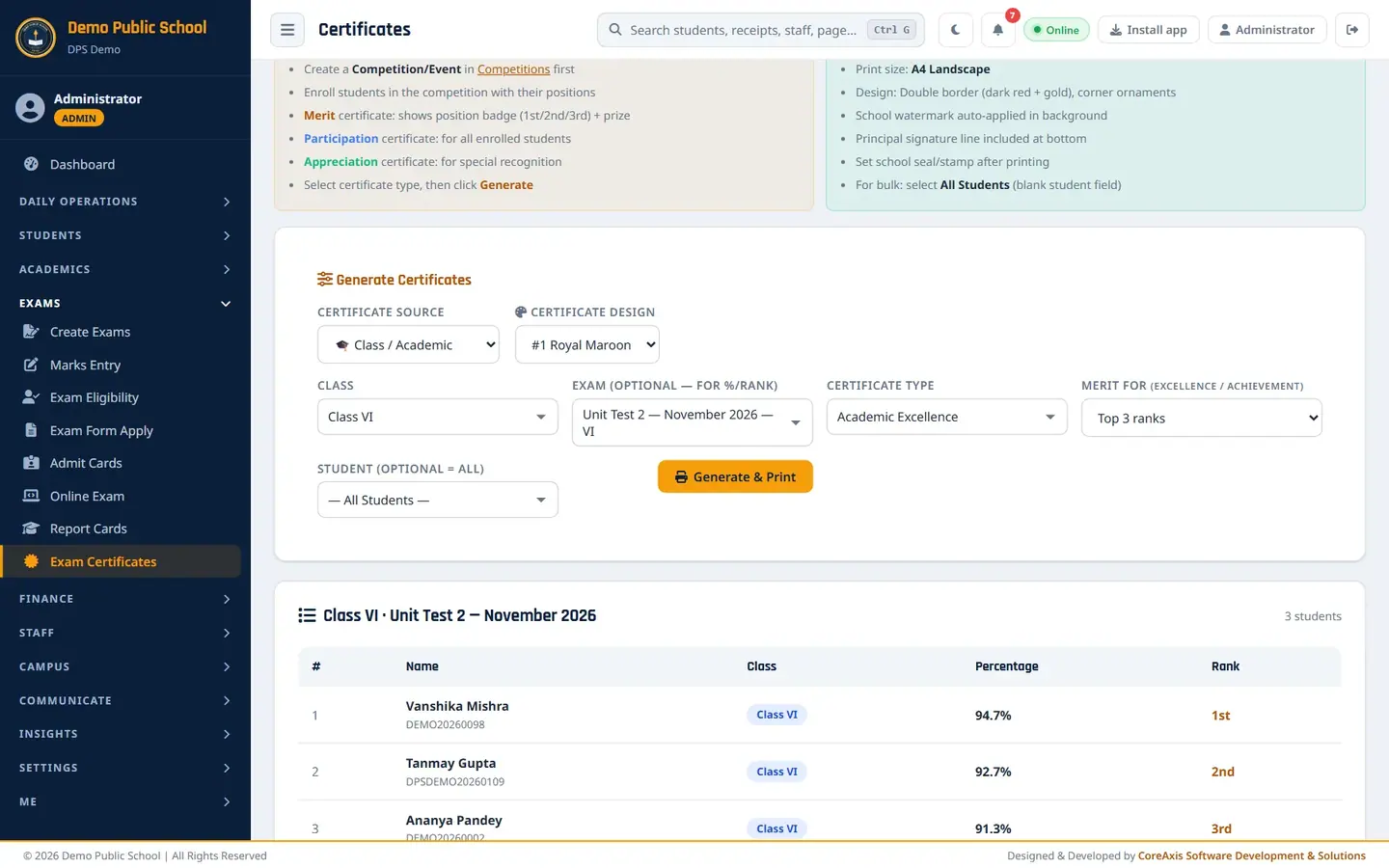
The three toppers of Unit Test 2. Choose a Certificate Design and click Generate & Print. The certificates open in a new tab as a DIGITAL COPY (preview).
Certificate of Academic Excellence for Vanshika Mishra — 1st Rank, 94.7%. Click Issue & Print to register them as ORIGINAL and print on A4 landscape. Sign and add the school seal.
TipRank and percentage come from Marks Entry. Enter and save all marks of the exam before printing.
TipChoose Participation to print a certificate for every student of the class (no exam needed).
Print certificates for a competition (example: Inter-House Quiz Competition)
Pick Competition / Event in Certificate Source.
Pick Inter-House Quiz Competition (19 Oct 2026) in Competition / Event.
Pick Certificate of Merit for winners, Certificate of Participation for everyone enrolled, or Certificate of Appreciation for special recognition.
Check the list: Aarav Sharma 1st (₹500), Ananya Pandey 2nd (₹300), Vivaan Prasad 3rd (₹200). Students who took part without a place (Aadhya Choudhary, Aditya Srivastava, Diya Verma) show Participation.
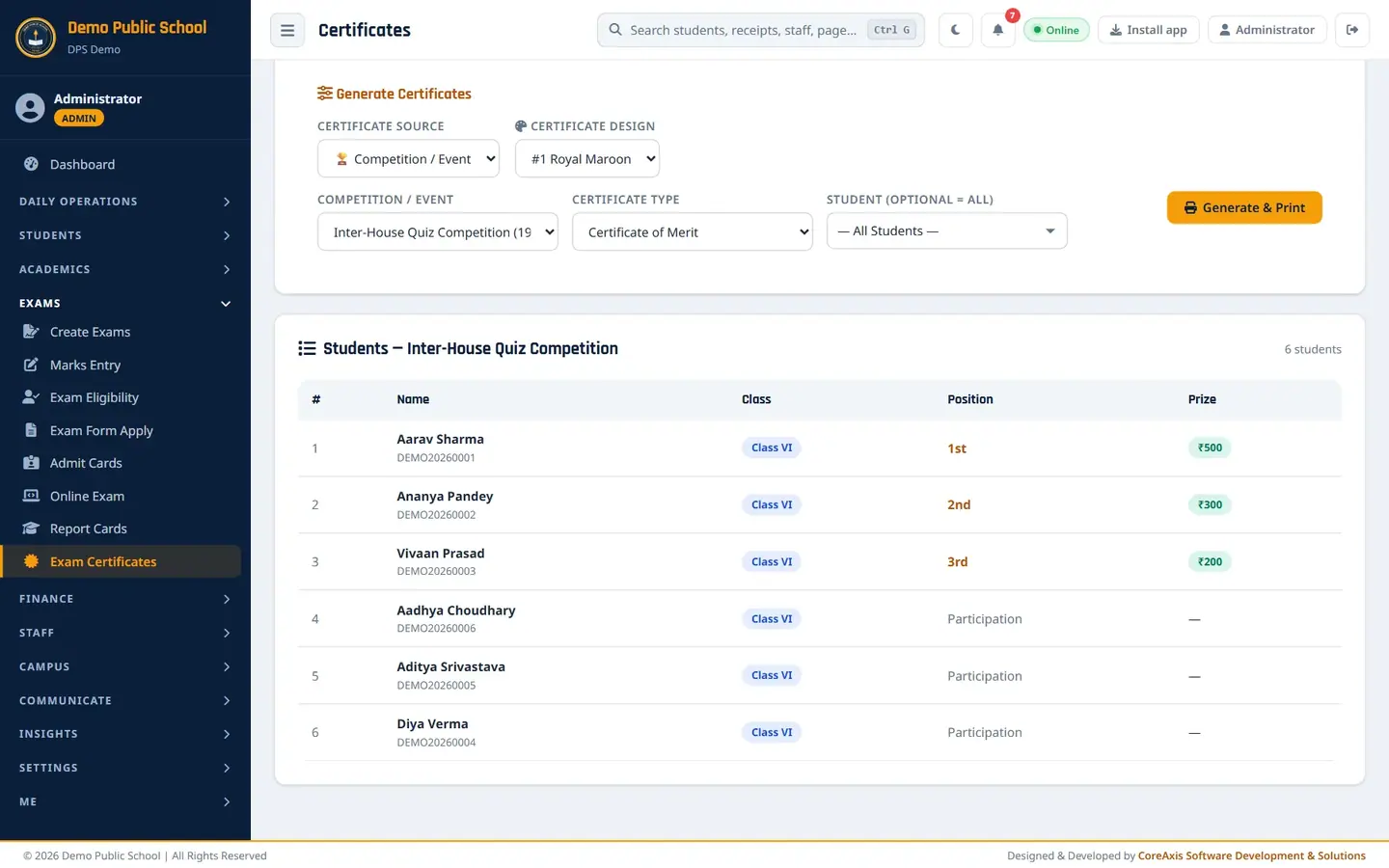
Competition mode: positions and prizes from Competitions; the other students show Participation. Click Generate & Print, check the preview and click Issue & Print.
TipPositions and prizes are entered in Communicate › Competitions when you record the results. Correct them there, not here.
TipA student recorded as Participant (no 1st / 2nd / 3rd) prints with "Participation" on a merit certificate, not a rank.
Questions
The list is empty in Class / Academic mode.
For Academic Excellence and Achievement you must choose an exam; the page asks you to. Also check that marks are saved for that exam.
Where do I print a Transfer Certificate or Bonafide Certificate?
In Students › TC / Bonafide. This page is only for exam and competition certificates.
Can I reprint a certificate?
Yes. A reprint is marked DUPLICATE COPY and recorded in the Document Register.