 CoreAxis School ERP
Finance · Chapter 31
Expenses
Expenses holds every bill the school pays, other than staff salary (salary is entered in Payroll). Each expense goes into the Cash Book or Bank Book and the Income & Expenditure statement. The page also shows the month's total, the biggest head and the last six months.

Screen at a glance
- Month bar
- Previous / next month arrows, This month, a month picker and a search box (head, paid to, note).
- Spent in (month)
- Total of the month and number of bills.
- Vs (last month)
- Change against the month before, in percent.
- Biggest head
- The head with the most spending this month and its share.
- Session
- Expenses so far this session (salary not included).
- Bills table
- Date, Head (with description), Paid to, Mode, Amount, Actions (edit, delete).
- By head
- Spending per head for the month. Click a head to filter.
- Last 6 months
- Month totals. Click a month to open it.
- Paid by
- Cash against Online / Cheque.
- Export CSV
- Downloads the bills of the selected month.
Add an expense (example: Diwali decoration, ₹3,450 cash)
Open Expenses and click Add expense, then Add expense in the popup.
Expenses for October 2026. Type the Expense head, for example
Diwali Decoration. Existing heads appear as suggestions; reuse them so the reports group correctly.Type Amount (₹)
3450and set Date to 27-10-2026.Type Paid to
Shree Ganesh Flowers & Lights, Boring Roadand choose Payment mode Cash.Write a Description, for example
Marigold garlands, diyas and LED lights for the Diwali assembly.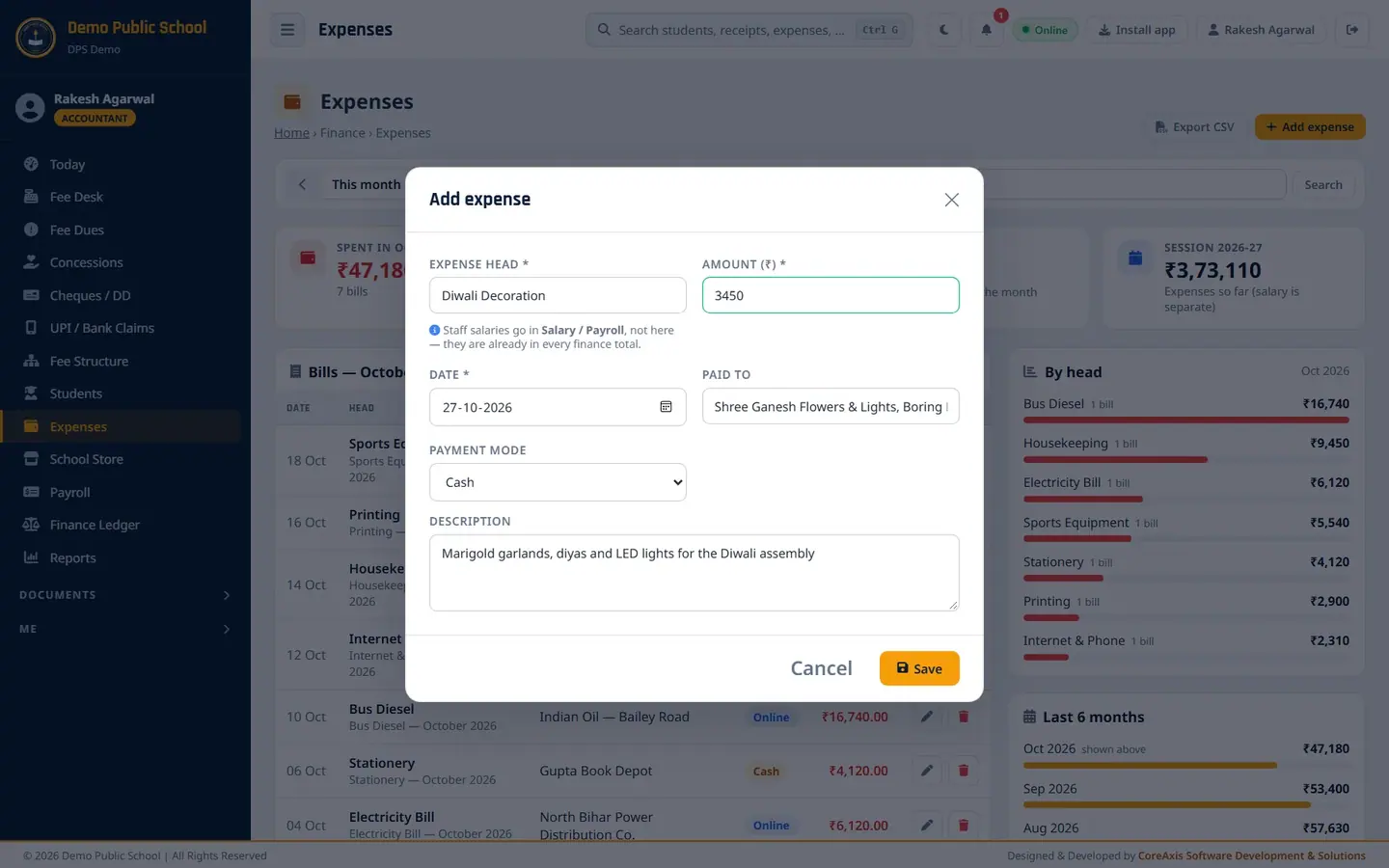
The filled Add expense form. Click Save, then Confirm. The bill appears at the top of the list.
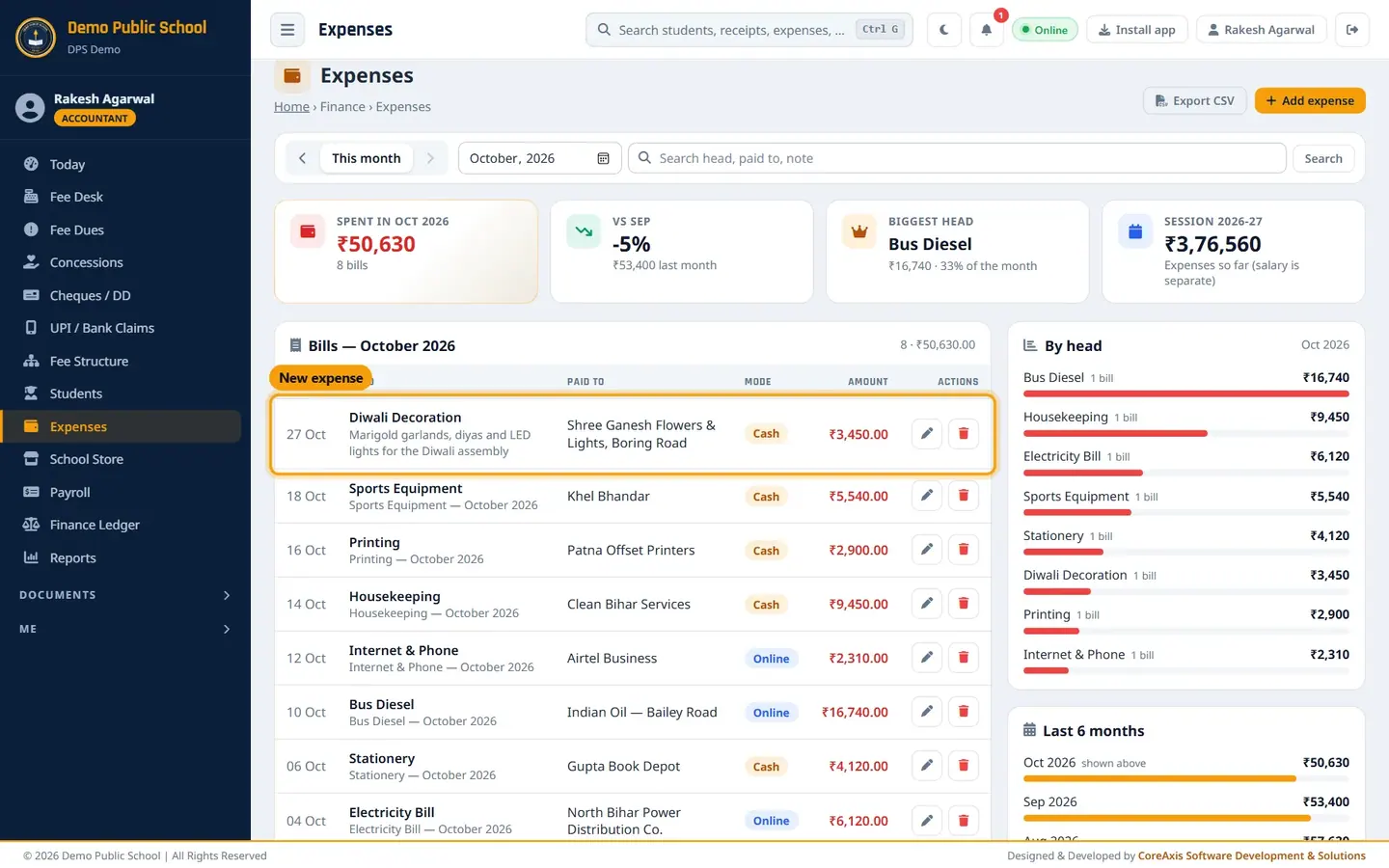
The new expense in October's bills.
TipSalaries go in Payroll, not here. They are already in every finance total.
Edit an expense (example: final bill ₹3,650)
Click the pencil icon on the Diwali Decoration row, then Edit in the popup.
Change Amount (₹) to
3650and add the bill number to the Description.
Edit expense with the corrected amount. Click Save, then Confirm.
Delete a duplicate expense
Find the wrong row, for example the same Diwali bill entered twice by mistake.
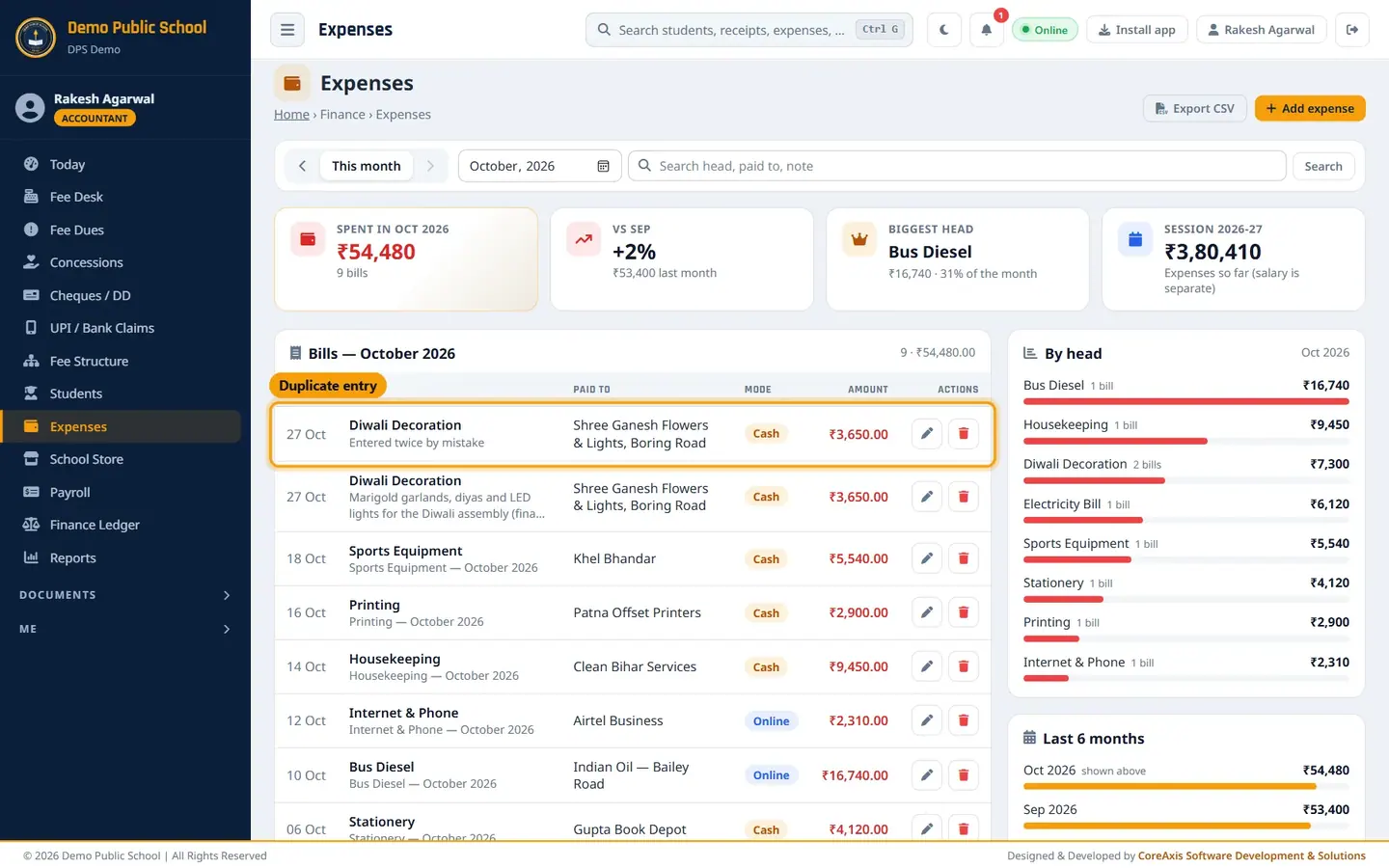
The duplicate entry. Click the red bin icon on that row.
Read the popup "Delete this expense of ₹3,650.00 (Diwali Decoration)? It leaves every finance total." and click Delete.

First confirmation. Click Yes, proceed in the second popup.

Deleting asks twice.
ImportantA deleted expense cannot be brought back. Check you are deleting the duplicate and not the real bill.
Filter and export (example: September 2026 diesel bills)
Pick the month with the month picker or the arrows, for example September 2026.
Type
Dieselin the search box and click Search.
Month and search filter. Click Export CSV to download the bills of the month shown.
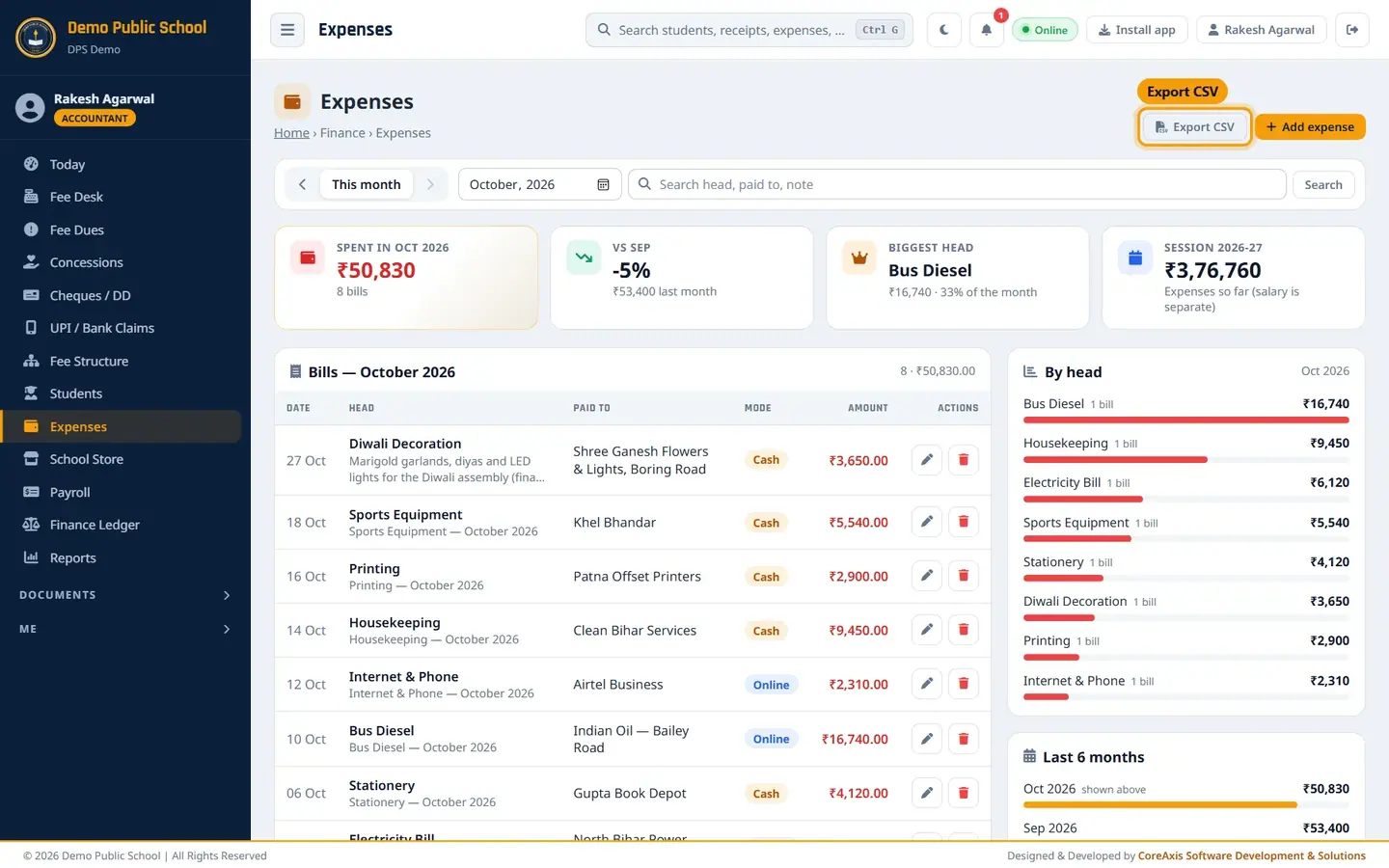
Export CSV downloads the month's bills.
Questions
Can the accountant delete an expense?
Yes, accountants can add, edit and delete expenses. Every delete asks twice.
Where do expenses show in the accounts?
Cash expenses in the Cash Book, Online and Cheque in the Bank Book, and all of them in Ledger › Expenditure and Income & Expenditure.