 CoreAxis School ERP
Admin & Principal · Chapter 9
UPI / Bank Claims
Parents can pay the school directly by UPI or bank transfer and send the UTR (reference number) from their app. Each such claim waits here until the office finds the payment in the bank statement. Verify makes the fee receipt and updates the dues; Reject sends the reason back to the parent. This screen needs internet. On the website it is UPI / Bank Claims under Finance.
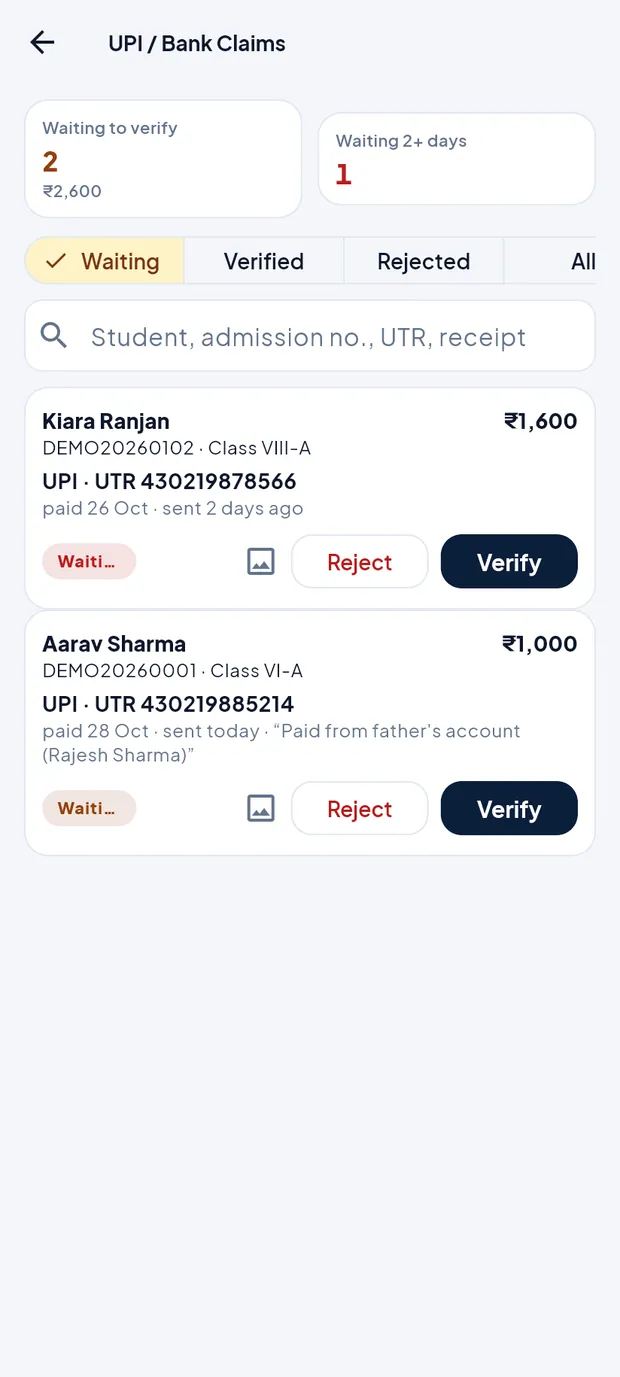
Screen at a glance
- Waiting to verify
- Claims not yet checked and their total (2 · ₹2,600 in the example).
- Waiting 2+ days
- Claims sent two or more days ago. Parents expect an answer in 1–2 working days, so check these first.
- Waiting / Verified / Rejected / All
- Tabs to switch the list.
- Search
- Student, admission no., UTR or receipt no.
- Claim card
- Student, admission no. and class, amount, UPI or Bank transfer with the UTR, date paid, when it was sent and the parent's note in quotes.
- Picture icon
- Opens the payment screenshot when the parent attached one.
- Status pill
- Waiting (red after 2 days), Verified · receipt no., or Rejected · reason.
- Reject / Verify
- Buttons on a waiting claim.
Verify a payment (example: Aarav Sharma, Class VI-A, ₹1,000, UTR 430219885214)
On Home, the To check card shows 2 UPI / bank payments sent by parents. Tap Verify, or open Finance › UPI claims.
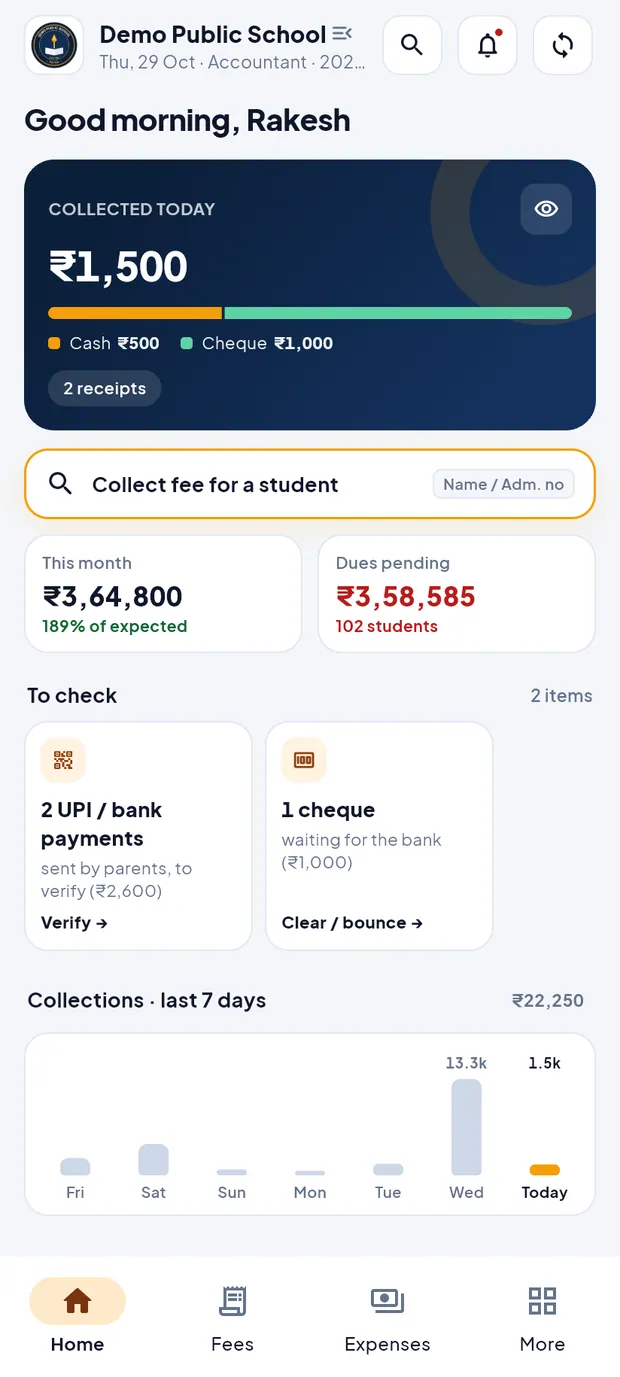
Accountant Home: 2 UPI / bank payments to verify (₹2,600). The Waiting tab lists the claims. Aarav Sharma's card shows UPI · UTR 430219885214, paid 28 Oct, with the note “Paid from father's account (Rajesh Sharma)”.
Two claims waiting: Kiara Ranjan (sent 2 days ago) and Aarav Sharma. Tap the picture icon to see the parent's payment screenshot, if any. Tap Close.
Open the school's bank statement and find UTR 430219885214 and the amount.
Tap Verify. The box Verify payment repeats the UTR: “Find UTR 430219885214 in the bank statement first.”

Verify payment: the amount is filled from the claim. Check Amount received in the bank (₹). Change it only if the bank shows a different amount.
Add a Note (optional) if needed, then tap Verify & make receipt.
The message says “Verified — receipt REC… made. The dues are updated.” The claim moves to the Verified tab with its receipt number, and the parent sees the receipt in the app.
TipNever verify a UTR you cannot see in the bank statement. A screenshot alone is not proof of payment.
Reject a claim (example: Om Anand, Class VIII-A, ₹2,000)
Search the bank statement for the UTR. In this example there is no such payment.
Tap Reject on the claim card.
In Reject claim, open Reason (the parent sees this) and choose one: No such payment in the bank statement, Amount does not match, UTR / reference number is wrong, Paid to a different account, Duplicate of an earlier claim, or Other (then write the reason).
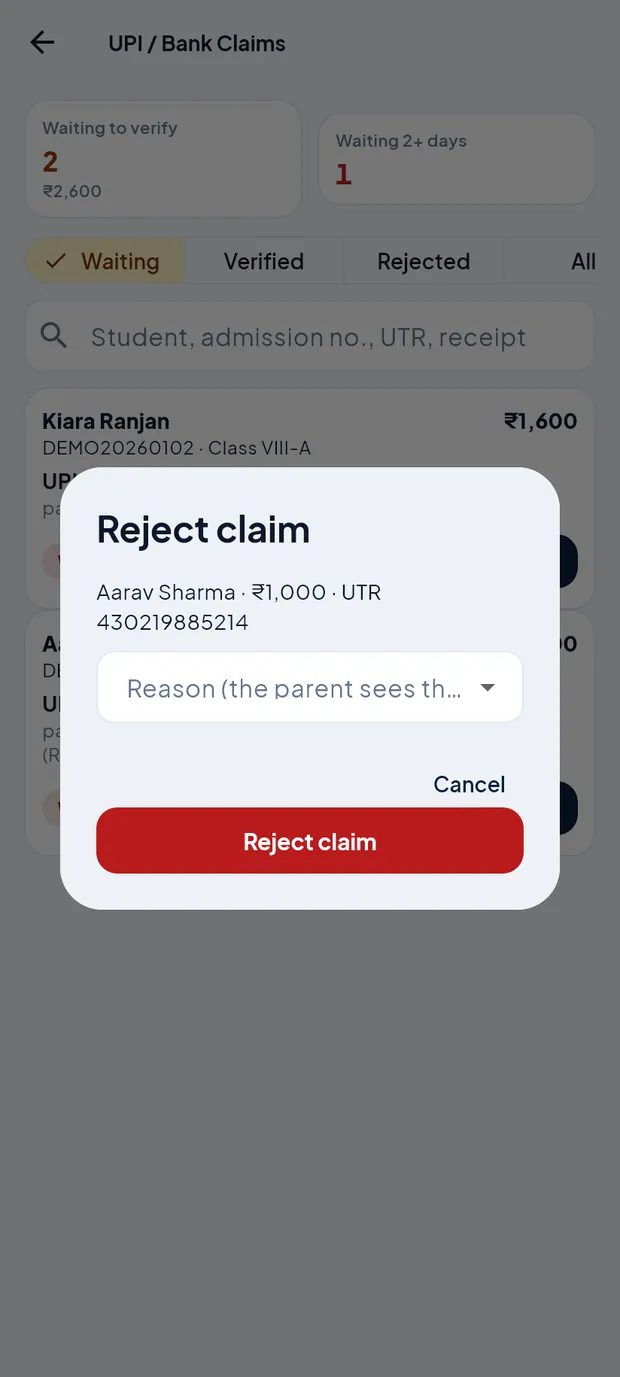
Reject claim: the reason is shown to the parent. Tap Reject claim. The message says “Claim rejected. The parent sees the reason.”
Open the All tab to see verified claims with their receipt numbers and rejected claims with the reason.
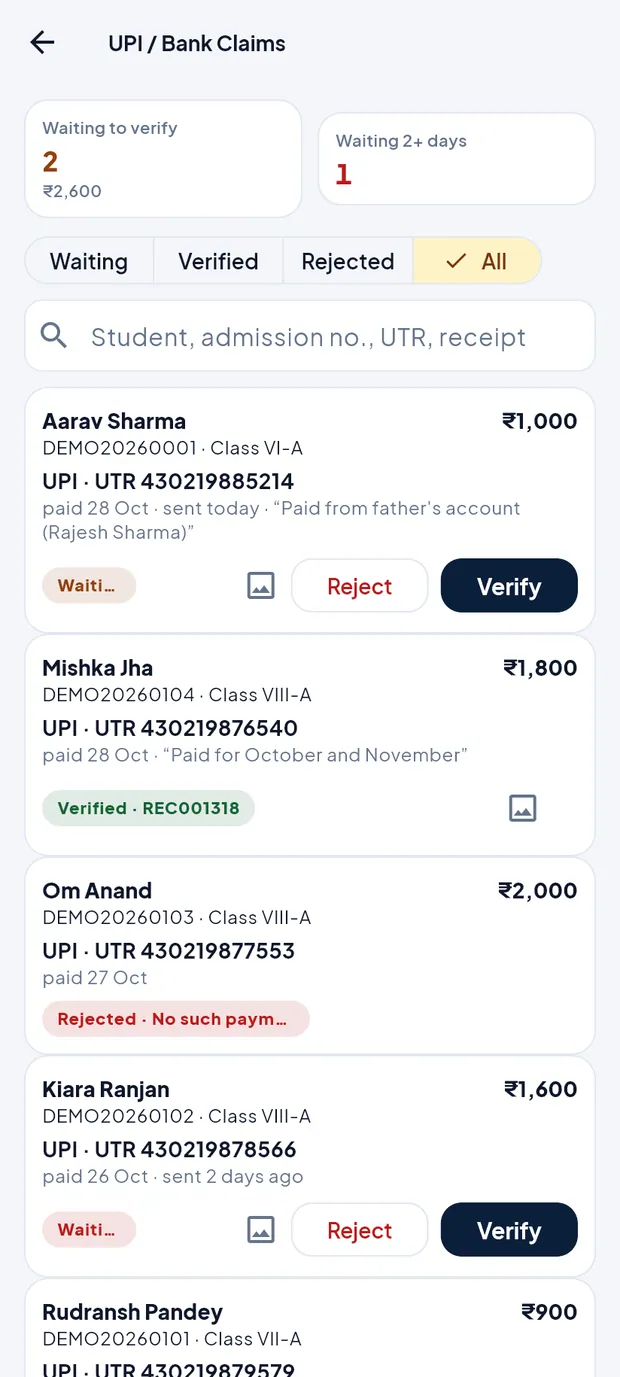
All tab: Mishka Jha verified (REC001318), Om Anand rejected (No such payment).
Same screen for the accountant
The accountant opens it from Fees › UPI claims and uses it the same way.

UPI / Bank Claims on the accountant's login.
TipIf the screen shows “UPI / bank transfer is switched off for parents”, the Admin has turned it off on the website (Online Payment). Old claims can still be checked.
Questions
The screen says “You are offline”.
UPI claims need internet, because the receipt is made on the school server. Connect and open the screen again.
The bank shows ₹900 but the parent claimed ₹1,000.
Type 900 in Amount received in the bank and add a note. The receipt is made for ₹900 and the rest stays due. Or reject with Amount does not match and let the parent send a new claim.
How does the parent send a claim?
In the parent app: Fees › Pay by UPI / bank, then UTR / reference no. and Send to school. See the chapter Fees for parents.
Should I also collect this payment in Collect fee?
No. Verify makes the receipt. Collecting it again would count the payment twice.