 CoreAxis School ERP
Admin & Principal · Chapter 16
Substitutions
When a teacher is on leave, absent or away on duty, their timetable periods need a substitute. The Arrange tab lists the absent teachers of a day and their periods; the office assigns a free teacher to each period. Every teacher sees the periods given to them under My periods. Substitutions need internet; the app shows a message when you are offline. On the website this is Academics › Substitution.
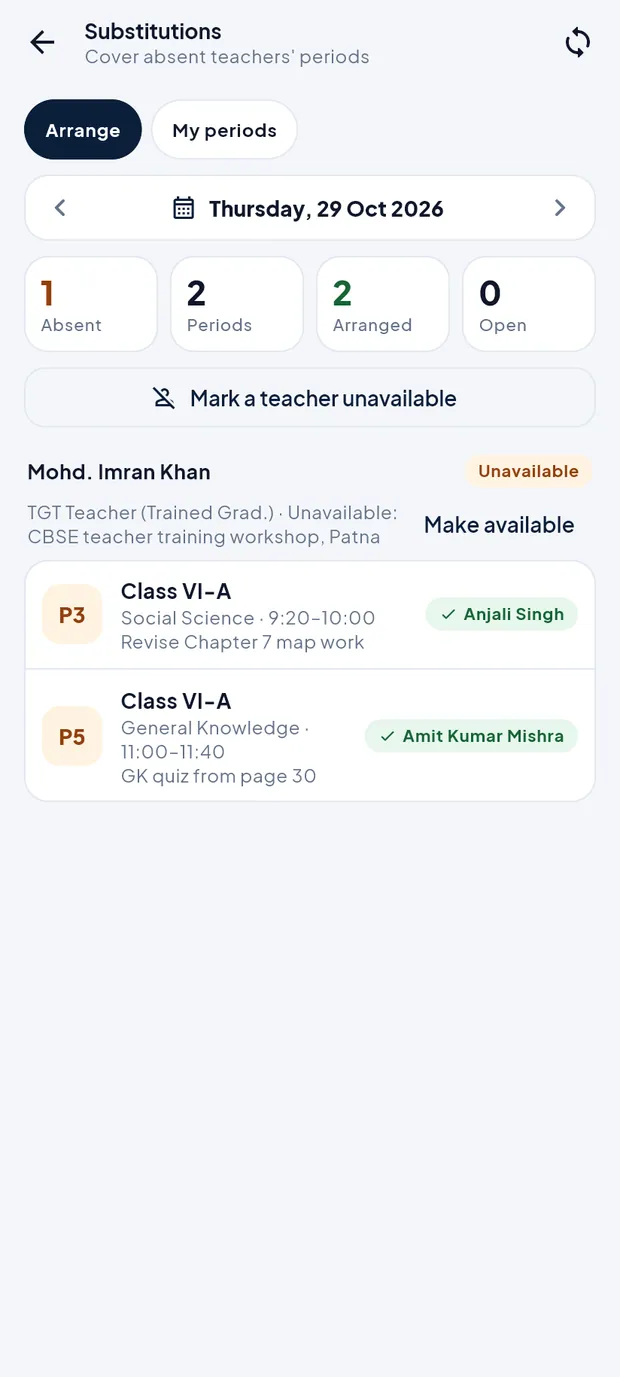
The Arrange screen at a glance
Open More › Substitutions. Admin and Principal open on Arrange.
Thursday, 29 Oct 2026: 1 absent teacher, 2 periods, both arranged.
- Date bar
- Arrows go to the previous or next day; tap the date to pick one.
- Absent / Periods / Arranged / Open
- Teachers away that day, their periods, periods with a substitute, and periods still open.
- Mark a teacher unavailable
- Adds a teacher who is not on leave but is away, e.g. on duty outside or in training.
- Teacher card
- Name, role, reason and an Unavailable tag, with Make available to undo. Teachers on approved leave or marked absent appear here by themselves.
- Period row
- Period number, class, subject and time, with the substitute's name (green tick) or Assign when open.
Mark a teacher unavailable (example: Priya Kumari Jha, medical leave)
On Arrange, choose the day with the date arrows.
Tap Mark a teacher unavailable.

Mark a teacher unavailable sheet. Tap Teacher * and choose Priya Kumari Jha.
Type the Reason (optional): Medical leave.
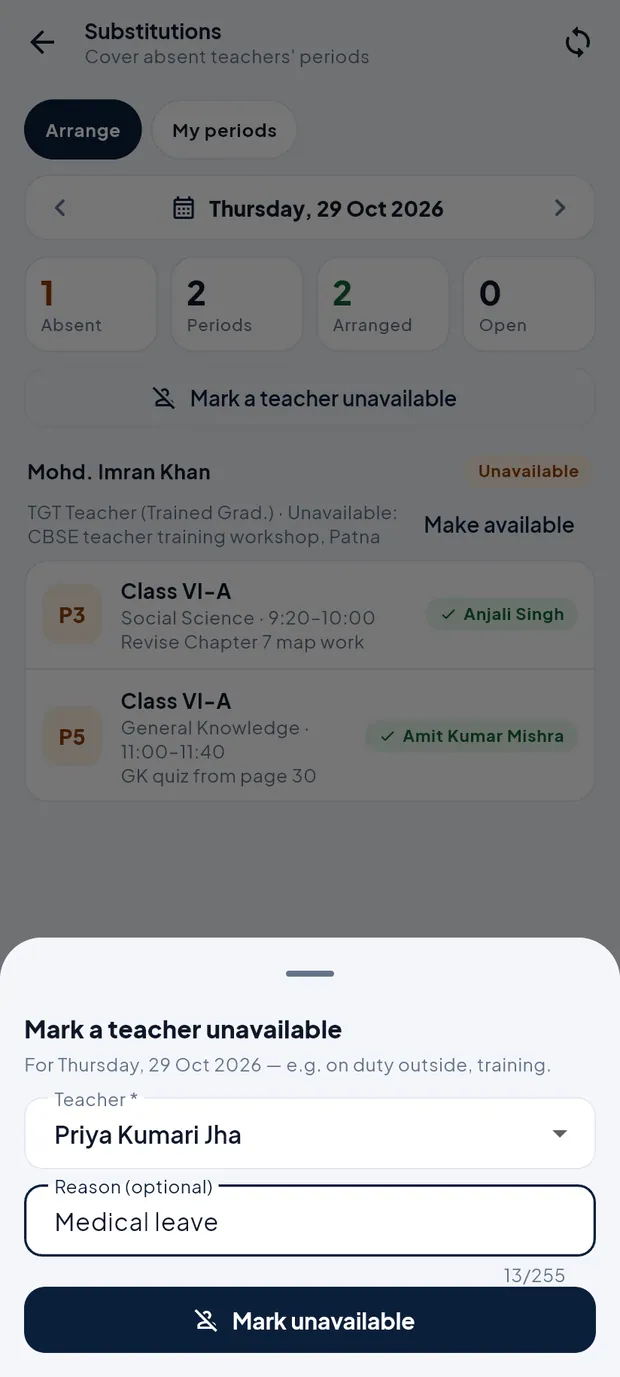
Teacher and reason filled. Tap Mark unavailable and confirm. She is added with an Unavailable tag and her periods for that day are listed.
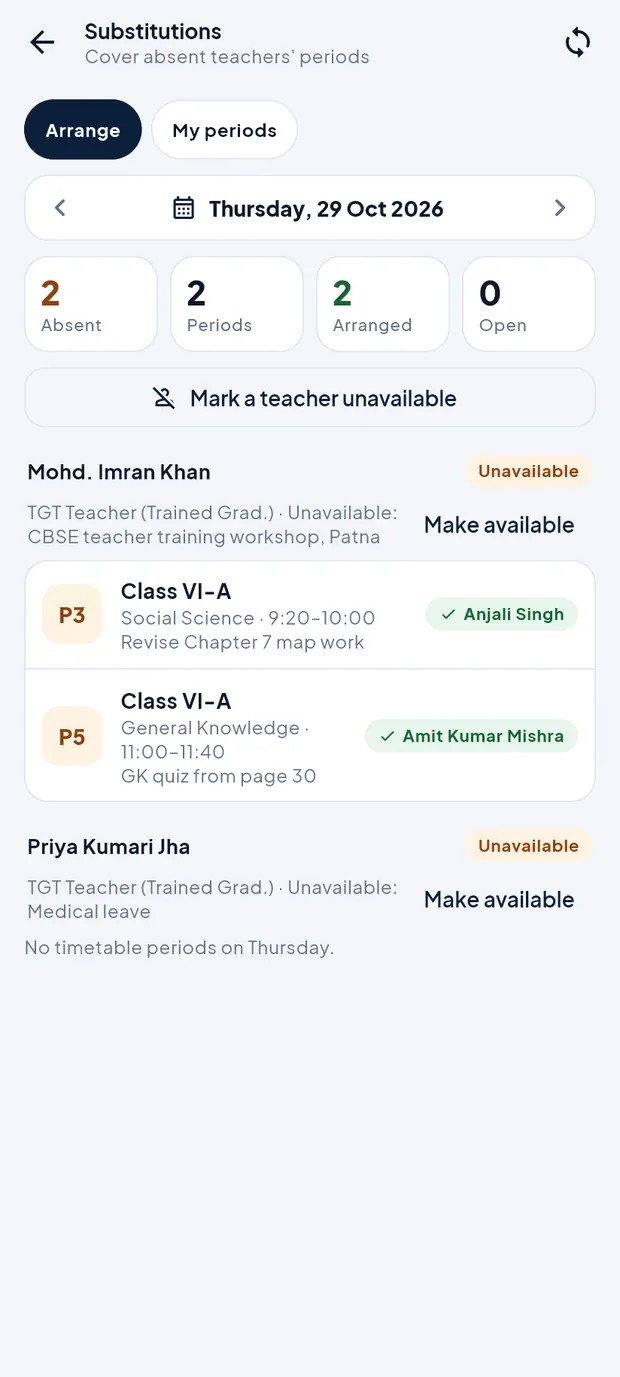
Priya Kumari Jha now Unavailable. She has no timetable periods on Thursday.
Assign a substitute (example: Period 5, Class VI-A)
On Arrange, find the open period under the absent teacher and tap Assign.
A sheet lists Free teachers · best first. Tags show Suggested and Knows class (the teacher already teaches that class).
Tap a teacher, e.g. Amit Kumar Mishra. The period now shows his name with a green tick and the Arranged count goes up.
To change it, tap the period again and choose another teacher, or tap Remove to take the substitute off.
TipIf no one is free, the sheet says No free teacher in this period.
TipMake available removes the teacher from the list, but substitutes already arranged stay until you remove them.
See my substitution periods
Open More › Substitutions and tap My periods (teachers open here directly).
Check the counts Today, This week and Next 2 weeks, and the list of periods with class, time, whose place you take and the work left.
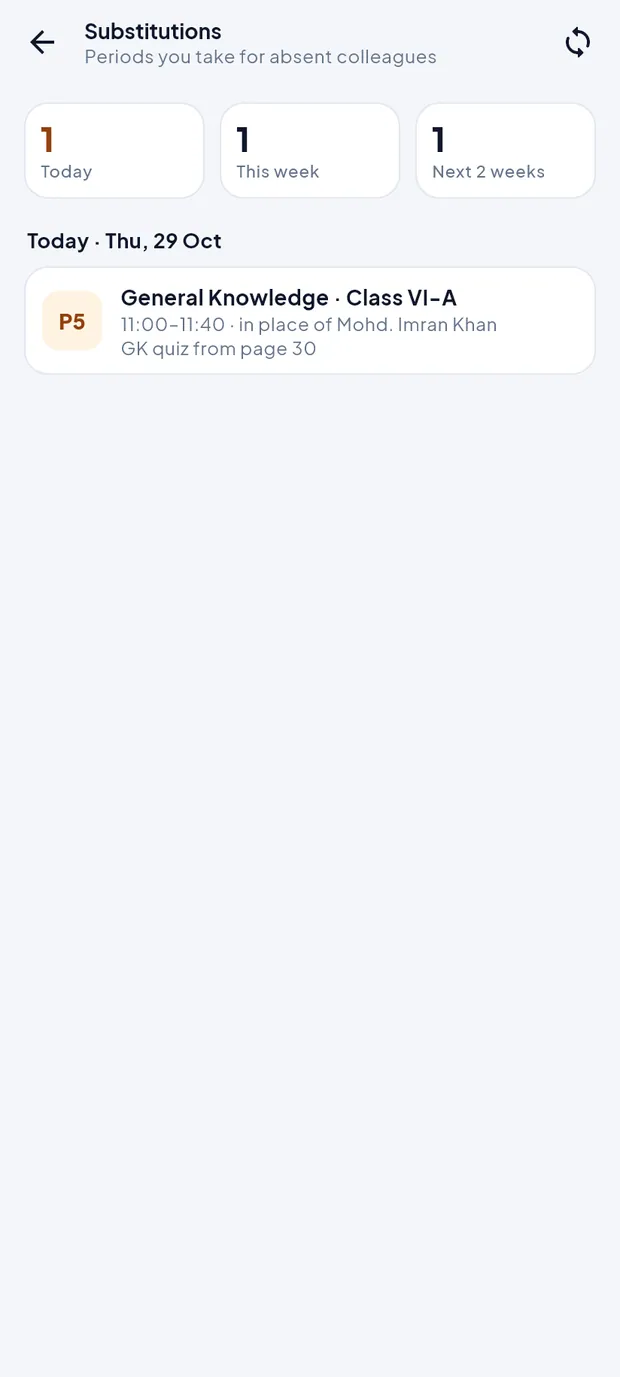
Amit Kumar Mishra takes Period 5, General Knowledge, Class VI-A, in place of Mohd. Imran Khan.
Questions
The screen says Substitutions need an internet connection.
Substitutions are read and saved on the school server only. Connect to the internet and pull down to reload.