 CoreAxis School ERP
Admin & Principal · Chapter 8
Cheques / DD
A fee paid by cheque or DD counts as paid as soon as the receipt is made, and the receipt says “Subject to realisation”. Cheques / DD lists these payments so the office can match them with the bank statement and mark each one Cleared or Bounced. This screen needs internet, because the school server does the clearing and the reversal. On the website the same page is Finance › Cheques / DD.
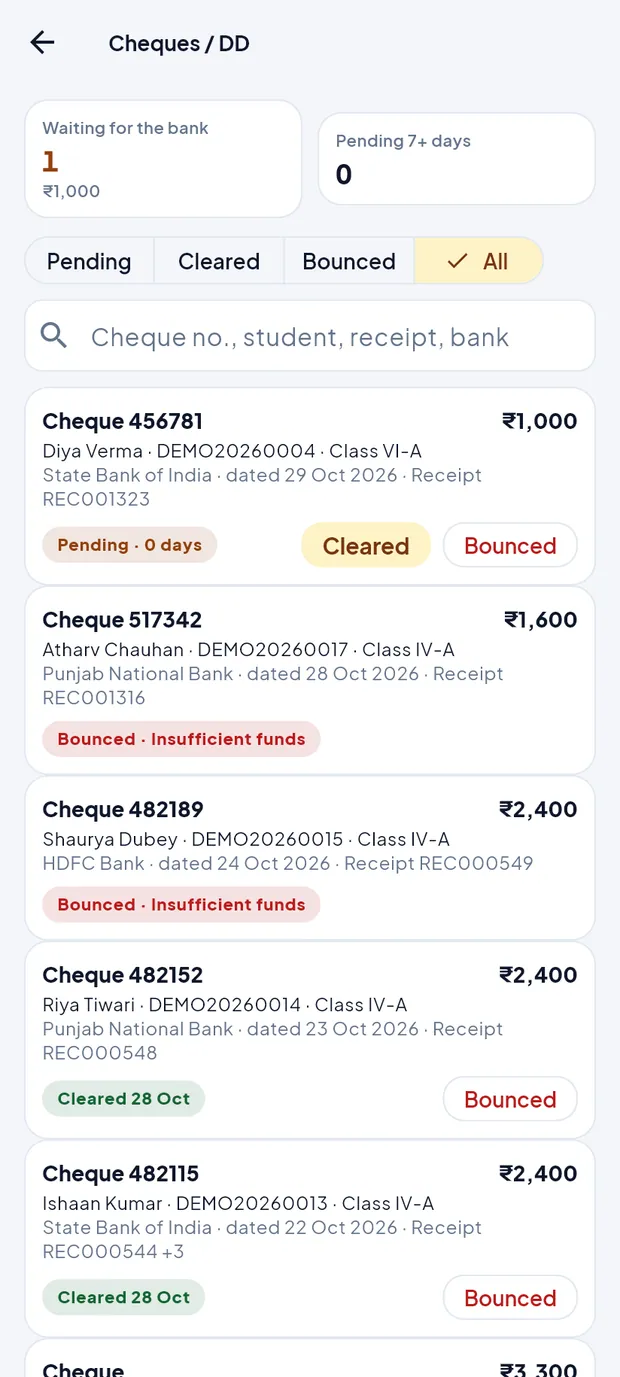
Screen at a glance
- Waiting for the bank
- Number of cheques / DDs not yet cleared, with their total (here 1 · ₹1,000).
- Pending 7+ days
- Cheques waiting more than a week. Shown in red when above 0; check them with the bank.
- Pending / Cleared / Bounced / All
- Tabs to switch the list. Swipe the tab row sideways to reach All.
- Search
- Cheque no., student, receipt or bank. Type and press search on the keyboard.
- Cheque card
- Mode and cheque number, amount, student · admission no. · class, bank, cheque date and receipt no. (+n when one cheque paid several receipts).
- Status pill
- Pending · n days (red after 7 days), Cleared with the date, or Bounced with the reason.
- Cleared
- Button on a pending cheque: the bank has paid it.
- Bounced
- Button on pending and cleared cheques: the bank returned it.
Where cheques come from
A cheque or DD is taken in Collect fee with mode Cheque or DD (see the chapter Collect fee). Example: Diya Verma, Class VI-A, cheque 456781, State Bank of India, ₹1,000.

Cheque receipt REC001323. Until it is cleared, the receipt lists show it as “awaiting clearance” and the PDF says “Subject to realisation of Cheque No. 456781”.
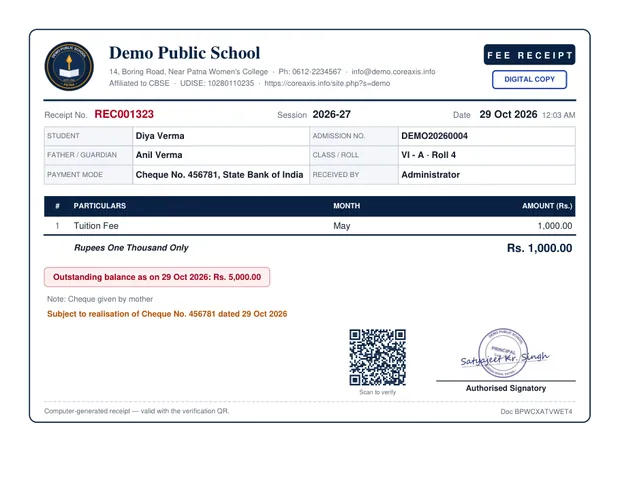
The receipt PDF of a cheque not yet cleared. The Home screen shows a card under To check, for example 1 cheque · waiting for the bank (₹1,000). Tap Clear / bounce to open Cheques / DD.
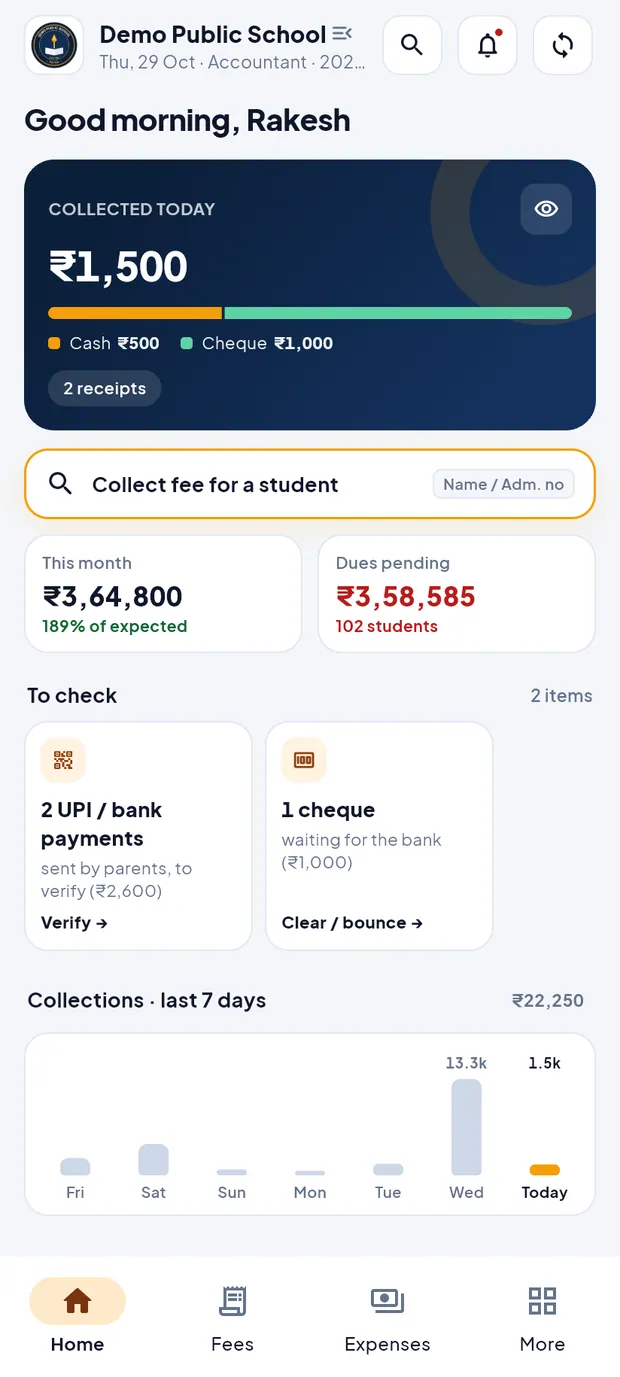
Accountant Home: To check cards for UPI payments and cheques.
Mark a cheque cleared (example: Diya Verma, cheque 456781, ₹1,000)
Check the bank statement: ₹1,000 from cheque 456781 has been credited.
Open Finance › Cheques (Accountant: Fees › Cheques). The Pending tab is open.
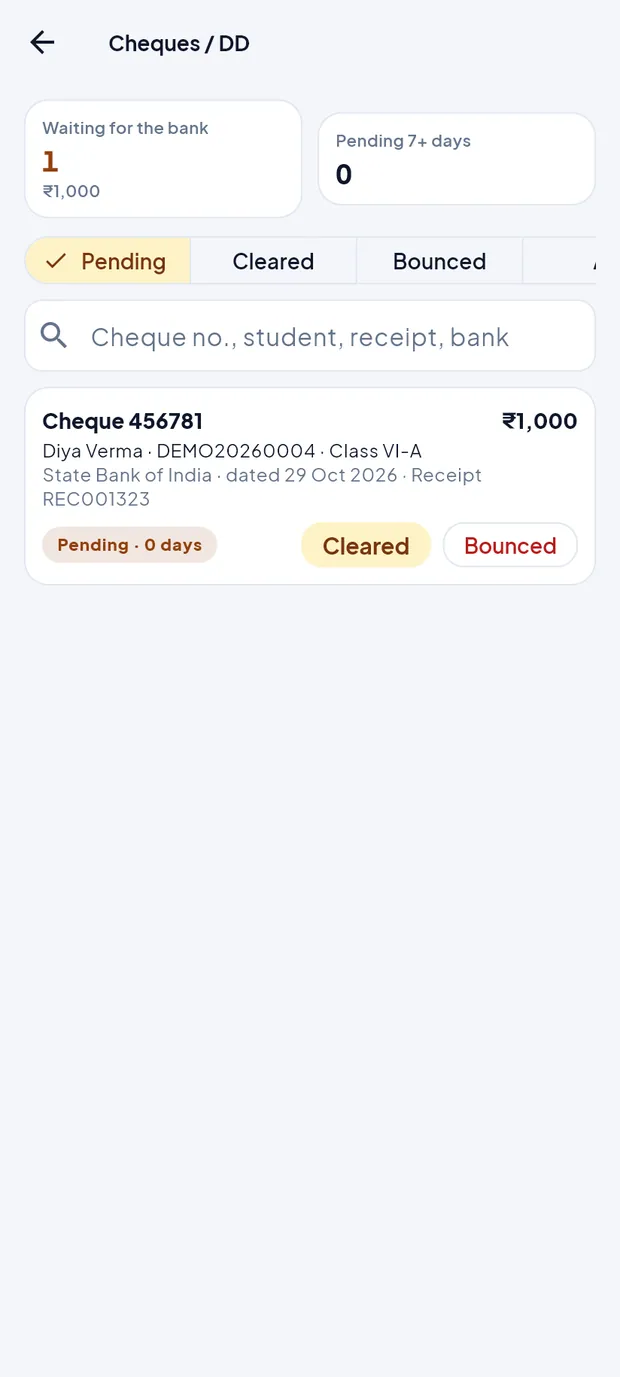
Waiting for the bank: 1 cheque, ₹1,000. Find the cheque. Type 456781 or Diya in the search box if the list is long.
Tap Cleared on the cheque card.
The box Mark as cleared? says “Cheque 456781 of ₹1,000 from Diya Verma was cleared by the bank.” Tap Yes, cleared.
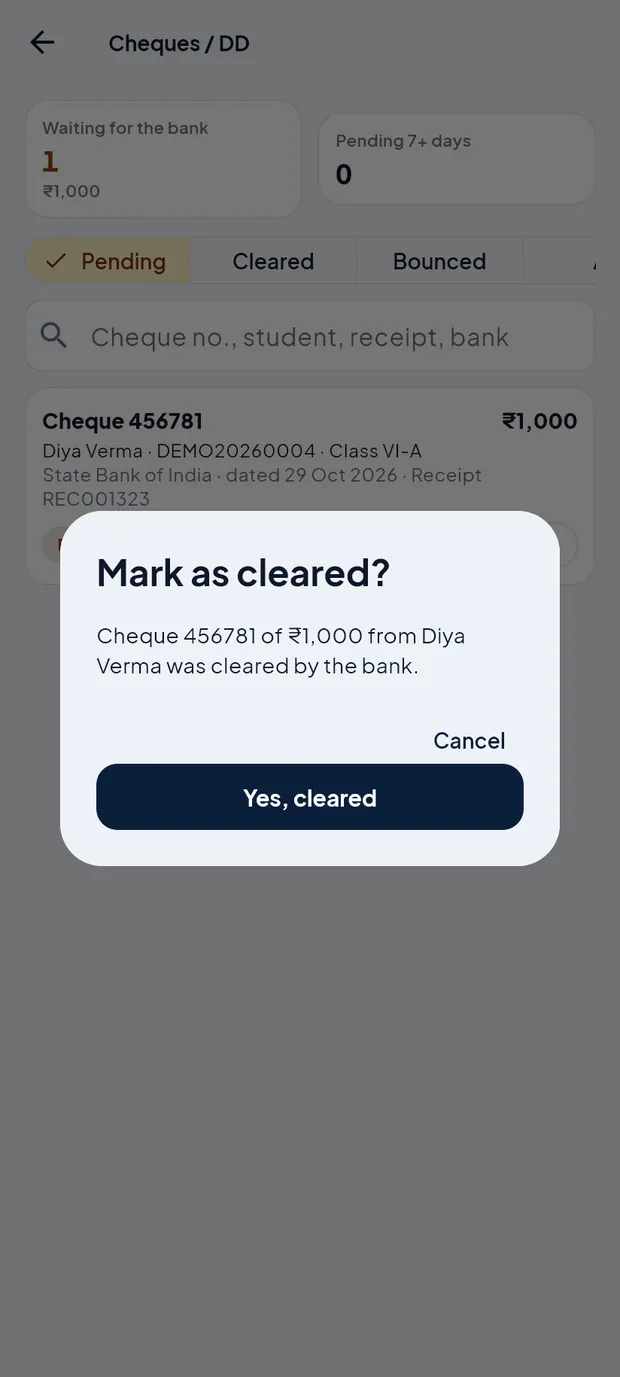
Mark as cleared? — tap Yes, cleared. A message confirms it. The app syncs, and the cheque moves to the Cleared tab with today's date. The receipt no longer says awaiting clearance.
TipCheques can also be cleared or bounced on the website: Finance › Cheques / DD.
TipCheck the Pending 7+ days tile every week and ask the bank about old cheques.
Record a bounced cheque
When the bank returns the cheque, open Cheques / DD and tap Bounced on its card (on the Pending tab, or on the Cleared tab if the bank returned it after clearing).
The box Cheque bounced — 456781 says how much will be reversed.
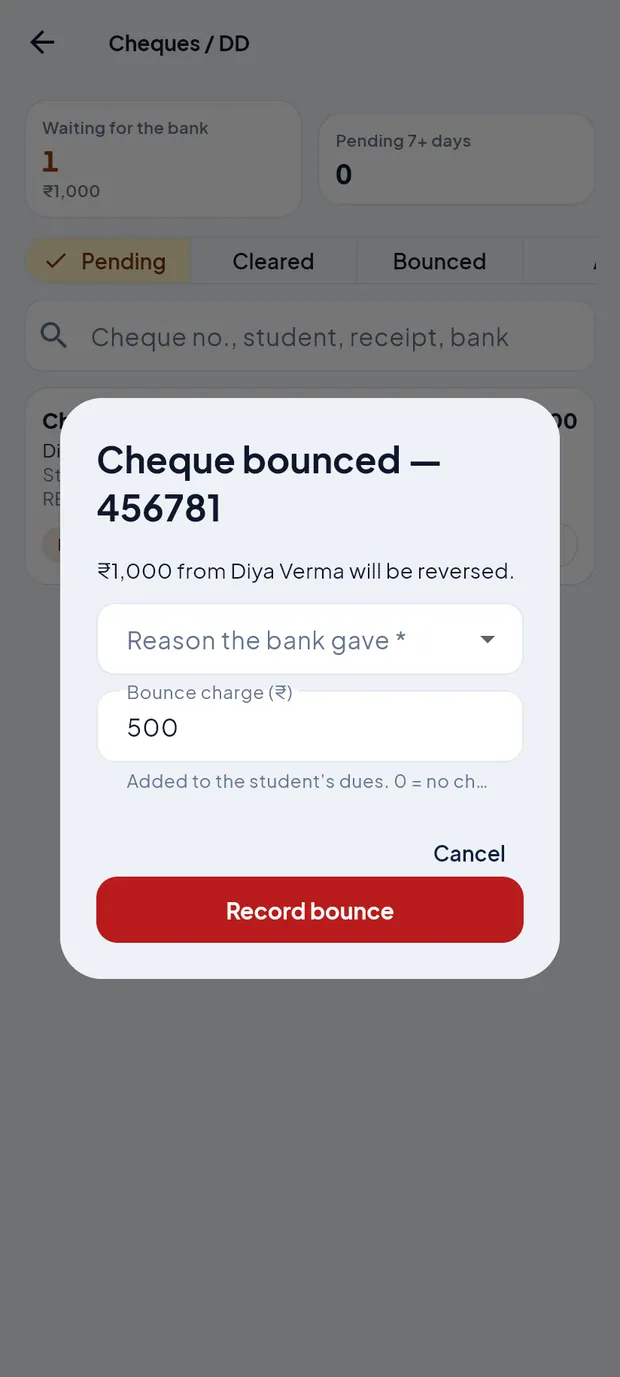
Cheque bounced — choose the reason and check the bounce charge. Choose Reason the bank gave: Insufficient funds, Signature mismatch, Payment stopped by drawer, Account closed, Cheque stale / post-dated, Amount in words and figures differ, or Other (then type the reason).
Check Bounce charge (₹). It is filled with the school's default charge and is added to the student's dues. Type 0 for no charge.
Tap Record bounce.
A second box Are you absolutely sure? explains that the receipt is reversed, the months fall due again and the bounce charge is added. Tap Yes, bounced.
The cheque moves to the Bounced tab with the reason. The receipt shows CANCELLED · cheque / DD bounced in red, and a reversal receipt is added.
ImportantA bounce cannot be reversed. Record it only when the bank has really returned the cheque.
Questions
The Cheques screen says “You are offline”.
Cheques can only be cleared or bounced with internet, because the school server makes the changes. Connect and open the screen again.
Can I also clear or bounce cheques on the website?
Yes. Finance › Cheques / DD on the website does the same work, with a table of all cheques.
What happens to the student's dues after a bounce?
The receipt is reversed, the months it paid are due again (with late fee if the school uses it) and the bounce charge appears under Other charges & late fee in Collect fee. Collect the new payment as usual.
Where is the default bounce charge set?
On the website: Fee Structure › Late fee & bounce (Admin / Principal).
The cheque cards do not show in my app.
App version 1.0.4 had a display fault on this screen. Update the app from Google Play, or use Finance › Cheques / DD on the website meanwhile.