News
Admissions 2026–27 are open — get your school online in minutes Launch offer: 20% OFF your first year — use code CORE20 at checkout New: the School eRegister Android app is on Google Play — for staff, students and parents Every school gets its own isolated private database, backed up every night Online exams (CBT), staff self-service and a ready-made school website — all included Need help? Call +91 91131 07586 or email softcoreaxis@gmail.com Admissions 2026–27 are open — get your school online in minutes Launch offer: 20% OFF your first year — use code CORE20 at checkout New: the School eRegister Android app is on Google Play — for staff, students and parents Every school gets its own isolated private database, backed up every night Online exams (CBT), staff self-service and a ready-made school website — all included Need help? Call +91 91131 07586 or email softcoreaxis@gmail.com
Android app
School eRegister app icon
School eRegister by CoreAxisEducation · Free · Included with every CoreAxis plan

Your school, in your pocket

School eRegister is the mobile app for schools that run on CoreAxis School ERP. Principals, teachers, accountants, students and parents each get their part of the school on their phone — even when the internet is slow or gone.
No adsNo in-app purchasesSign-in issued by your school
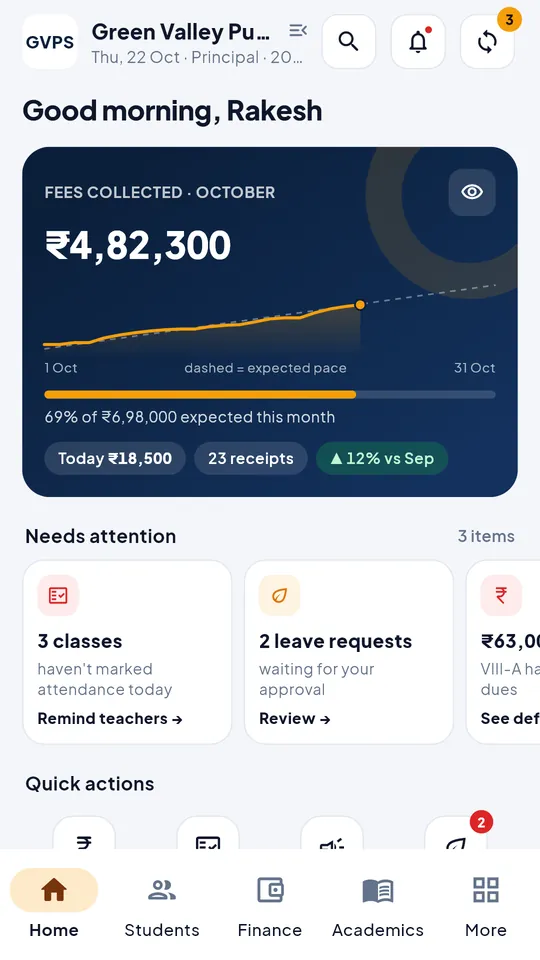
School eRegister principal dashboard showing fees collected this month
Works offlineOpens and works without internet; syncs on its own later.
Encrypted on the phoneSQLCipher database, key kept in the Android Keystore.
PIN, fingerprint or faceLocks itself after a few minutes in the background.
Several children, one phoneParents add each child and switch in a tap.
Built for every role

What each person gets

Everyone signs in with their own account and sees only what the school allows for their role.

Principal & admin

  • Today at a glance: attendance, fee collection, dues and expenses
  • Fee summary, defaulters and recent receipts
  • Students, staff directory, notices and leave approvals
  • Add admissions and staff, create exams, edit the timetable, issue and return library books

Teachers

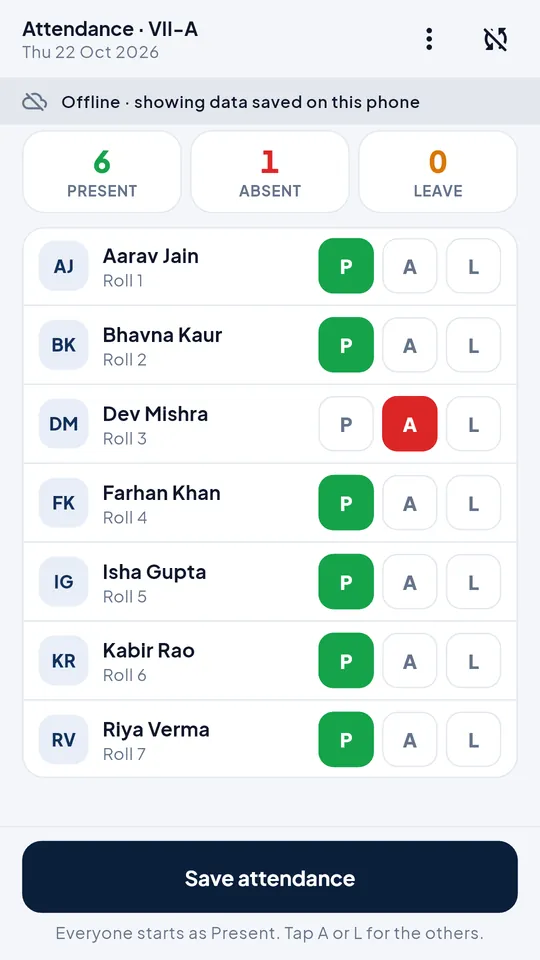
  • Mark class attendance in a few taps — everyone is present by default, tap only the absentees
  • Enter exam marks subject by subject
  • Give homework, post notices and apply for leave
  • Your timetable, your attendance and your payslips

Accountants

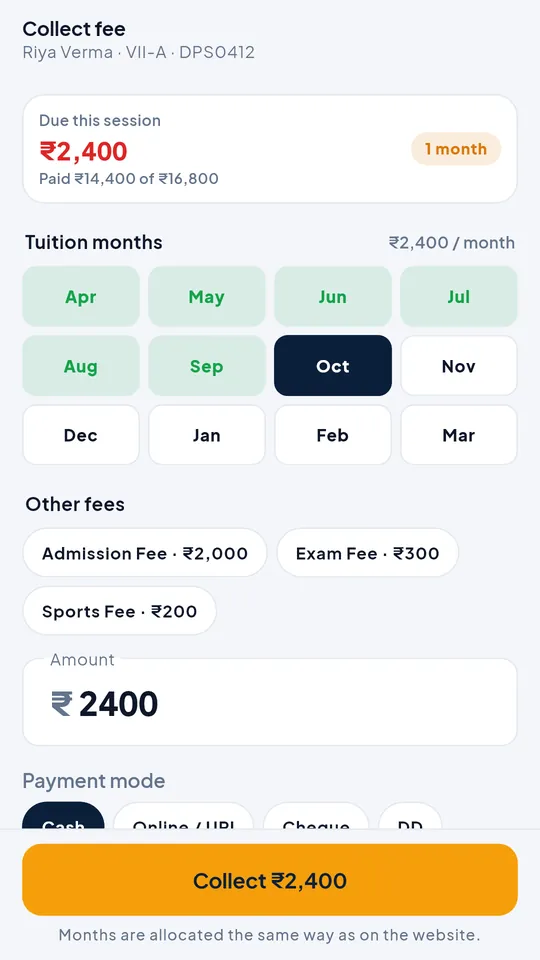
  • Find a student and collect fees month by month or by fee head
  • Cash, UPI, cheque or online — with remarks
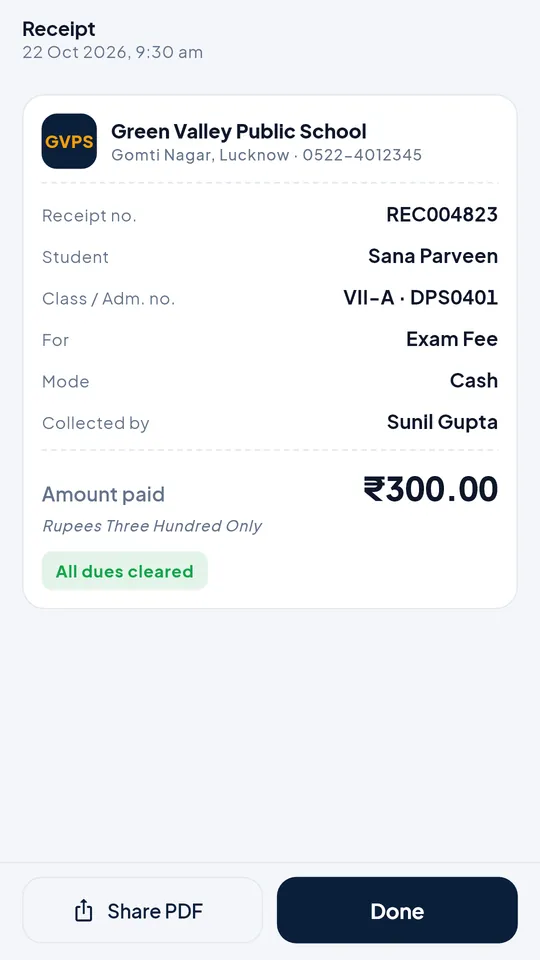
  • A clear receipt you can share as a PDF straight away
  • Expenses, collection reports and dues

Students & parents

  • Attendance for the current session, month by month
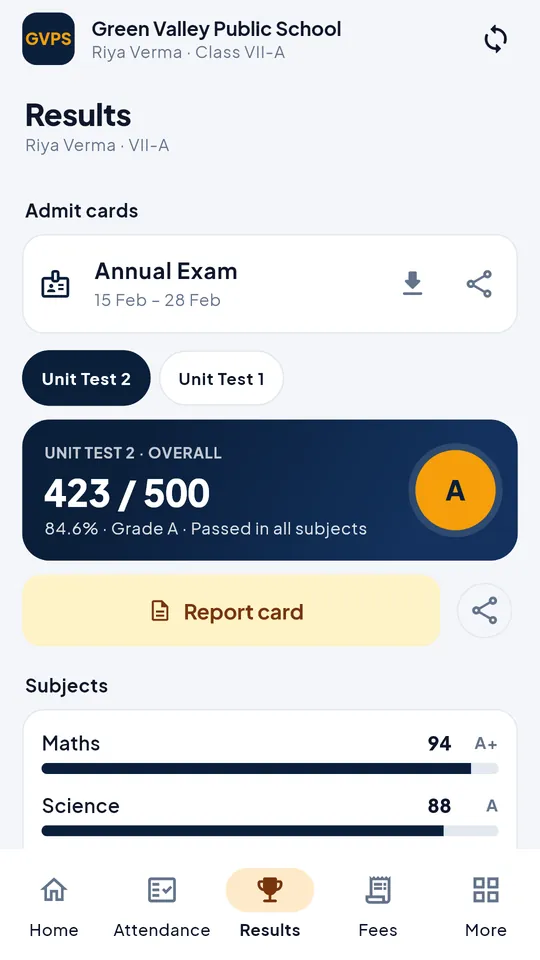
  • Results and report cards once the school publishes them
  • Fee dues, payment history and receipts — pay online if the school has turned it on
  • Homework, notices, timetable, ID card and online tests
  • More than one child at the school? Add each child and switch between them
Offline first

Keeps working when the network doesn't

School data is kept on the phone, so the app opens instantly in a classroom, a bus or a village with weak signal. Work done offline is queued safely and sent to the school server when the phone is back online.

  • Attendance, marks and fee entries are saved on the phone first
  • Sent automatically when you are online — each entry exactly once
  • Fees collected offline get a provisional receipt that becomes the final receipt number after sync
  • The Sync screen shows exactly what is still waiting
Sync screen listing entries waiting to be sent
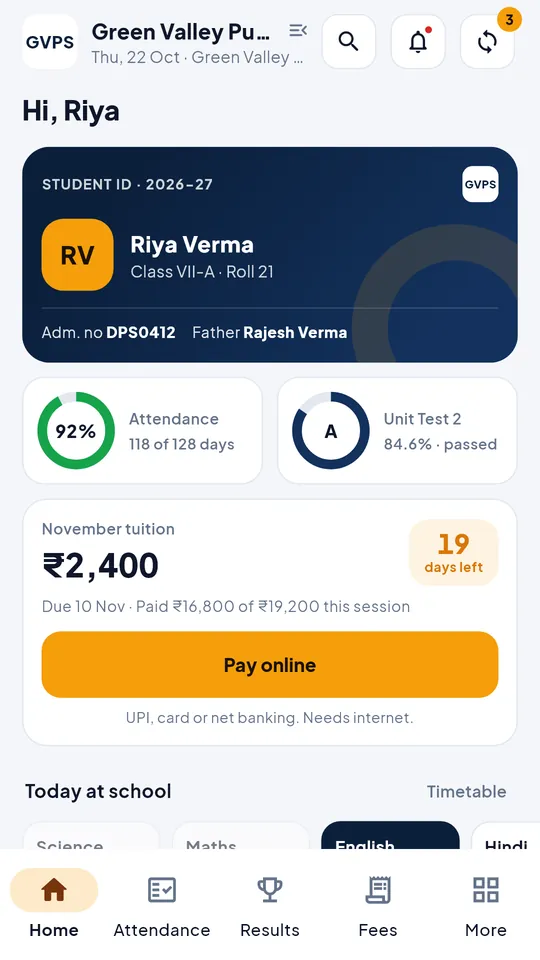
Student home screen with attendance, dues and homework
Students & parents

Exams, fees and every child in one place

Parents see what matters without visiting the school office — and can act on it.

  • Online tests (CBT) with a question palette, mark-for-review and an instant result
  • Fee dues, payment history and receipts; pay online through Razorpay when the school enables it
  • Add each of your children with their admission number and date of birth, then switch between them
  • Published results, report cards, homework, notices, timetable and ID card
Security

Safe by design

School records are sensitive. The app is built so a lost phone does not mean lost data.

Encrypted everywhere

HTTPS to the school server, and an encrypted database on the phone with its key in the Android Keystore.

Email code on new phones

Staff confirm a one-time code sent to their school email the first time they sign in on a new phone.

Sign out = wiped

Signing out removes all school data from the phone. The app also locks itself after a few minutes in the background.

Screenshots

A look inside

Real screens from the app, shown with sample data.
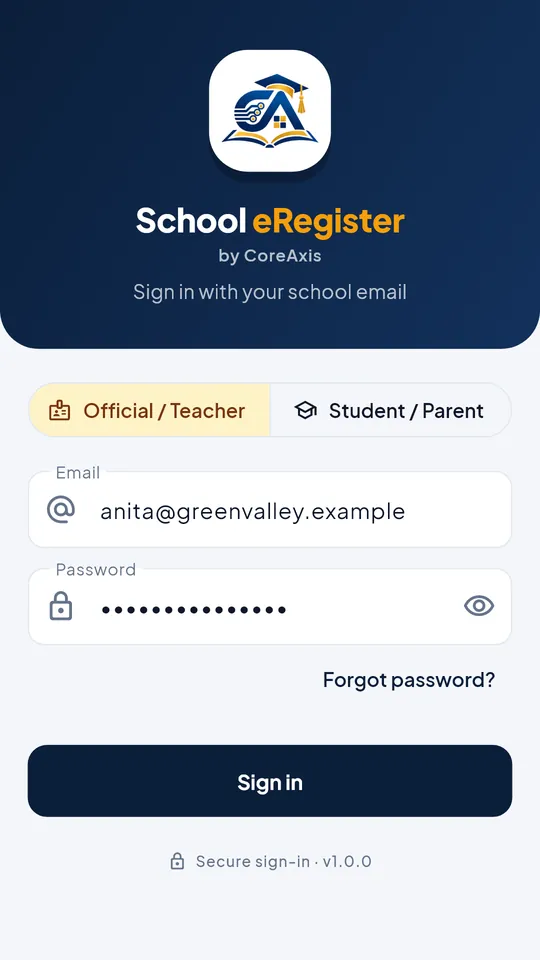
School eRegister screenshot: Sign in
Sign in
School eRegister screenshot: Principal dashboard
Principal dashboard
School eRegister screenshot: Mark attendance in seconds
Mark attendance in seconds
School eRegister screenshot: Collect fees, even offline
Collect fees, even offline
School eRegister screenshot: Instant receipts
Instant receipts
School eRegister screenshot: Student home
Student home
School eRegister screenshot: Results and report card
Results and report card
School eRegister screenshot: Works offline, syncs later
Works offline, syncs later
Questions

App FAQs

Who can sign in?
Only people your school has set up. Staff sign in with their school email and password, plus a one-time code sent to that email the first time on a new phone. Students and parents sign in with the school, the admission number and the date of birth. There is no public sign-up — if your school does not use CoreAxis yet, ask the school office or contact us.
Does it work without internet?
Yes. The school data you are allowed to see is kept on the phone, so the app opens and works offline. Attendance, marks and fee entries made offline are saved on the phone and sent to the school automatically when you are back online; the Sync screen shows what is still waiting. Online tests and online fee payment need a connection.
Is it free for parents?
Yes. The app is free to download and has no ads and no in-app purchases. It is included in every CoreAxis plan the school takes, so parents and staff pay nothing extra for it. School fees paid through the app go to the school (via Razorpay, where the school has enabled online payment).
Is there an iPhone app?
Not yet — School eRegister is for Android. On an iPhone (or any computer), staff use the same account in the browser through the School Login, and students and parents through their school's student portal.
How is my data protected?
All traffic uses HTTPS. The data on the phone is kept in an encrypted database (SQLCipher) whose key lives in the Android Keystore, the app can be locked with a PIN, fingerprint or face unlock, and signing out removes the school data from the phone. Each person sees only what the school allows for their role. Details are in our privacy policy.
How do I delete my account or data?
Accounts are created and removed by the school. You can ask the school office, or follow the steps on our account deletion page.

Bring your school to every phone

School eRegister is included in every CoreAxis plan. Start a free trial for your school, then share the app with your staff and parents.

Get it onGoogle Play Start Free Trial